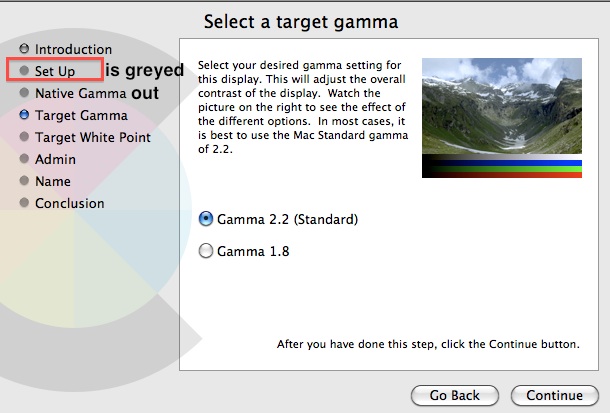
K kathyricks macrumors 6502 Original poster Dec 2, 2013 #1 On my 24" 2008 model iMac the Setup button is greyed out so I can't calibrate the monitor colors. Any solution for this problem?
On my 24" 2008 model iMac the Setup button is greyed out so I can't calibrate the monitor colors. Any solution for this problem?
richard13 macrumors 65816 Dec 3, 2013 #2 kathyricks said: On my 24" 2008 model iMac the Setup button is greyed out so I can't calibrate the monitor colors. Any solution for this problem? Image Click to expand... Hi. As far as my experience is concerned this is perfectly normal. There is no Setup "step" but rather all the subsequent steps are part of setup. I guess this could be made more clear.
kathyricks said: On my 24" 2008 model iMac the Setup button is greyed out so I can't calibrate the monitor colors. Any solution for this problem? Image Click to expand... Hi. As far as my experience is concerned this is perfectly normal. There is no Setup "step" but rather all the subsequent steps are part of setup. I guess this could be made more clear.
P phphoto macrumors member Dec 3, 2013 #3 When you clicked the calibrate button there should be a box to check for expert mode.
K kathyricks macrumors 6502 Original poster Dec 3, 2013 #4 phphoto said: When you clicked the calibrate button there should be a box to check for expert mode. Click to expand... You're right! I didn't see that box initially. Thanks alot!
phphoto said: When you clicked the calibrate button there should be a box to check for expert mode. Click to expand... You're right! I didn't see that box initially. Thanks alot!