Hope someone may be able to help here. I've been unsuccessful in trying to find a solution online over the last few months and just thought I'd have to put up with it until I can afford a new Mac ... then I thought someone on MacRumors might have had a similar problem.
I'm running an old Power PC G4 MacBook Pro, with Tiger OSX.4.11.
If I use the Image Correction tool in Preview, the image corrupts. I also get corruption happening if I transfer from Keynote into a .mov Quicktime file.
I won't go into all the different checks etc that I've done, or when it does/doesn't work, because I'll have to go through each step and check precisely what happens, to make sure every detail is correct. I'm hoping someone has seen something similar before and I can go straight to the solution and then post here whether it works or not.
So, to try and describe what happens ... the image looks as if it has a pattern of rectangles superimposed on it, or sometimes other regular patterned shapes.
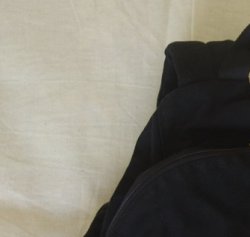
Image 1 attached is before correction, image 2 is after.
Patrick
I'm running an old Power PC G4 MacBook Pro, with Tiger OSX.4.11.
If I use the Image Correction tool in Preview, the image corrupts. I also get corruption happening if I transfer from Keynote into a .mov Quicktime file.
I won't go into all the different checks etc that I've done, or when it does/doesn't work, because I'll have to go through each step and check precisely what happens, to make sure every detail is correct. I'm hoping someone has seen something similar before and I can go straight to the solution and then post here whether it works or not.
So, to try and describe what happens ... the image looks as if it has a pattern of rectangles superimposed on it, or sometimes other regular patterned shapes.
Image 1 attached is before correction, image 2 is after.
Patrick