
Become a MacRumors Supporter for $50/year with no ads, ability to filter front page stories, and private forums.

ChromeCrescendo

macrumors 6502a
Original poster
MP 7,1

I installed Big Sur a few days ago and just checked my iMessages archive by going to Library>Messages>Archive and the folder is completely empty

iMessage Preferences panel:
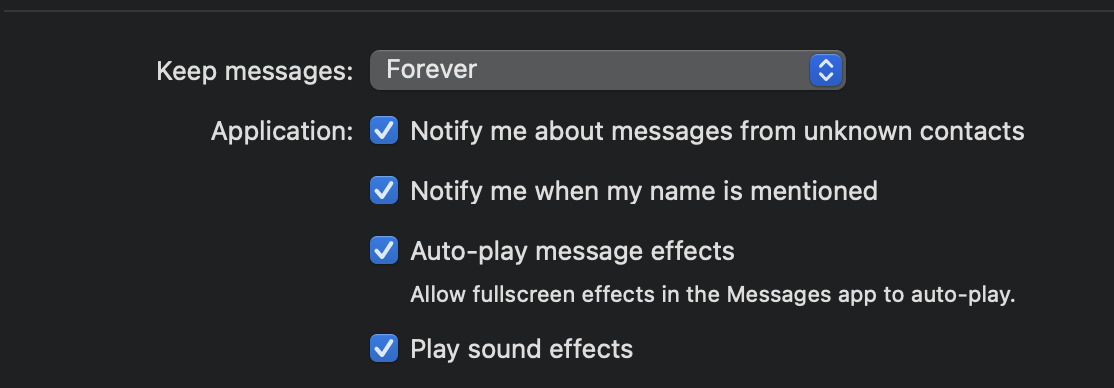
CleanShot 2020-12-18 at 22.31.26@2x.png


Anyone else lose their entire iMessage archive?
 
Same here! It's very frustrating, and I'm surprised I can't find more people talking about this on forums. When I check my Time Machine backups, the last time there were messages in the folder was right before I upgraded to Big Sure - since then the folder has remained empty. 🙁
 
  • Like
Reactions: ChromeCrescendo
Same problem here. Archive folder before upgrade was full of archived messages, after upgrade to Big Sur, folder completely empty and stays empty !

Same here! It's very frustrating, and I'm surprised I can't find more people talking about this on forums. When I check my Time Machine backups, the last time there were messages in the folder was right before I upgraded to Big Sure - since then the folder has remained empty. 🙁

Yeah I cannot find any forums discussing this -- did Apple do away with iMessage archiving? if so, why even have the Archive folder listed?
 
Anyone have any new information on this? I cannot believe Apple did this - I need a lot of those messages for work
 
Register on MacRumors! This sidebar will go away, and you'll see fewer ads.