THERE WERE problems with HDV camcorders and HD in general with iMovie 08... I want to know if this continues with 09. Here is a thread from Macworld...
" Quote:<hr />
Quote:<hr />
I just finished importing and editing HDV video in beautiful 1080 full resolution in iMovie '08. What, exactly, was the basis of your statement about the unusability for HDV camcorders? You seem quite upset and aggressive about a fact you don't even have straight. Let this news be good news for you.
<hr />
Wow! Your experience runs exactly contrary to what Mike Curtis wrote in this iMovie review. Let me refresh your memory:
Quote:<hr />
For interlaced video such as DV and 1080i HDV, iMovie now uses single-field processing. This means every other horizontal line of the video is thrown out, which reduces the sharpness of the footage. High definition (HD) footage is processed internally at 960-by-540 pixels at most, and thats not as high resolution or sharp as it could be (and was in prior versions), but with the output from many HD consumer cameras, the visible difference between Full (1,920-by-1,080) and Large (960-by-540) will likely be slight to negligible for most users. In short, if you want maximum quality output from an HD device, dont use iMovie 08.
<hr />
I don't think I was being excessively harsh. I do have my facts straight. iMovie '08 lost 1080i HDV editing and that defeats the purpose of owning a 1080i camcorder. If I wanted to produce SD video I would have bought an SD camcorder.
<hr />
Strange how I am editing in something besides 480i, which is what you said. Even the article refernces a higher resolution that 480i.
PS - just opened up the file I imported and edited in iMovie in quicktime. Check the video settings - 1920 x 1080 and the single-field toggle is unchecked. Looks like full HD to me. What is the basis for this single field editing at 960x540? I am just not seeing it in the footage I am working with.
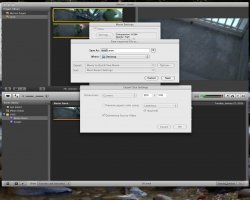
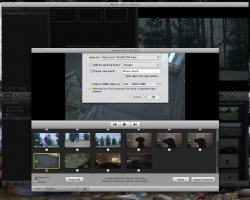
Edit: I just did some additional searching and played with exporting clips from iMovie '08. It appears that it will indeed import at full native HD, but the internal processing indeed appears to be limited to the 960x540. My basis for this is that when selecting 'export to quicktime' video that was imported in full 1080 HD has a present for size that says 960x540 (current), which makes me believe that as soon as you drag a clip to the timeline area, it does indeed work with it at a limited resolution. The single field toggle, however, is still unchecked, so perhaps that is for a display to screen only?
Clearly, this limitiation puts the HD editing into the consumer-level only realm. Like any good consumer, the question I was asking was - how will this affect the quality of the finished edit, given my consumer level HDV camcorder as input? So I took the native 1080 full HD clip unedited and opened it in quicktime, and did the same with the exported clip at 960x540. I opened the full HD to full size, and doubled the size of the 960x540, to make them the same size on my monitor. Making sure the high-quality playback was toggled in both, of course. I'll be darned if I can tell a difference between the two, even on a still-frame by frame comparrison. Of course, the real question is how does it look when played back to my TV - for this I'll have to wait until I have an HD TV, but for now, as a comsumer-level hoobyist with a consumer-level HD camera, I'm satisfied. I am also a little relieved at the ability to import and store all my footage at the "large" level or 960x540 at 12 GB an hour, becuase I was getting a little worred what I was going to do with all my footage at 40 GB per hour!! "