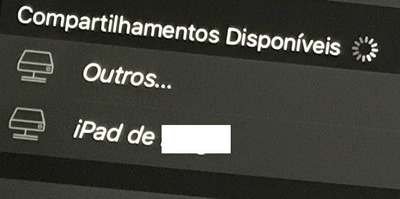
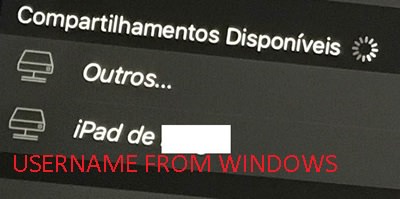
There's something even more strange that I just find out:
You remember that I said in iOS Infuse was seeing all my shared folders (from Windows 10-64 bit, PC)? Well, apparently it is working in it because IT WAS ALREADY ADDED there. Otherwise it wouldn't be visible.
Take a look at these two images:
https://imgur.com/a/YcyNA
The 2nd image is from Infuse (1st from other app - both for iOS).
As you can see, the 1st app detects my computer, recognizing as MY USERNAME (SMB/CIFS). If I hit OK it will recognize as 192.168.8.144 and ask for the proper username and password.
Meaning that Windows is broadcasting that is online for me to read its shared contents.
Now, the 2nd image shows Infuse for iOS. I already added the 192.168.8.144 IP (from Windows, PC) and it's saved as "Computador".
Compartilhamentos salvos = "Shared folders/remembered devices", meaning that in the past Infuse for iOS was able to see the computer using Windows in the same way that 1st app from IMGUR.
Now, look what happens here:
If things were working fine then Infuse for iOS would show something like this:
That means my computer is invisible for the iOS version, too!
🙁
Because it's not being listed at all. The folders can still be accessed only because I saved in the past the credentials, when it was visible, as 192.168.8.144 + WINDOWS USERNAME + Windows password.
I only get OTHERS and "iPAD".
In the ATV 4 I only get OTHERS, and if I attempt to insert the IP address 192.168.8.144 + the Windows username/password (manually, of course) it won't allow me to save this data. So what "OTHERS" is good for?
I have no way to regain access in the ATV and I only have access in the iOS version because it was already saved there (the Windows/PC credentials).
This is very odd, especially considering other apps not created by you can see my shared folders from Windows/PC.
And it's already established this couldn't be something broken in one of the last 5.X ATV versions, since I downloaded the 4.X and it didn't work there either.
With that said I can dismiss the idea you have done something wrong in the last updates.
It has to be either because Windows 10 got that Fall Creators Update, due to these new tvOS versions or some specific configuration in Windows that would make it visible to Infuse again (but if that's the case, why it can only affect YOUR app?).
As my avatar suggests, I hate unsolved mysteries...
😳