


Become a MacRumors Supporter for $50/year with no ads, ability to filter front page stories, and private forums.

MacRumors

macrumors bot
Original poster
Apr 12, 2001
70,418
42,064


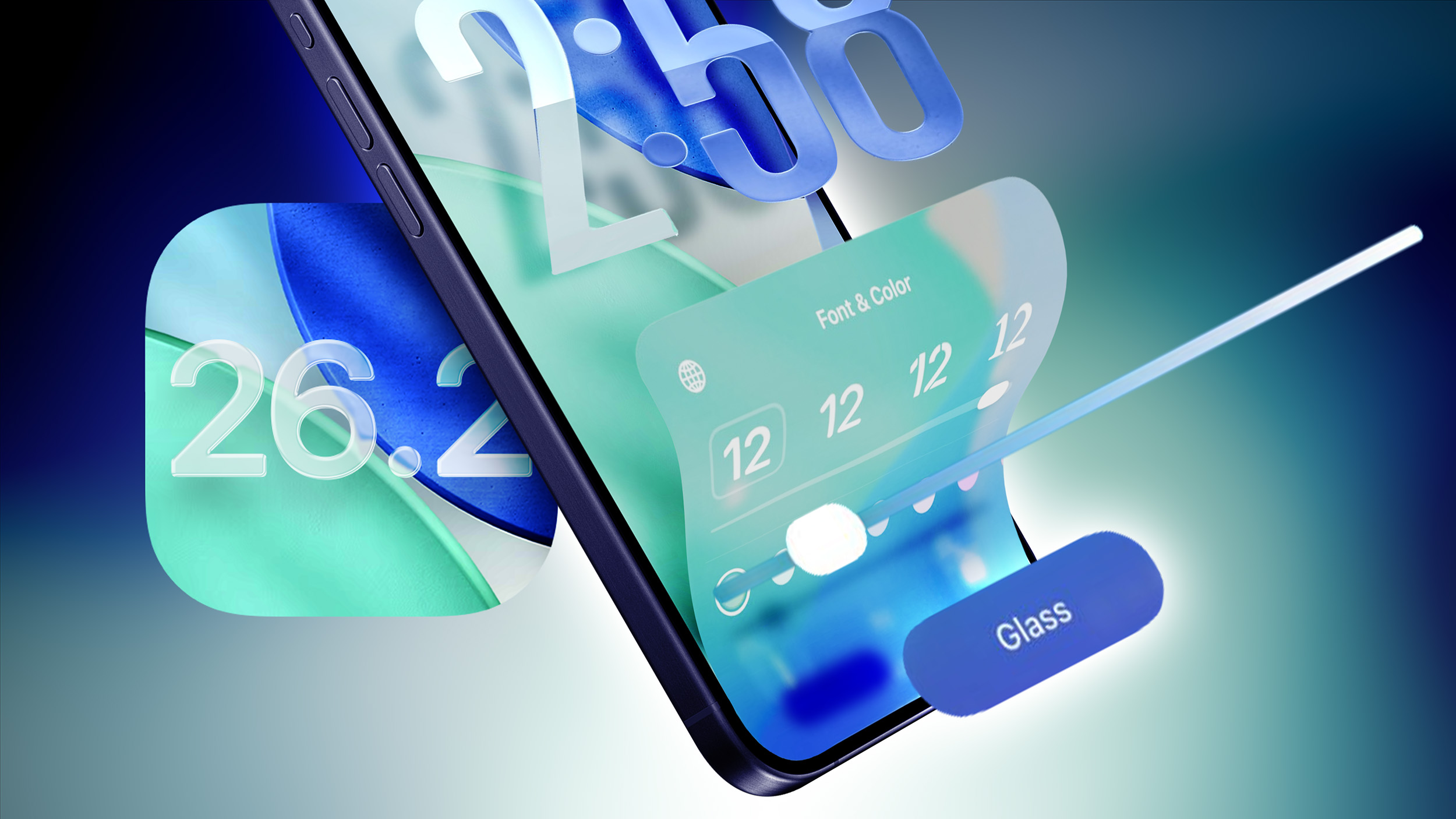
Apple is testing iOS 26.2, a new version of iOS 26 that’s going to come out right around mid-December. iOS 26.2 is going to bring big changes to iPhone users in Japan, but there are also quite a few feature tweaks available for everyone. We’ve rounded up all of the new features your iPhone will get in iOS 26.2.
iOS-26.2-Glass-Slider-Feature.jpg

Reminders

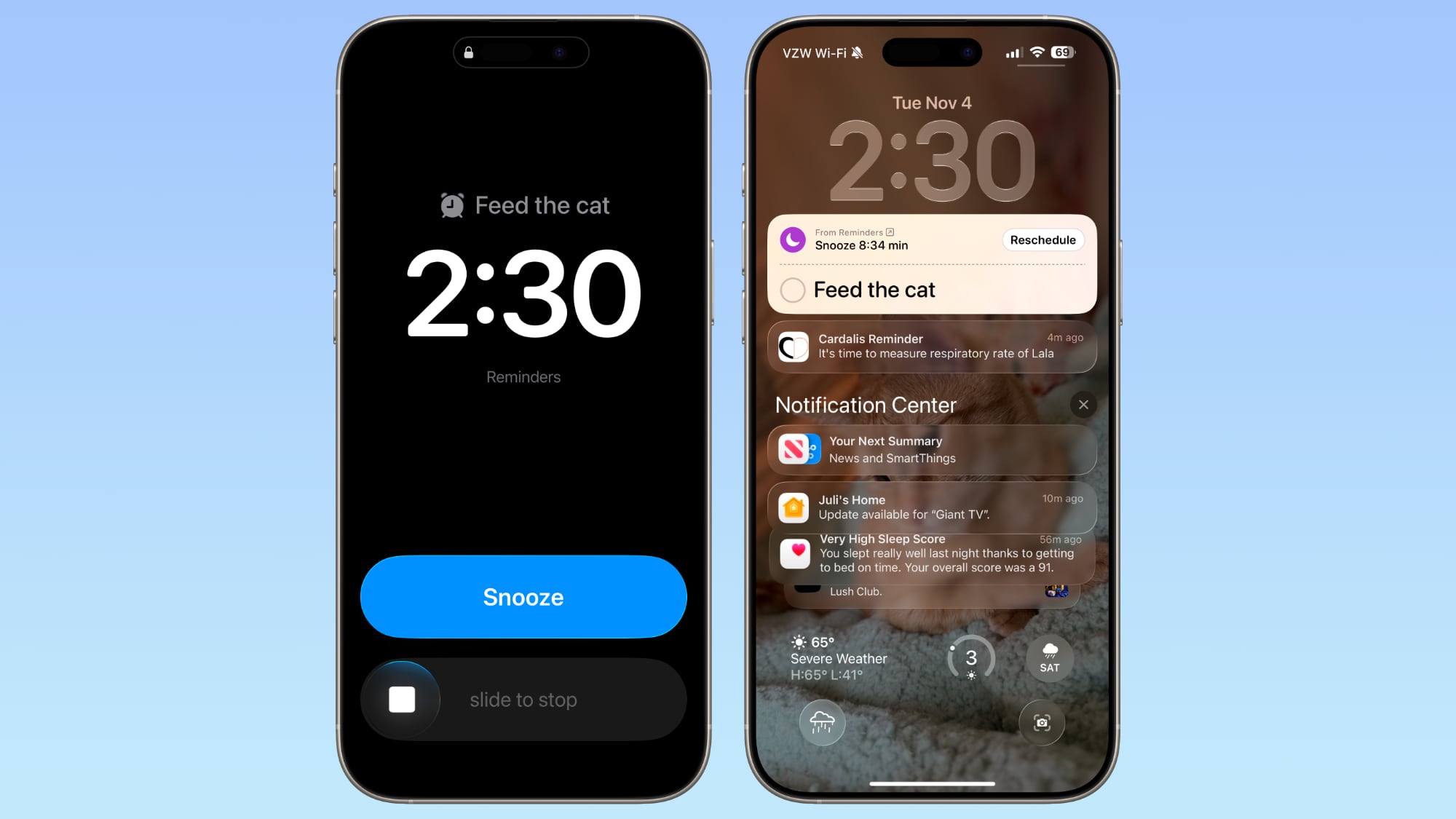
In the Reminders app, there’s a new option to have an alarm go off when a reminder is due. Setting up an alarm can be done by toggling on the “Urgent” option when creating a reminder.
ios-26-2-alarm-reminders.jpg


When a Reminder alarm activates, it displays a snooze option or a slide to stop option. If you snooze it, it will show a countdown on the Lock Screen that includes an option to complete the reminder or reschedule it. Apple distinguishes Reminders alarms from standard alarms with a new blue color.

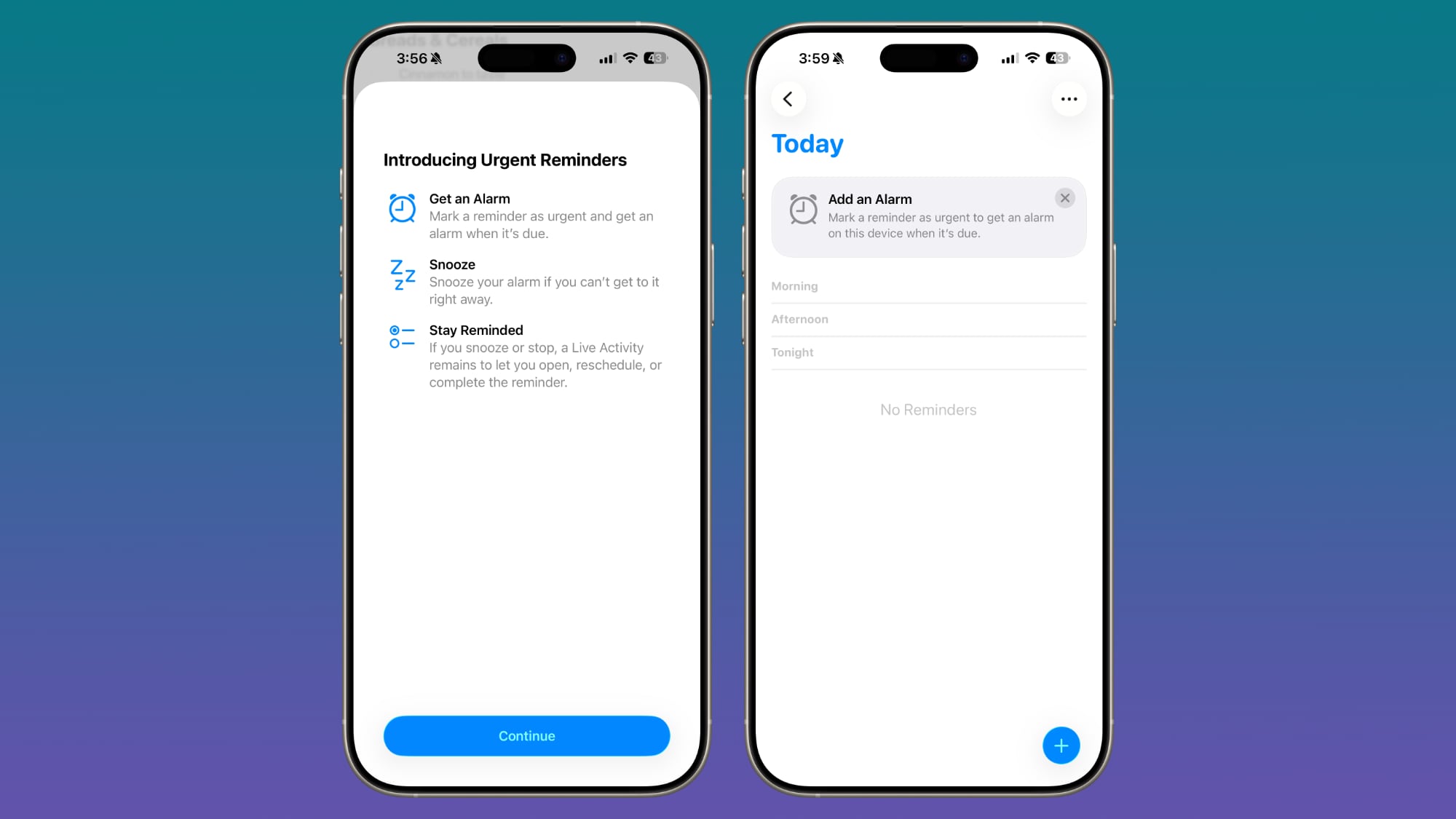
Apple provides a splash screen letting users know about the feature, plus a small banner that shows up when you go to add a new entry in the Reminders app after updating to iOS 26.2.
ios-26-2-b3-reminders.jpg


Lock Screen

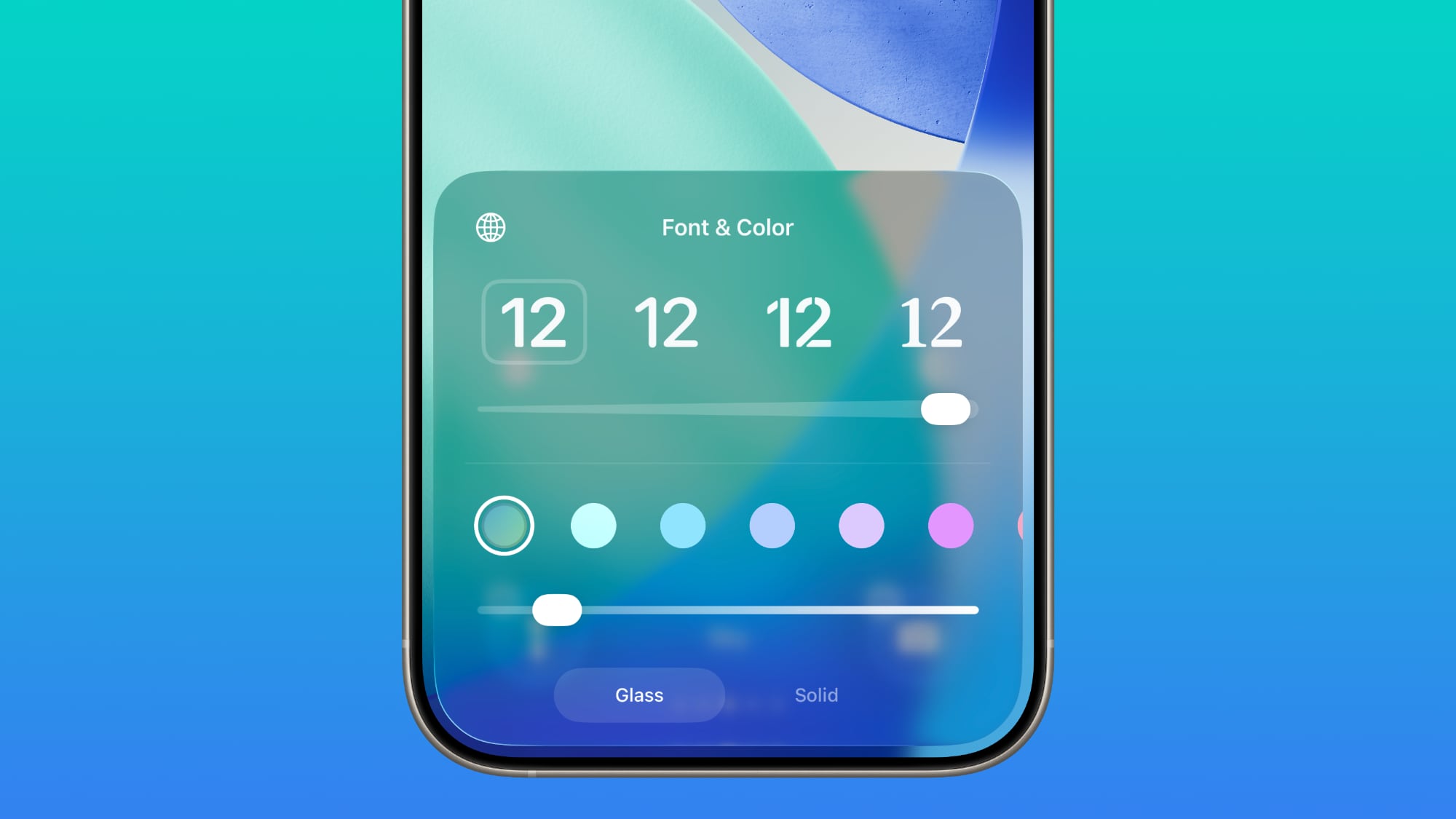
There is a Liquid Glass slider on the Lock Screen that lets you customize the appearance of the clock. When using the “Glass” option, you can use the slider to make the time look almost entirely clear, or give it a more frosted look.
ios-26-2-liquid-glass-toggle.jpg

There continues to be a separate Solid toggle that turns off the Liquid Glass appearance for the clock entirely if you want to opt for a much more opaque design, and you can also still use the color options for the clock.
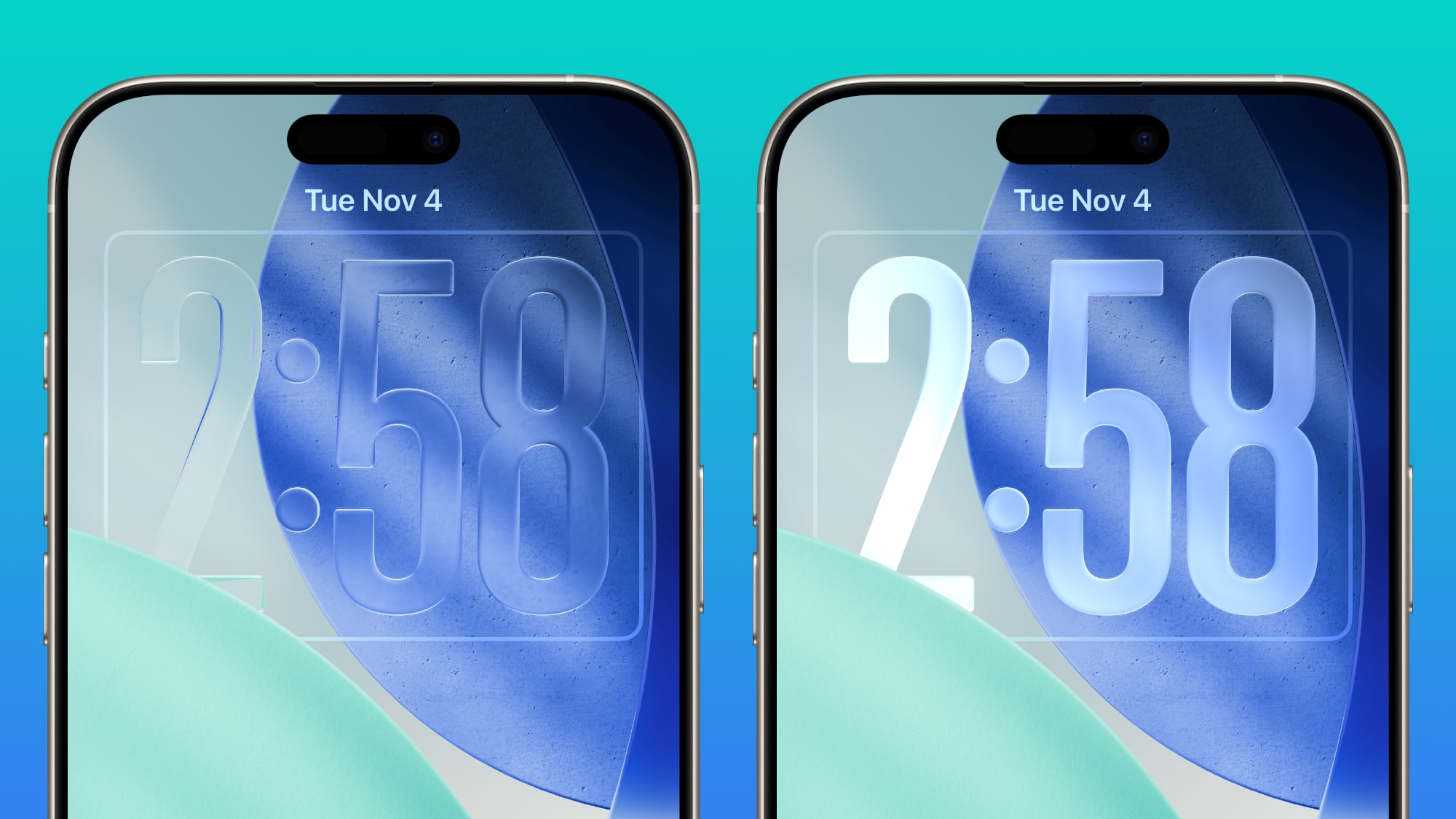
ios-26-2-liquid-glass-slider-extremes.jpg


Liquid Glass Settings

When using the new Liquid Glass “Tinted” option that reduces transparency, there’s a warning that the Tinted option cannot be used in tandem with the Reduce Transparency and Increase Contrast Accessibility settings.
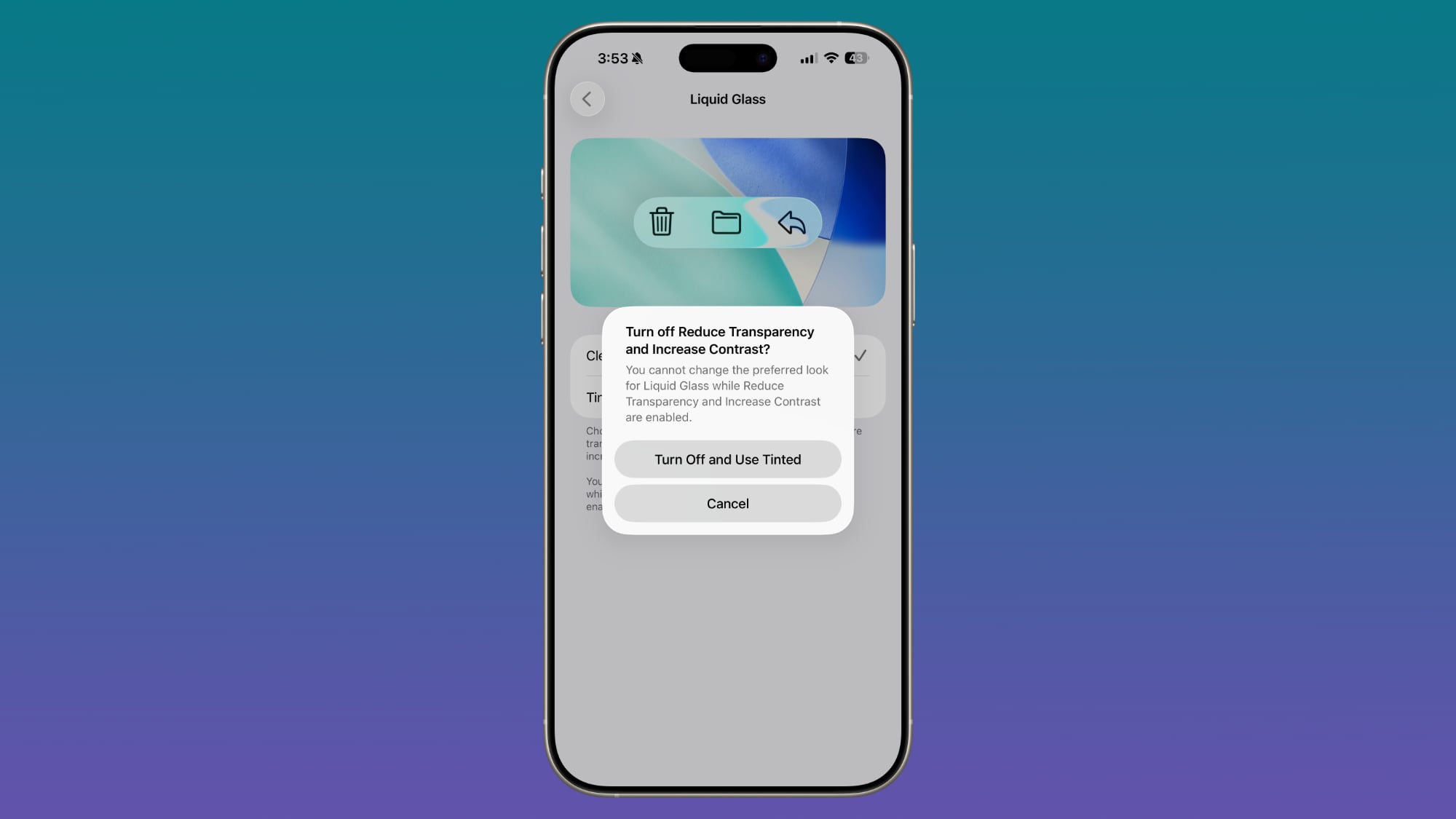
ios-26-2-b3-tinted-mode.jpg

Turning on Tinted mode is able to turn off Reduce Transparency and Increase Contrast automatically. In the prior betas, there was no option to turn on Tinted mode without turning off these features manually.

AirDrop

Apple added new AirDrop functionality, providing a way for two people to share files temporarily without having to add one another as contacts.
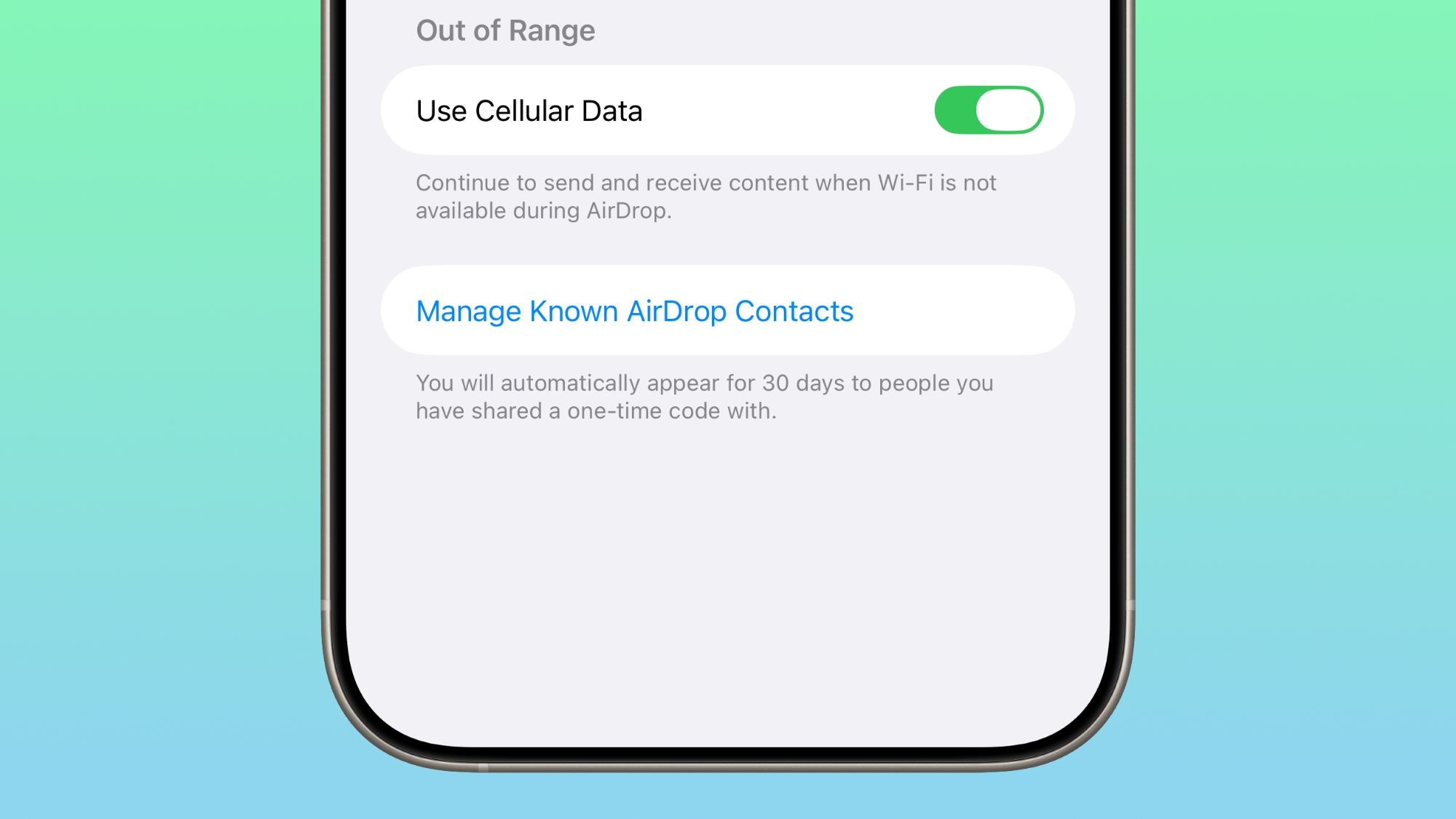
ios-26-2-airdrop.jpg

iOS 26.2 includes an option to generate a one-time AirDrop code, which can then be shared with someone who is not in your contacts list. The code allows file exchanges over AirDrop for a 30-day period.

People you have shared a one-time code with can be managed by opening up the Settings app, selecting the General section, choosing AirDrop, and tapping on “Manage Known AirDrop Contacts.”

Apple Music

Apple Music now supports offline lyrics, so you can see a song’s lyrics when not connected to Wi-Fi or cellular.

Sleep Score

With iOS 26.2 and watchOS 26.2, Apple has adjusted the ranges for the Sleep Score feature that it introduced earlier this year. The new Sleep Score numbers better match how people might be feeling after a night of sleep.
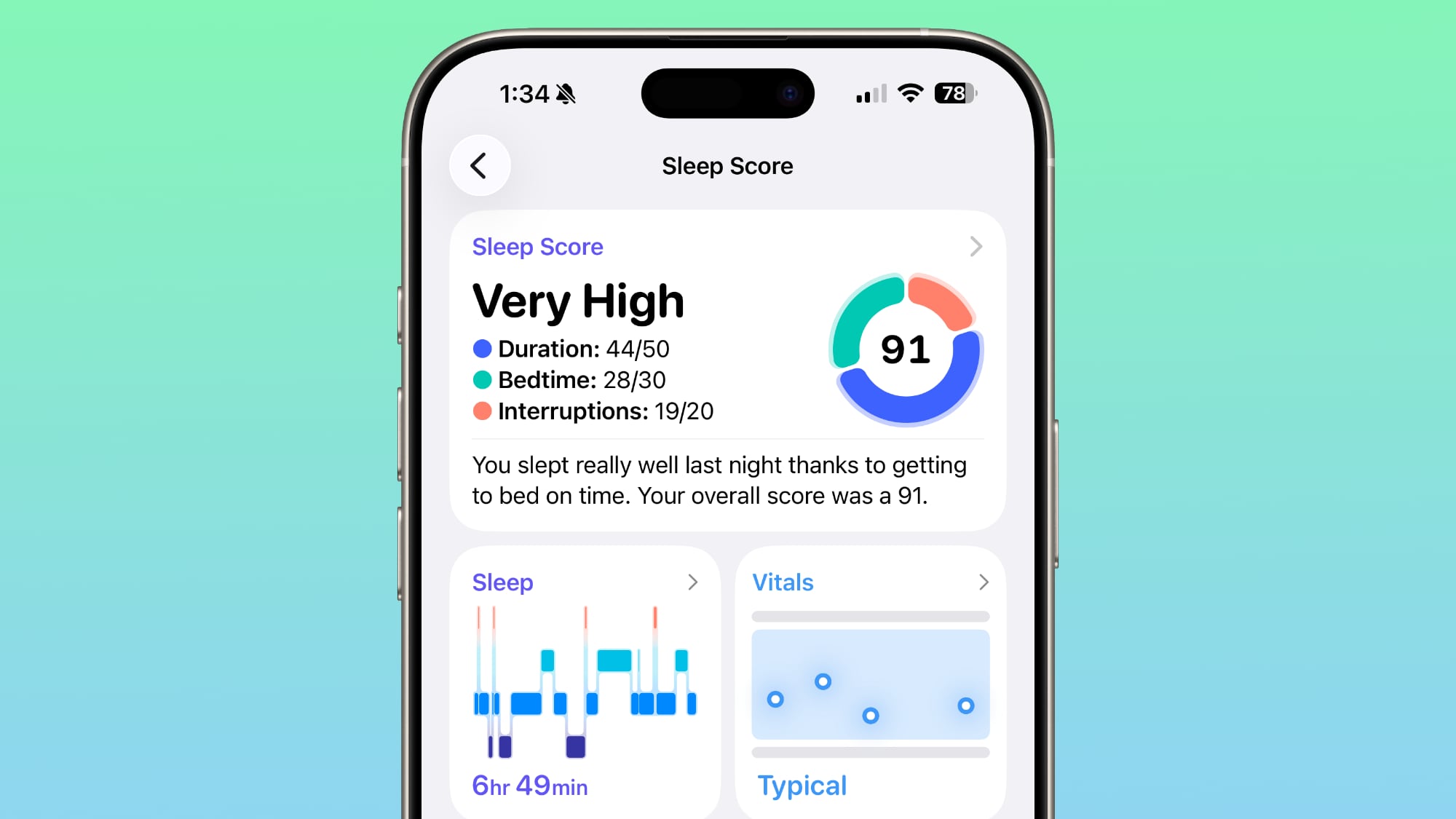
watchos-26-2-sleep-score.jpg

These are the new scores:
  • Very Low - 0–40 (previously 0–29)
  • Low - 41–60 (previously 30–49)
  • OK - 61–80 (previously 50–69)
  • High - 81–95 (previously 70–89)
  • Very High - 96–100 (previously 90–100)
The “Very High” rank used to be “Excellent,” but Apple changed the name to be more in line with the other labels.

Sleep Scores are available on all Apple Watch models compatible with watchOS 26.2 and can be found in the Health app on the iPhone. Apple designed Sleep Score to provide an overall sense of sleep patterns, so users can identify habits that might impact their sleep.

Sleep Score takes into account sleep duration, bedtime, and interruptions to assign a nightly score that represents sleep quality. Duration is worth 50 points, bedtime is worth 30, and interruptions (times woken up in the night) are worth 20, for a total of 100 possible points each night.

Podcasts

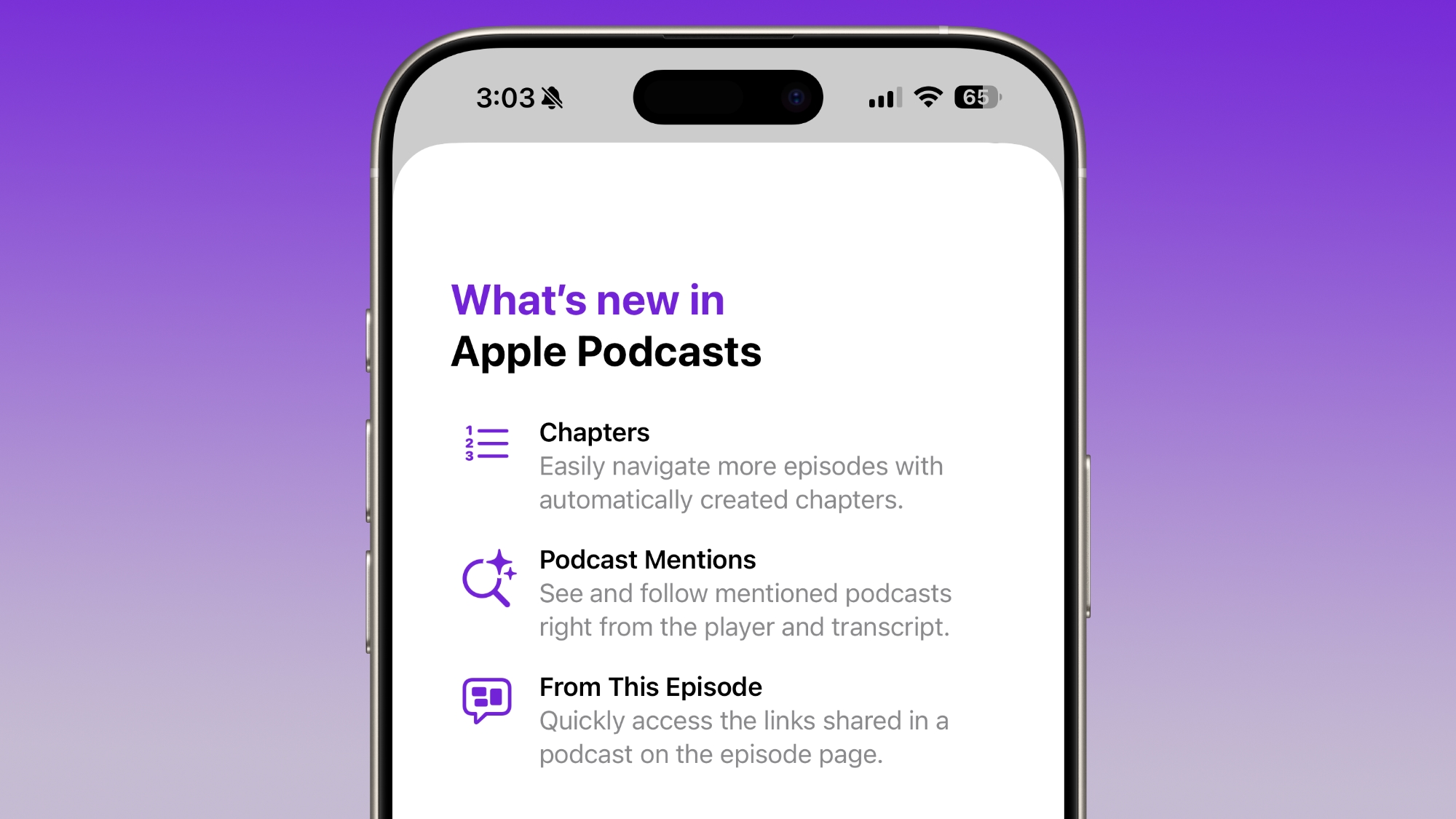
The Podcasts app adds support for three new features, including automatically created chapters, options to see mentions of other podcasts from the transcript and the player, and access to links mentioned in a podcast on the episode page.
ios-26-2-podcasts.jpg

Passwords

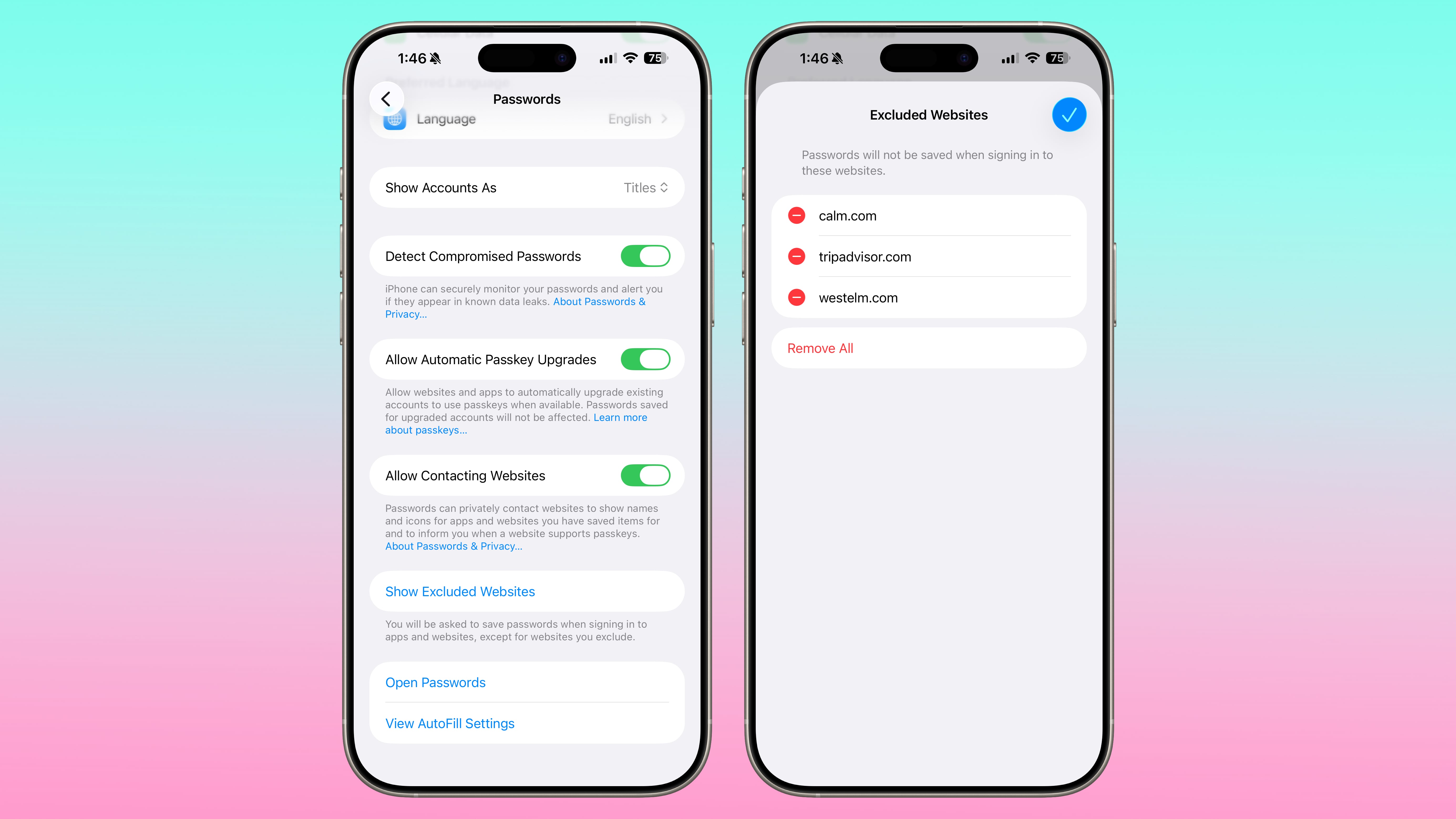
In the Settings section of the Passwords app, there’s an option to manage websites where passwords are not saved when signing in.
ios-26-2-passwords-excluded-websites.jpg


AirPods Live Translation for EU

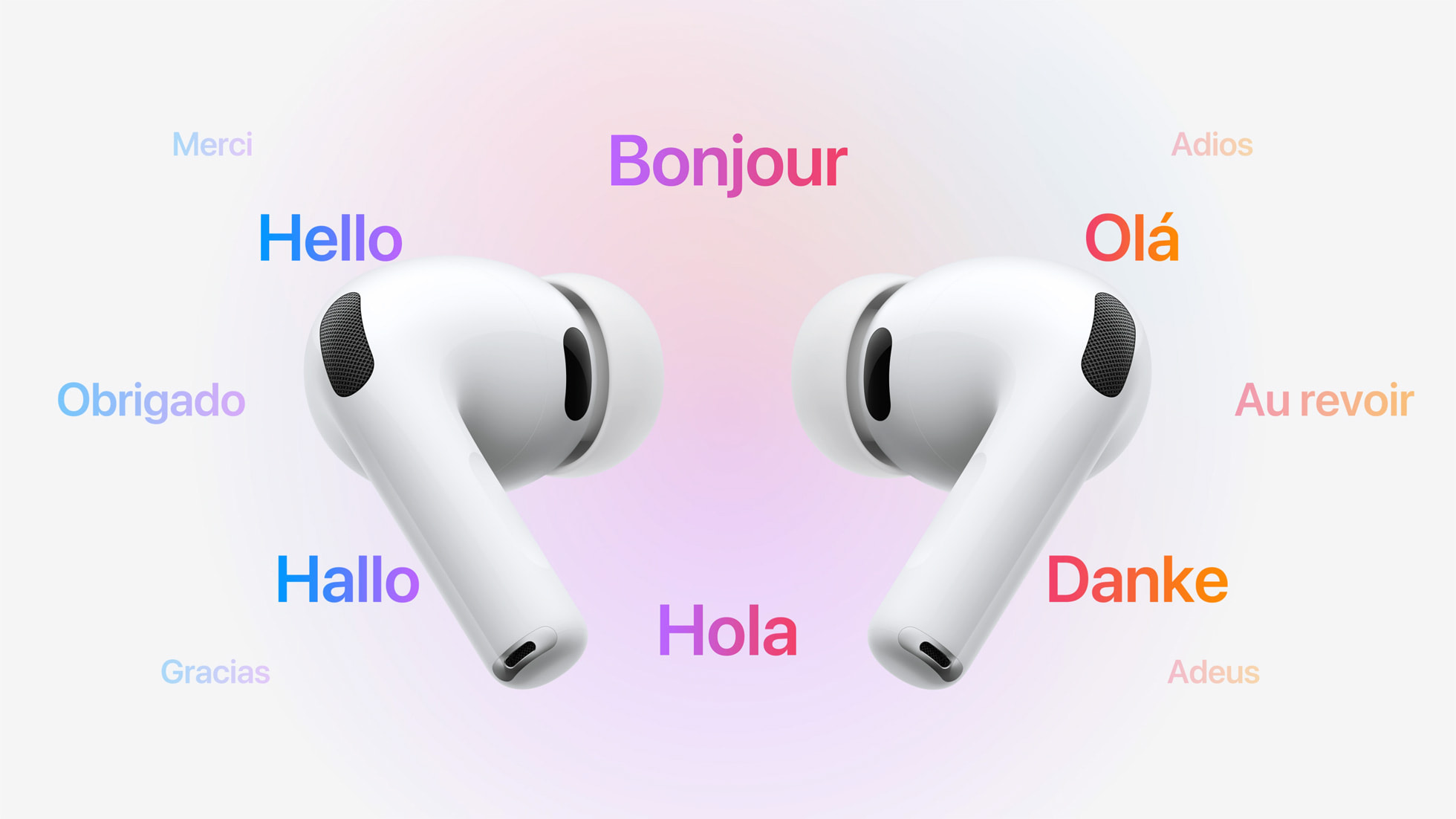
iOS 26.2 expands AirPods Live Translation to the European Union. Apple had to delay the feature in the EU to complete the engineering work needed to comply with the requirements of the Digital Markets Act.
AirPods-Live-Translation.jpg

AirPods Live Translation works with the AirPods Pro 3, AirPods Pro 2, and AirPods 4 with ANC. It is available in English, French, German, Portuguese, Spanish, Italian, Chinese (Simplified and Traditional Mandarin), Japanese, and Korean at the current time.

Freeform

The Freeform app now sup... Click here to read rest of article

Article Link: iOS 26.2 Features: Everything New in the iOS 26.2 Beta
 
Last edited:
  • Like
Reactions: SFjohn and Starfia
Top ten I'd like in 26
Fix battery drain on watch and phone
Make keyboard functional
Fix the workout app
Get rid of pointless animations (or make it an option)
Let us go back to iOS 18
Add the remote app like in the old days (control panel is miserable)
Get watch fitness to work with headphones
Fix the floating miserable safari bar/bookmarks fiasco
Get Siri marginal useful for even shutting off TV
Let us go back to 18

That’s my list.
 
Apple announced in May that an update to Personal Voice – the ability to create a voice using only ten recorded phrases – would be available "this year." No sign of this in 16.2?
 
  • Like
Reactions: Stormshadow
Some very good changes with the update. Alarm for reminders will be very useful for me. Liquid glass slider and 30 day AirDrop settings are nice additions. Will update soon once it is released.
 
  • Like
Reactions: mganu
I see the inclusion of slide over but my understanding is that split view is also coming back? No mention of this year.

As for what I’d like to have for a new feature is that when Siri tells you the weather, it can also tell you the pollen count. I’d like to see that included in the spring when there is actually pollen out here. I’m not a runner, but I believe runners would like to have that information. There’s a lot of us out here with allergies.
 
first time I've never adopted a new OS. Maybe when RCS 3.0 is included and if there are Siri improvements for older phones
 
The bubble-out animation of buttons in corners doesn’t look at all like the x clip and certainly not at all like what was shown at wwdc.
 
  • Like
Reactions: Parowdy
I'd like so many bugs removed. Especially when running in accessability mode under safari. Or how the insane word prediction AI that I have turned off in settings still sees fit to change my wording to things I did not say, and sometimes stuff I find offensive.

It's not just that the phone has developed a mind of it's own with this AI I turned off still there. It's a bit of a joke that advertising on this site that captures the small area under the "liquid sludge" buttons ( so that most people can look at the ad under the buttons I guess ) and tints the entire safari session that colour until you close the app with a slide up.

Obviously one can't even see the add if you've turned off transperancy, but it's mindless stupid that they can change the colour of safari's background permanently.

MR in the colour of the Ad be it red or olive green, or blinding white when you request dark isn't nice, especially when some bright colours cause physical pain.
 
Last edited:
  • Like
Reactions: locovaca
Top ten I'd like in 26
Fix battery drain on watch and phone
Make keyboard functional

for the 15 Pro/16/16e Adaptive Power Mode fixes the battery drain quite well

As of keyboard functionality despite what I’m hearing and knowing about OS 26’s keyboard that problem has also been the same for OS 18 and older

Why go back to OS 18 when it’s photos app sucks and OS 26’s is better
Will it bring back the Lightning connector on phones which are missing it?

🤦‍♂️

If they did they wouldn’t release USB-C ones since the 15 lineup, 15/16/17 Pro models have USB 3.1 Speeds (only 3 lightning Devices (iPads) have USB 3.0 Speeds) and all lightning iPhones have 2.0 Speeds. What’s the point?.

And don’t forget Apple was forced by the EU to adopt USB-C in its lineup a few years ago.
 
If they did they wouldn’t release USB-C ones since the 15 lineup, 15/16/17 Pro models have USB 3.1 Speeds (only 3 lightning Devices (iPads) have USB 3.0 Speeds) and all lightning iPhones have 2.0 Speeds. What’s the point?.
Lightning didn’t limit the speed, Apple crippled the phones. Lightning and USBc are just connectors and unrelated to the speed or generation of USB.
 
Lightning didn’t limit the speed, Apple crippled the phones. Lightning and USBc are just connectors and unrelated to the speed or generation of USB.

Well true I mean even the Air despite its A19 Pro still comes with 2.0 speeds but then lightning cables break and/or won’t work well compared to USB-C where cables are generally cheaper, long lasting and more versatile than lightning.
 
  • Disagree
Reactions: NetMage
Register on MacRumors! This sidebar will go away, and you'll see fewer ads.