


Become a MacRumors Supporter for $50/year with no ads, ability to filter front page stories, and private forums.

MacRumors

macrumors bot
Original poster
Apr 12, 2001
70,361
41,967


Apple is testing iOS 26.3, the next version of iOS 26 that will launch around January. Since iOS 26.3's testing is happening over the holidays, it is a smaller update with fewer features than we've seen in prior betas.
iOS-26.3-Feature.jpg

We've rounded up what's new so far, and we'll add to our list with subsequent betas if we come across any other features.

Transfer to Android

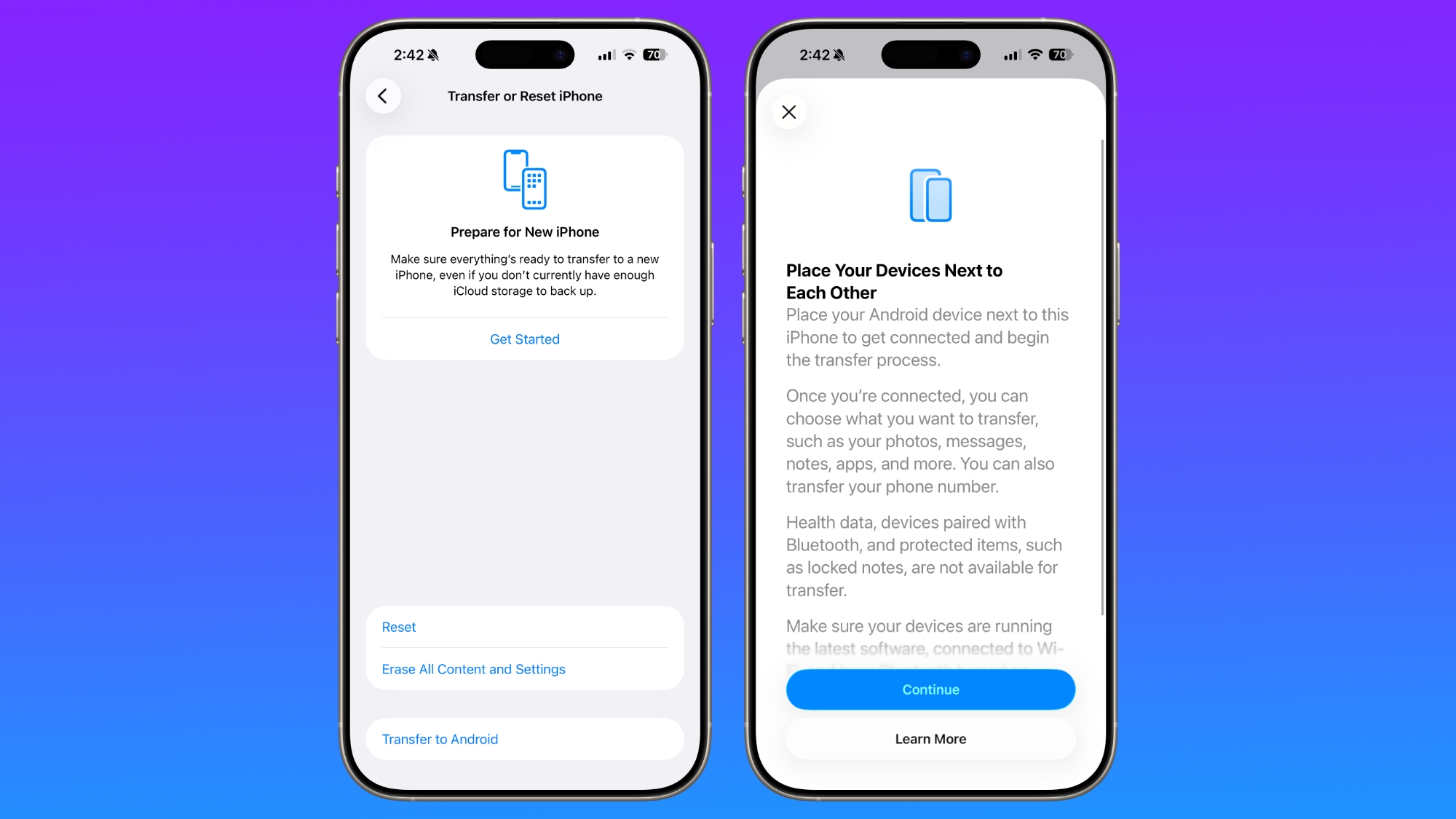
Apple is making it simpler for iPhone users to transition to an Android smartphone in iOS 26.3, introducing a new transfer tool that lets an iPhone user place their device next to an Android device to initiate a transfer process.
ios-26-3-android-transfer.jpg

With the two smartphones connected, users can opt to move over photos, messages, notes, apps, passwords, phone number, and more. Data transfers occur with no need to download and use a separate app, making the process simpler.

Health data, devices paired with Bluetooth, and protected items like locked notes are not transferred over to the new device. Google has also implemented a similar feature for transferring data from an Android to an iPhone, so it is a two-way process between the two platforms.

Notification Forwarding

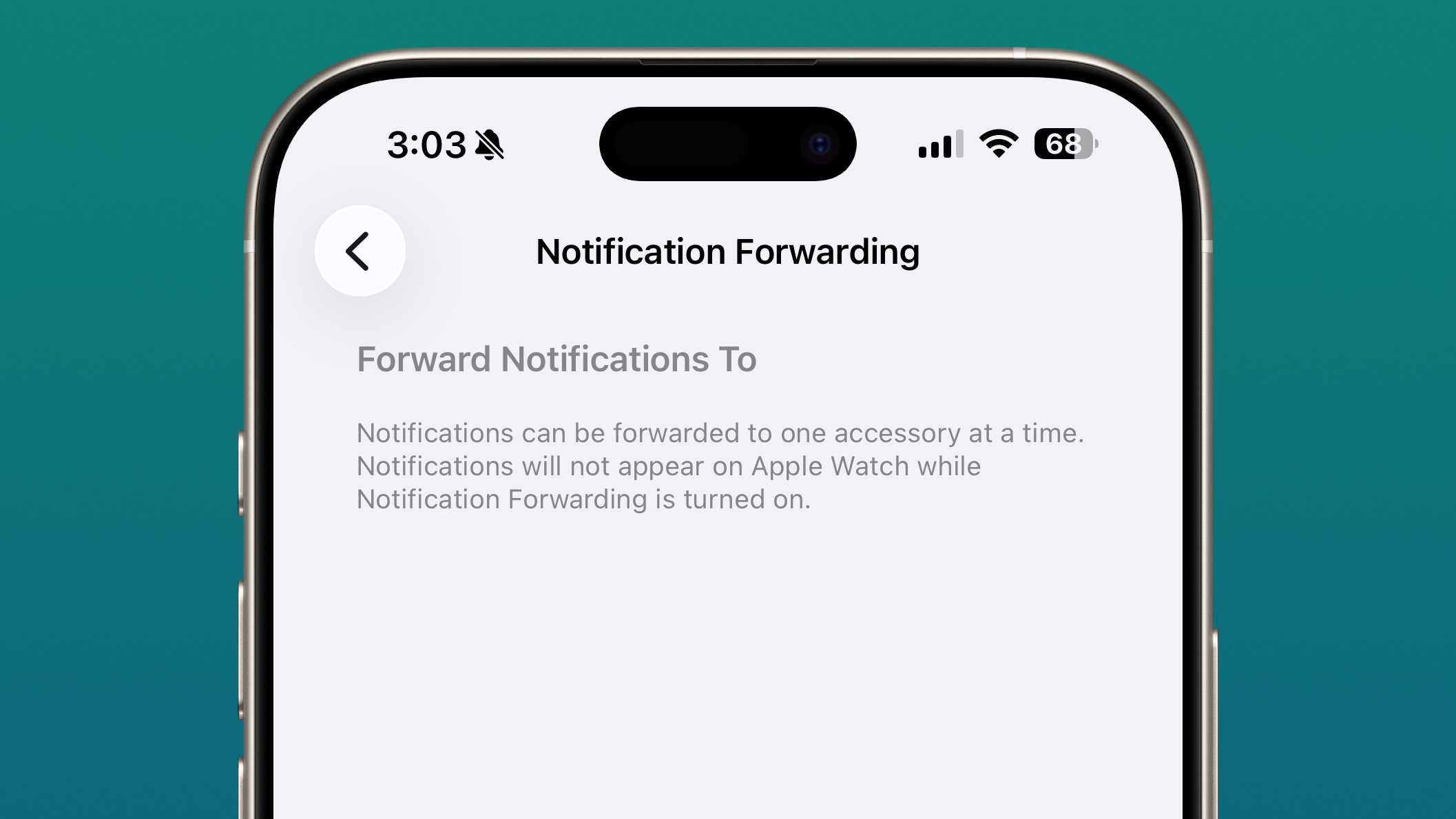
iOS 26.3 has a new "Notification Forwarding" setting that allows incoming notifications on an iPhone to be forwarded to a third-party wearable device like an Android smartwatch.
ios-26-3-notification-forwarding.jpg

The setting is located in the Notification section of the Settings app under a new "Notification Forwarding" option. Apple says that notifications can only be forwarded to a single device at a time, so if Notification Forwarding is enabled with a third-party wearable, the Apple Watch won't be able to receive and display notifications.

Apple is adding this feature to address antitrust complaints suggesting that third-party wearables should have the same access to notifications and other features as the Apple Watch. It is only available in the European Union.

Weather Wallpaper

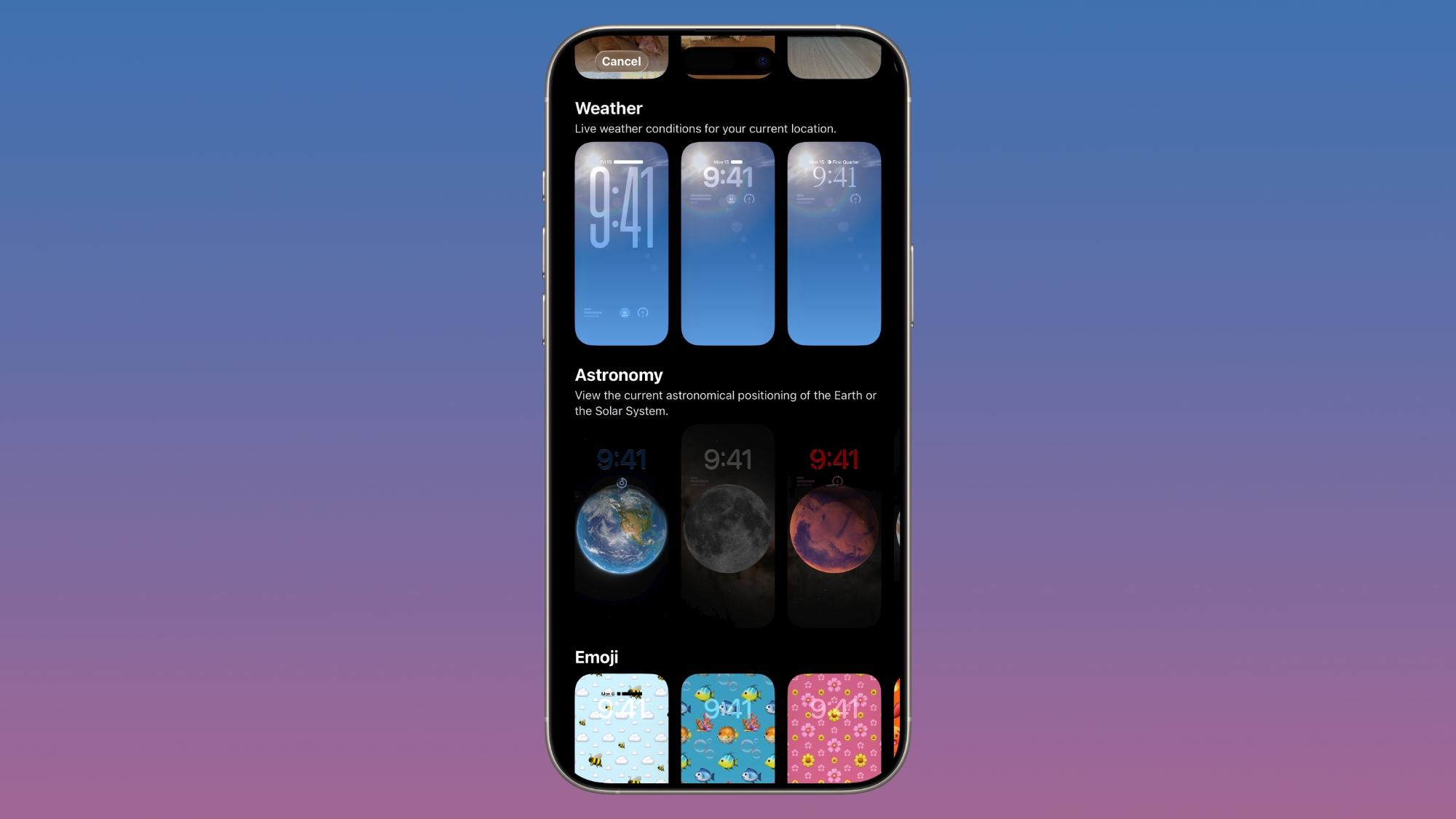
There is a new Weather wallpaper section in the Lock Screen customization options. Previously, Apple had a combined section for Weather and Astronomy, but Weather was split out into its own category.
ios-26-3-weather.jpg

There are now three pre-designed Weather wallpapers with different fonts for the time and different weather widgets to give people a better idea of how the Weather wallpaper can be used.

More Features

Know of a feature we left out? Let us know in the comments below.

Compatibility

iOS 26.3 is available on all iPhones that support iOS 26.

Release Date

We're expecting Apple to release iOS 26.3 in late January.

Article Link: iOS 26.3 Beta 1 Features: What's New So Far
 
Last edited:
With the two smartphones connected, users can opt to move over photos, messages, notes, apps, passwords, phone number, and more. Data transfers occur with no need to download and use a separate app, making the process simpler.
I want to point out that the image of phone screens above this text doesn't mention passwords. And you'll want to be very wary of assuming you're getting all of those moved. Perhaps they'll do a great job moving the ones saved in your web browser, to the default web browser on a new Android install (usually Chrome), but to put it simply: there is (so far) no Apple keychain app on Android. Your other apps should make you log in again. There's obviously no Facetime app, either, so be aware that your migrated contacts will now either have to send you a URL for a web Facetime session, or they'll have to download Google Meet (their currently uncancelled video chat app), or you'll have to negotiate some other client. It should be very easy to shovel photos themselves across, but I doubt all your categories and face recognition stuff that was stored outside the images will make it over.

Definitely do not plan to tell your non-tech savvy friends that there's an app soon to transfer everything and it should just take a few minutes, no matter which way they want to migrate. Part of why many of us pick one platform over the other is because there's no direct equivalent for certain features we care about. Be prepared to hang on to your old phone for at least a few days. Or until you give up your Apple Watch.
 
  • Like
Reactions: tiptopp
Funny people on here complaining daily about Apple ready to leave because of Siri, but let’s ignore that fact…

I always ignore the vocal minority who think they speak for everyone.

Every year the iPhone/iOS is garbage and people are going to switch to Android because Apple has lost its way.

And every year Apple sets sales records.
 
Version 26 feels like back in the day Lion (MacOS X 10.7) came along… it was slow and didn‘t feel right. I skipped it and even downgraded my new MacBook Pro that had Lion as factory default. Kept 10.6 for a long time on my MacBook Pro and MacPro. Up to Mavericks.

I might skip 26 one too. My oldest has it on her Mac and iPhone, the UI is not great to read and sluggish on previous iPhone models and really doesn’t offer new functions I use (and I can’t afford the risk of breaking automated workflows).
 
Last edited:
Wanted to read some MR updates but those new pop up ads (circumventing my ad blocker) are making the experience feel akin to a navigating a piracy site.
You’re a macRumors member, consider switching off your adblocker and clicking an ad or two. That way the content creators, the journalists you want to read, get paid.

It really is that simple.

Or just stay as a free loader who likes to complain?
 
Wanted to read some MR updates but those new pop up ads (circumventing my ad blocker) are making the experience feel akin to a navigating a piracy site.
To me, (not running ad blockers) it's how they shatter Safari if you run it in dark mode with old style search at the top. MR and a few other sites become unusuable on IOS gear.

It's a bit ironic that an Apple site becomes unviewable on Safari.

Mostly, I need to browse MR in Linux (with ads on) as the IOS/OSX behaviour is borked to the moon.
 
more boring release than expected
once again: iOS has reached maturity and did quite a few years ago. you aren’t going to get dozens of new features anymore with each ios update; that’s unrealistic. all the features most people need are already present. and .3 updates are known to be more minor than other updates. that’s how it has worked for quite a while.
 
Last edited:
  • Like
Reactions: InValensName
Notification forwarding will be useful. Other than that, it feels like only a small update. Don't think there will be more features added with this update.
 
  • Like
Reactions: mganu
Register on MacRumors! This sidebar will go away, and you'll see fewer ads.