

Become a MacRumors Supporter for $50/year with no ads, ability to filter front page stories, and private forums.

MacRumors

macrumors bot
Original poster


Starting with iOS 26.4, Stolen Device Protection will be enabled by default and turned on for all iPhone users. Stolen Device Protection adds extra security in case of physical iPhone theft.
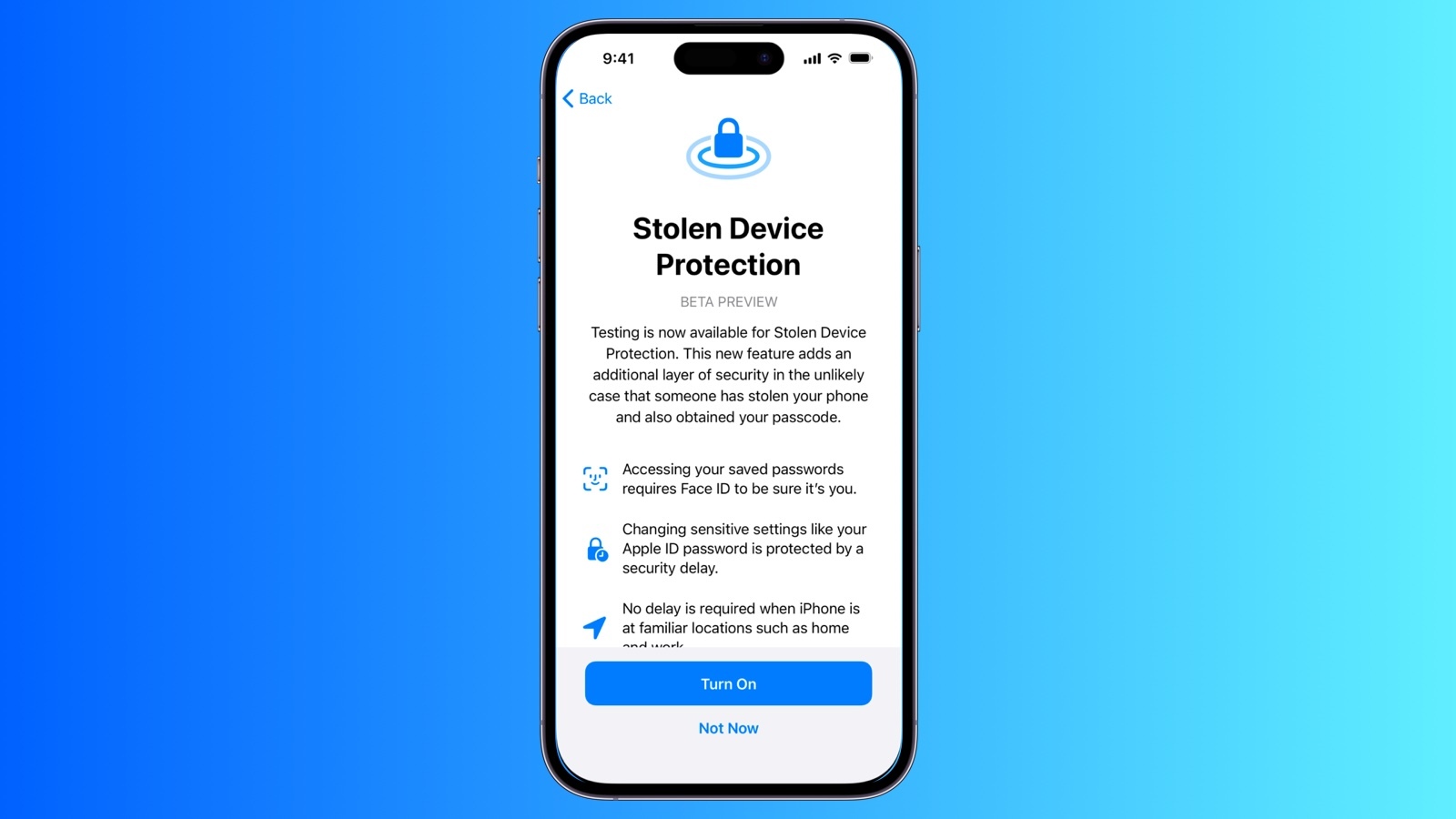
ios-stolen-device-protection.jpg

Apple implemented Stolen Device Protection back in 2023 after reports about a new iPhone theft method. Thieves would spy on an intended victim to learn their passcode, then steal the target's iPhone. With the passcode, criminals were able to empty bank accounts, access passwords, and turn off Find My.

Stolen Device Protection requires additional authentication through Face ID or Touch ID to access certain iPhone features like the Passwords app, Lost mode in Find My, Safari purchases, and more. Some features are disabled entirely without authentication, while others have a one-hour security delay.

Actions requiring Face ID or Touch ID to complete:
  • Viewing/using passwords or passkeys saved in iCloud Keychain
  • Applying for a new Apple Card
  • Viewing an Apple Card virtual card
  • Turning off Lost Mode
  • Erasing all content and settings
  • Taking certain Apple Cash and Savings actions in Wallet
  • Using payment methods saved in Safari
  • Using your iPhone to set up a new device
These actions do not have a passcode backup, so you can't use a passcode to avoid using Face ID or Touch ID.

Actions that have a 1-hour security delay, and require two biometric authentications:
  • Changing your Apple ID password
  • Updating select Apple ID account security settings, including adding or removing a trusted device, trusted phone number, Recovery Key, or Recovery Contact
  • Changing your iPhone passcode
  • Adding or removing Face ID or Touch ID
  • Turning off Find My
  • Turning off Stolen Device Protection
Prior to iOS 26.4, Stolen Device Protection had to be enabled manually in the Face ID and Passcode section of the Settings app. There is an option to remove security delays when the iPhone is in a familiar location, which allows full functionality at home but protection when out and about.

iOS 26.4 is limited to developers at the current time, but a public beta will be coming in the near future. Apple plans to release the update in the spring.

Article Link: iOS 26.4 Enables Stolen Device Protection by Default for All iPhones


Starting with iOS 26.4, Stolen Device Protection will be enabled by default and turned on for all iPhone users. Stolen Device Protection adds extra security in case of physical iPhone theft.

ios-stolen-device-protection.jpg

Apple implemented Stolen Device Protection back in 2023 after reports about a new iPhone theft method. Thieves would spy on an intended victim to learn their passcode, then steal the target's iPhone. With the passcode, criminals were able to empty bank accounts, access passwords, and turn off Find My.

Stolen Device Protection requires additional authentication through Face ID or Touch ID to access certain iPhone features like the Passwords app, Lost mode in Find My, Safari purchases, and more. Some features are disabled entirely without authentication, while others have a one-hour security delay.

Actions requiring Face ID or Touch ID to complete:

Anyone want to test how well the fallbacks work if someone has neither Face ID nor Touch ID enabled?
 
In my opinion this is a good thing. This feature will protect you when you're on the go. Passcodes will still work at home and possible at your workplace.

I have tested this with one phone for a few weeks and haven't noticed any downsides. In case you don't like it, it's still possible to disable it.
 
TURN THIS POOP OFF!!!
It doesnt protect from devices getting stolen, it causes major headaches. It should honestly be called "How to annoy you when I need to get a new phone detection"

This made me be stuck for a long time with my family when upgrading them to 17's.

Now if this turns back on after they update, I will he furious that I have to go through trouble.

This feature is a family IT guy nightmare.
 
You can turn it off anytime. I don't quite understand what's the problem. Could you elaborate?
Mother forgot Apple ID password, her data was nearly gone forever until the screen started working again. When it was time to upgrade to iPhone 17, stolen device protection stopped us. It registered where she worked as "Home", so we were locked out, until the screen actually started working again after it not working due to battery bulging.

When we were trying to trade in the phone finally, we ran into stolen device protection AGAIN and was completely late for the trade in period because she didnt know what to do. We had to pay full price for the phone because verizon closed. They said they would extend the trade in due date but they didnt. they lied!!! We had to wait the hour and by the time the hour passed, the verizon store closed.

If you need to get a part replaced in your phone, whoops stolen device protection to turn off Find My!

All you need is find my and if my parents lose their phones i will remotely lock them.
 
Duh.
What it does protect from is your data being stolen, *if* your device happens to be stolen.
Find my does the same thing. Simply log i to any device and you can remotely lock it. it causes more headaches than actual good. need to get a part replaced at the Apple Store? Welp you gotta wait an hour before for stolen device protection.
 
Find my does the same thing. Simply log i to any device and you can remotely lock it. it causes more headaches than actual good. need to get a part replaced at the Apple Store? Welp you gotta wait an hour before for stolen device protection.

That's not always feasible. If I have my phone stolen while on vacation or when off-grid, it might be a good while before I can access another device. That also doesn't prevent shoulder surfing your lock screen password. I'm routinely away from internet and cell service, or any type, for days at a time.

I keep it on, and frequent locations off. I'll gladly wait an hour for the additional security.
 
Last edited:
TURN THIS POOP OFF!!!
It doesnt protect from devices getting stolen, it causes major headaches. It should honestly be called "How to annoy you when I need to get a new phone detection"

This made me be stuck for a long time with my family when upgrading them to 17's.

Now if this turns back on after they update, I will he furious that I have to go through trouble.

This feature is a family IT guy nightmare.
It isn't advertised to keep your device from getting stolen! It's to protect YOU and YOUR MONEY should your device get stolen. If this is a default, thieves might realize it's not worth the effort to steal your device in the first place!

But feel free to keep your family's iPhones all unlocked, PIN-less and all security measures OFF.
 
Perhaps this is all part of Apple's plan to make their Stores familiar locations...
That would be an interesting solution. A customer could authenticate and appointment and then the store could be automatically added as a trusted location.
They're going to need to lean into the Bar part of the Genius Bar.
Haha, that would require there to be an actual spade in the store, as opposed to the nebulous table concept they now have.
 
  • Like
Reactions: mjs916
I just updated 2 phones and it did NOT turn this on by default. Please site where you got this info.
Exactly. I dont use face id or touch id i use my 4 digit passcode. SO I think this stolen device protection is off automatically. But this article make me think it will now be on even though i dont use face id or touch id. Make is make sense. Its like when they force you to turn on 2fa. I dont do that either. I keep it off
 
Mother forgot Apple ID password, her data was nearly gone forever until the screen started working again. When it was time to upgrade to iPhone 17, stolen device protection stopped us. It registered where she worked as "Home", so we were locked out, until the screen actually started working again after it not working due to battery bulging.
Ok. That's really bad luck. Forgotten password AND broken device at the same time. I would argue that the feature is still useful for most iPhone owners. Hardly anyone realizes how bad it is to let a stranger have your iPhone together with the passcode.

Just some examples:

- Pay with stolen Apple Pay ✔
- Disable FindMy ✔
- Change Apple Account password ✔
- Reset phone ✔
- Access all passwords in iCloud Keychain ✔
 
Last edited:
Exactly. I dont use face id or touch id i use my 4 digit passcode. SO I think this stolen device protection is off automatically. But this article make me think it will now be on even though i dont use face id or touch id. Make is make sense. Its like when they force you to turn on 2fa. I dont do that either. I keep it off
This feature only makes sense, when you use FaceID. I'm pretty sure you can't even turn it on when you only use a passcode to unlock your phone.
 
Register on MacRumors! This sidebar will go away, and you'll see fewer ads.