

Become a MacRumors Supporter for $50/year with no ads, ability to filter front page stories, and private forums.

MacRumors

macrumors bot
Original poster


The upcoming iOS 27 update that Apple unveiled last week includes some new features and enhancements for Apple's Find My app on the iPhone.
iOS-27-and-Find-My-Feature.jpg

iOS 27 is currently available as a developer beta, with a public beta to follow in July. The update is expected to be released to all users in September.

Below, we have outlined three additions to Apple's Find My app on iOS 27.

Hide Location
Find-My-Hide-Location.jpg

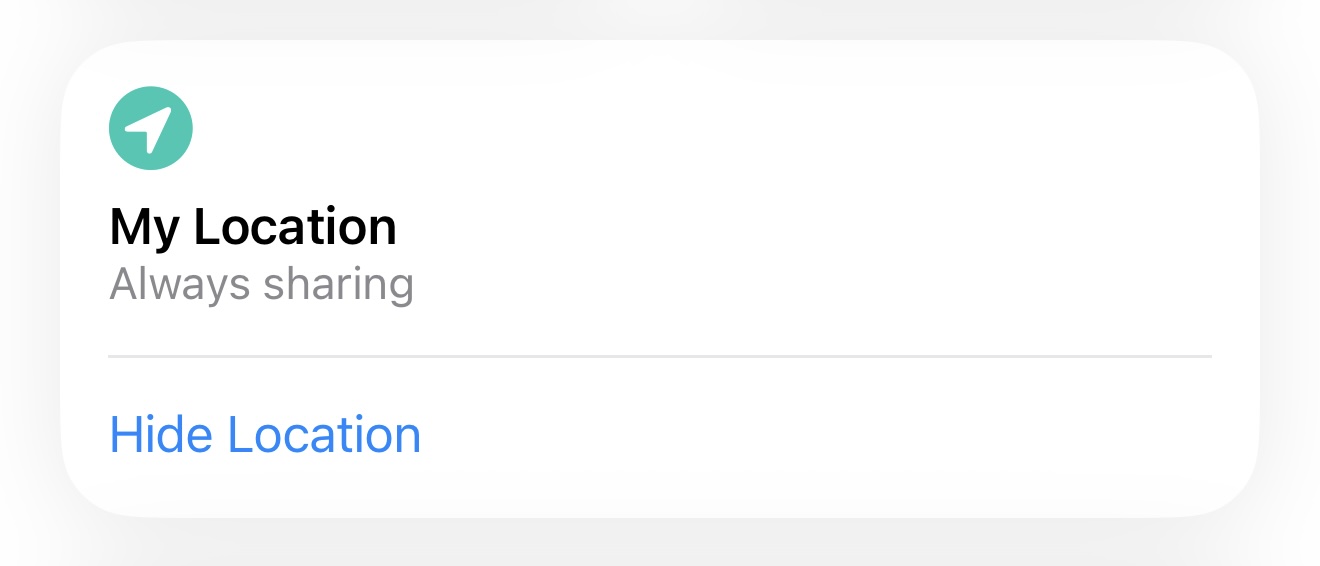
A new "Hide Location" option in Find My allows you to discreetly pause your location sharing with specific people until the end of the day — the other person will not receive any notification or alert about you temporarily hiding your location. Apple says it added this feature for situations such as surprise birthday parties.

Custom Durations for Location Sharing
Find-My-Location-Sharing-Durations-iOS-27.jpg

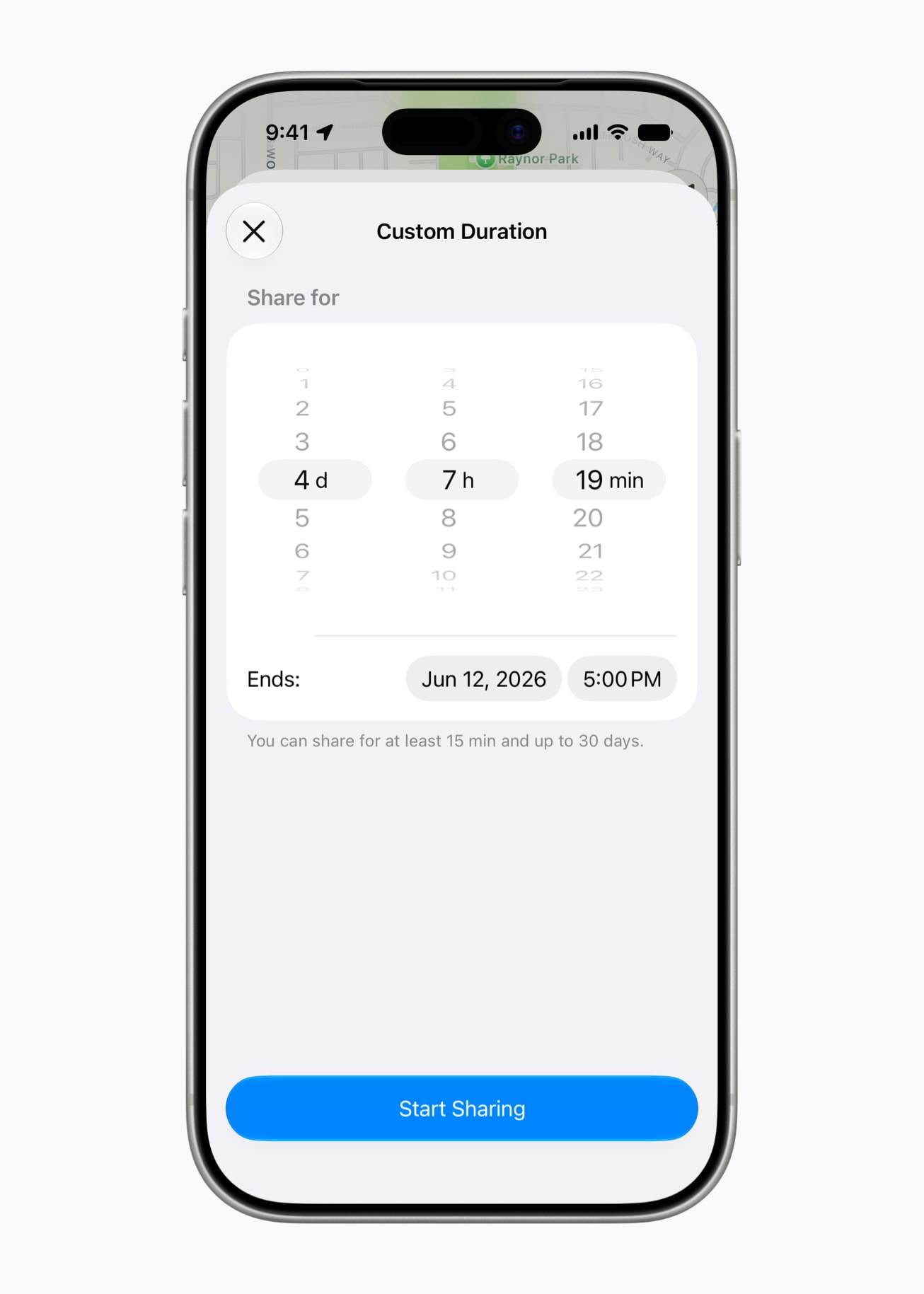
Find My now lets you share your location with others for a custom duration between 15 minutes and 30 days. You can set a precise number of days, hours, and minutes, or you can set a set a date and time for your location sharing to expire.

On iOS 26, there are only three preset timeframes: indefinitely, until end of day, and one hour.

Landscape Mode
Find-My-Landscape-scaled.jpeg

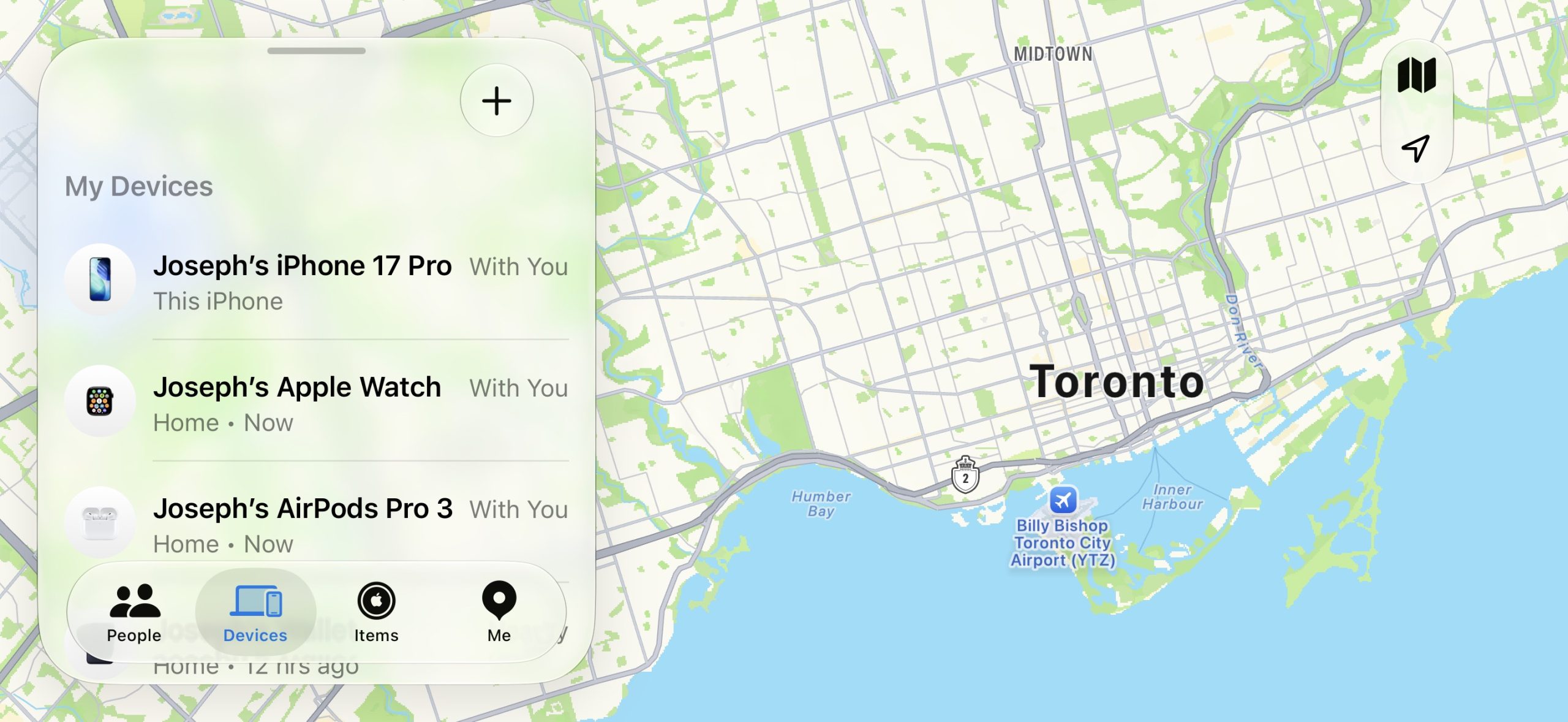
iOS 27 enables landscape mode in more of Apple's built-in iPhone apps, including Find My.

Landscape mode was already available on iOS 26 or earlier in Apple Maps, Calendar, Files, Notes, Mail, and some other Apple apps too, but iOS 27 expands support to many more apps. This change could be laying the groundwork for the "iPhone Ultra," as landscape-friendly apps would be well suited for the rumored foldable device.

To use landscape mode in a supported app, simply turn your iPhone sideways. Portrait Orientation Lock must be turned off in Control Center.

Article Link: iOS 27 Adds These New Features to Find My, Including 'Hide Location'
 
  • Wow
Reactions: SebbsBo and Z-4195
"A new "Hide Location" option in Find My allows you to discreetly pause your location sharing with specific people until the end of the day — the other person will not receive any notification or alert about you temporarily hiding your location. Apple says it added this feature for situations such as surprise birthday parties."

Yeah... Somehow I DON'T think that this will be the main use case for this feature.
 
Additional options for location sharing (i.e. custom duration) and option to hide location are good. Happy to see these options.
 
  • Like
Reactions: mganu
I’m confused. For years there has been a toggle in the app to stop location sharing. What is different about this one?
 
I’m confused. For years there has been a toggle in the app to stop location sharing. What is different about this one?
This new toggle / option won't inform the person that you have deliberately turned off location sharing for them.

The older toggle did tell the person you have blocked them from seeing your location, which basically tells the person you're being sneaky and don't want them to know where you are. .
 
  • Like
Reactions: SebbsBo
Have they finally added a ‘temporarily trust location’ feature yet?

For when you’re on holiday / visiting someone and don’t want to have pings every time you leave the house / hotel?
 
How about the basics for iOS 27 that would vastly improve QoL for most users across devices:
  • Don't assault us with concentric circles everywhere and just let rectilinear design make an appearance where it makes sense (which can improve UX and fine motor interaction);
  • Reduce cognitive engagement by lowering synthetic and unnecessary layering of elements that creates UX chaos, relying on intelligent element arrangement, bring back SHARP typing, animations that don't pixel creep with insane ease in and out speed ramping (they're meant to be a visual cue and transition for memory to load the app and not this weird stylized interaction dance);
  • Use interpolated motion signatures for the animations so you can reduce the hz/frame rate and improve battery life while still having smooth animations. N.B. Possible with 60hz displays even and would vastly improve UX;
  • Evolve UI to favour either lower right or left hand UX bias instead of having to reach all over the phone? At some point the ratio of smartphones, specifically iPhones starting the trend, started to disproportionately get taller (~1.89 to 2.1 over the last 19 years). It may not be much but UX has never abstracted what this should mean and evolve. If I recall, when I worked at Apple, we were a little surprised by the aspect change between 4 (including S) and 5 because of the extra reach needed to interact with iOS (of course, reflecting the top oriented worldwide notion of how you should interact with any OS in terms of heierarchy). In my opinion, this should have been deeply looked into when iOS 7 released and skeuomorphism was no longer a sacred cow. It absolutely should absolutely have been looked at when iPhone X was released and screen size ratios changed dramatically to stabilized in parity (~from 1.5 to 2.2) with what dimensions had experienced between the 4 and 5;
  • Fix the keyboard and typing experience so it feels SHARP again like it used to (last time was iOS 16). I.can.haz.keyborde.fix.now.pls.?
 
  • Like
Reactions: Eddie Beeps
How about the basics for iOS 27 that would vastly improve QoL for most users across devices:
  • Don't assault us with concentric circles everywhere and just let rectilinear design make an appearance where it makes sense (which can improve UX and fine motor interaction);
  • Reduce cognitive engagement by lowering synthetic and unnecessary layering of elements that creates UX chaos, relying on intelligent element arrangement, bring back SHARP typing, animations that don't pixel creep with insane ease in and out speed ramping (they're meant to be a visual cue and transition for memory to load the app and not this weird stylized interaction dance);
  • Use interpolated motion signatures for the animations so you can reduce the hz/frame rate and improve battery life while still having smooth animations. N.B. Possible with 60hz displays even and would vastly improve UX;
  • Evolve UI to favour either lower right or left hand UX bias instead of having to reach all over the phone? At some point the ratio of smartphones, specifically iPhones starting the trend, started to disproportionately get taller (~1.89 to 2.1 over the last 19 years). It may not be much but UX has never abstracted what this should mean and evolve. If I recall, when I worked at Apple, we were a little surprised by the aspect change between 4 (including S) and 5 because of the extra reach needed to interact with iOS (of course, reflecting the top oriented worldwide notion of how you should interact with any OS in terms of heierarchy). In my opinion, this should have been deeply looked into when iOS 7 released and skeuomorphism was no longer a sacred cow. It absolutely should absolutely have been looked at when iPhone X was released and screen size ratios changed dramatically to stabilized in parity (~from 1.5 to 2.2) with what dimensions had experienced between the 4 and 5;
  • Fix the keyboard and typing experience so it feels SHARP again like it used to (last time was iOS 16). I.can.haz.keyborde.fix.now.pls.?
This reads as if you're saying "use a completely different OS".
 
  • Like
Reactions: johaen8
Register on MacRumors! This sidebar will go away, and you'll see fewer ads.