

Become a MacRumors Supporter for $50/year with no ads, ability to filter front page stories, and private forums.

MacRumors

macrumors bot
Original poster


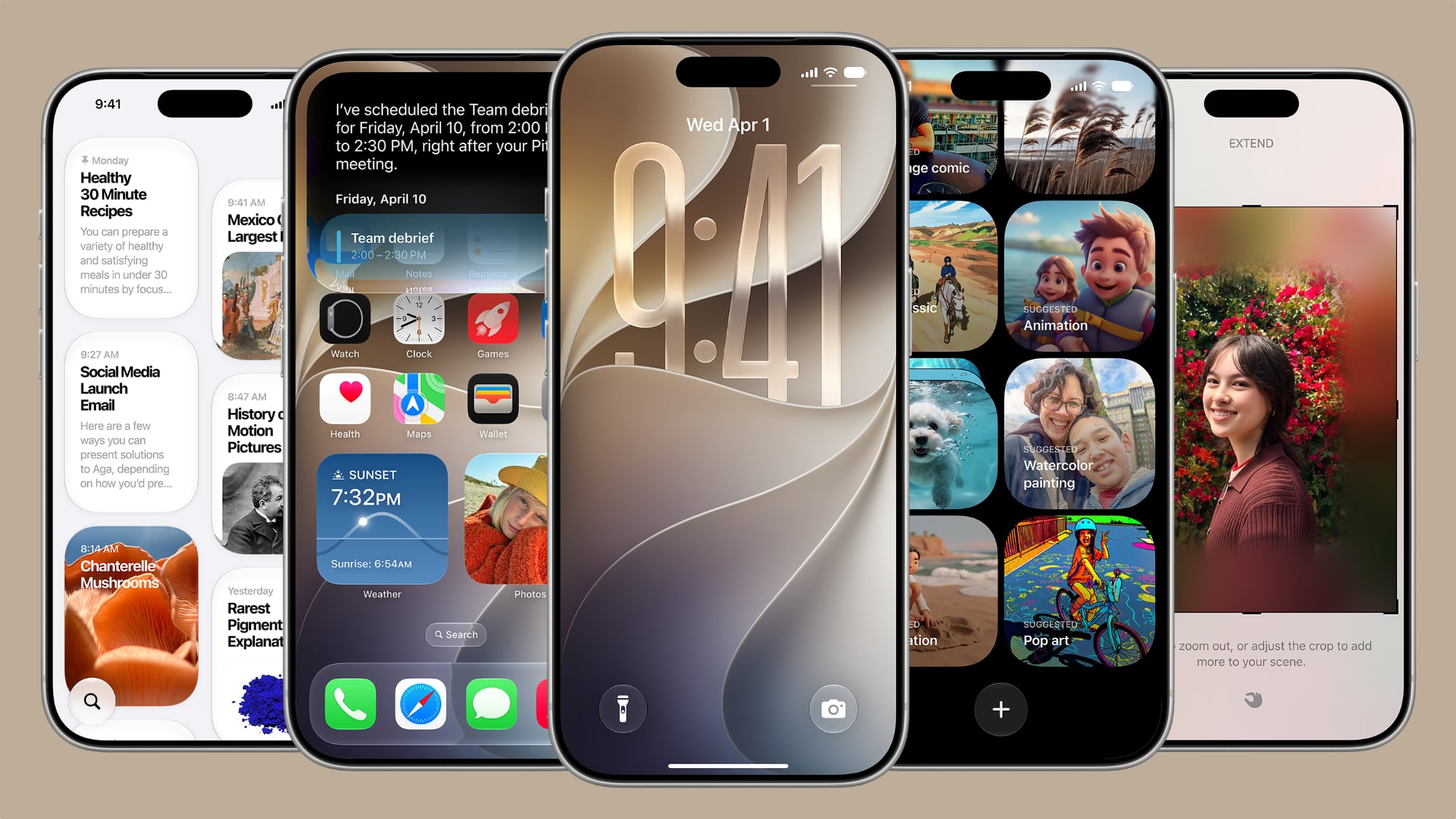
Apple unveiled iOS 27 at WWDC this week, and while the headline-grabbing Siri overhaul has received the most attention, the Lock Screen has picked up several refinements that you may have missed.
ios-27.jpg

Some are brand-new additions, while others are tweaks to features Apple introduced in iOS 26, but together they give you more control over how your Lock Screen looks and behaves.

Here are five to try if you plan to install the public beta next month, or when iOS 27 becomes generally available in the fall.

Extend Your Wallpaper
extend-wallpaper-ios-27.jpeg

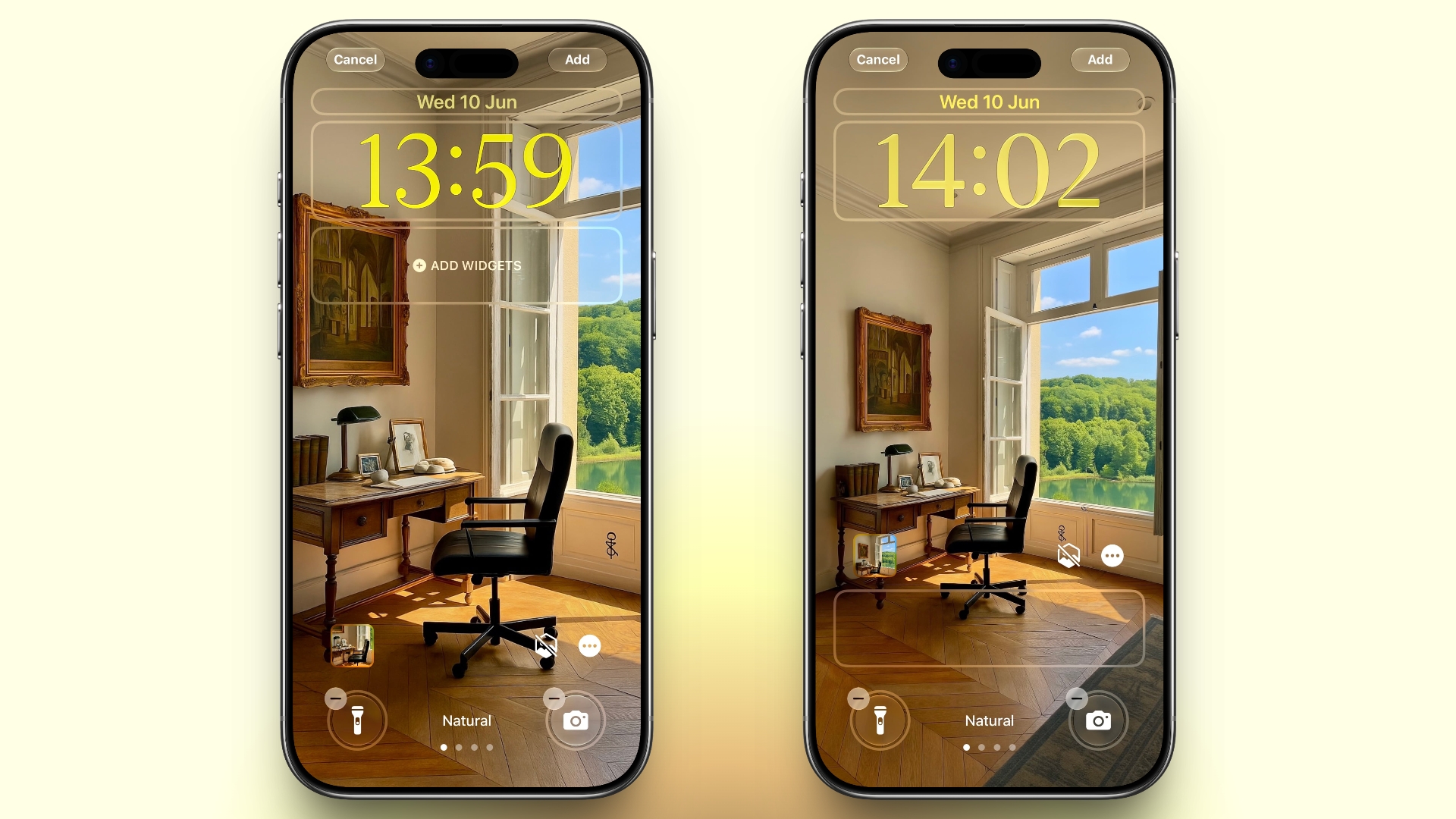
A new wallpaper extension feature in iOS 27 uses Apple Intelligence to automatically expand a photo beyond its original boundaries so it fills the entire Lock Screen more naturally. If a photo is cropped too tightly, doesn't match your iPhone's aspect ratio, or it leaves empty space when positioned on the Lock Screen, iOS 27 can generate additional image content around the edges with the "Extend" option. It will analyze the existing image and create matching background details that blend with the original photo, so there's no need for aggressive cropping. The Extend option can also be found in the Photos app.

Make the Clock Tiny
compact-lock-screen-clock-ios-27.jpeg

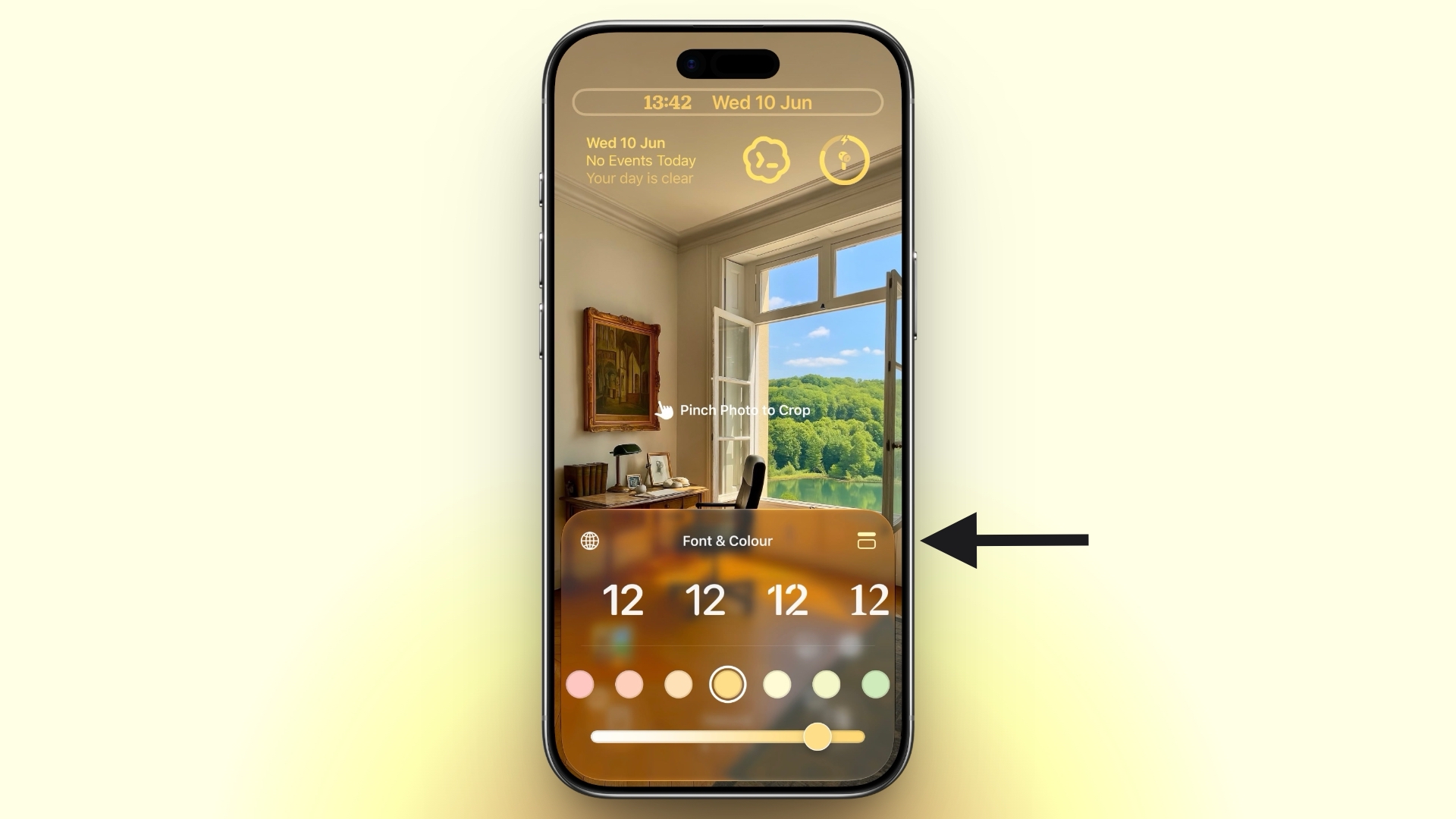
A new compact clock mode is available as a new Lock Screen layout option in iOS 27. Found in the top-right corner of the Font & Color panel, the option moves the time from its traditional large, centered position to a much smaller format alongside the date and widgets at the top of the screen. It's a nice option to have if you like a cleaner Lock Screen look that shows off your wallpaper more fully, and it's the complete opposite effect introduced in iOS 26 that stretches the clock down the screen.

Generate Wallpapers With AI
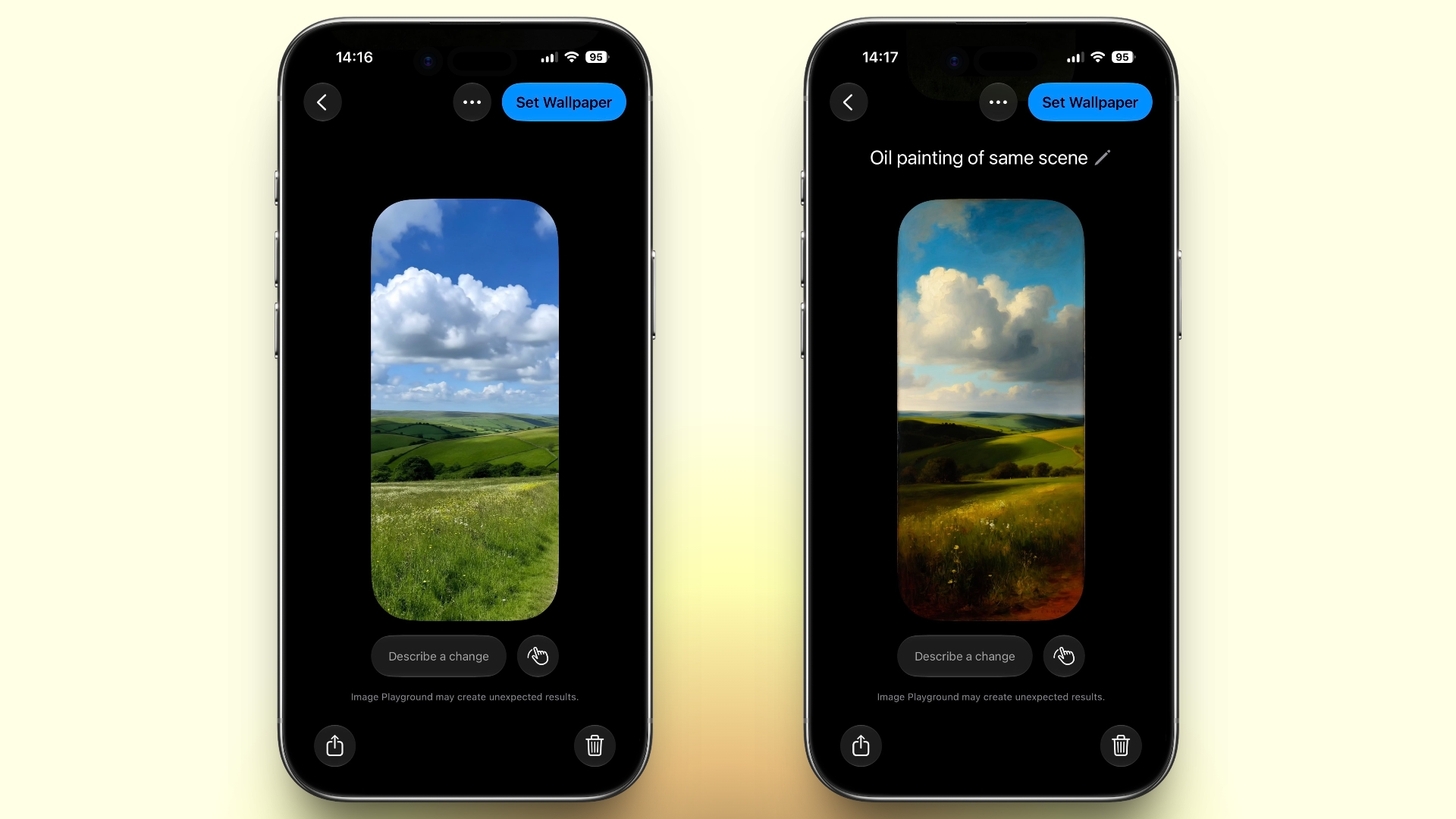
image-playground-wallpaper-ios-27.jpeg

iOS 27 also expands Image Playground with support for AI-generated Lock Screen wallpapers. You can create custom backgrounds using text descriptions, and the app will generate entirely new images tailored to your preferred style, subject matter, or aesthetic, allowing you to set it directly as your Lock Screen wallpaper.

Change Liquid Glass Opacity
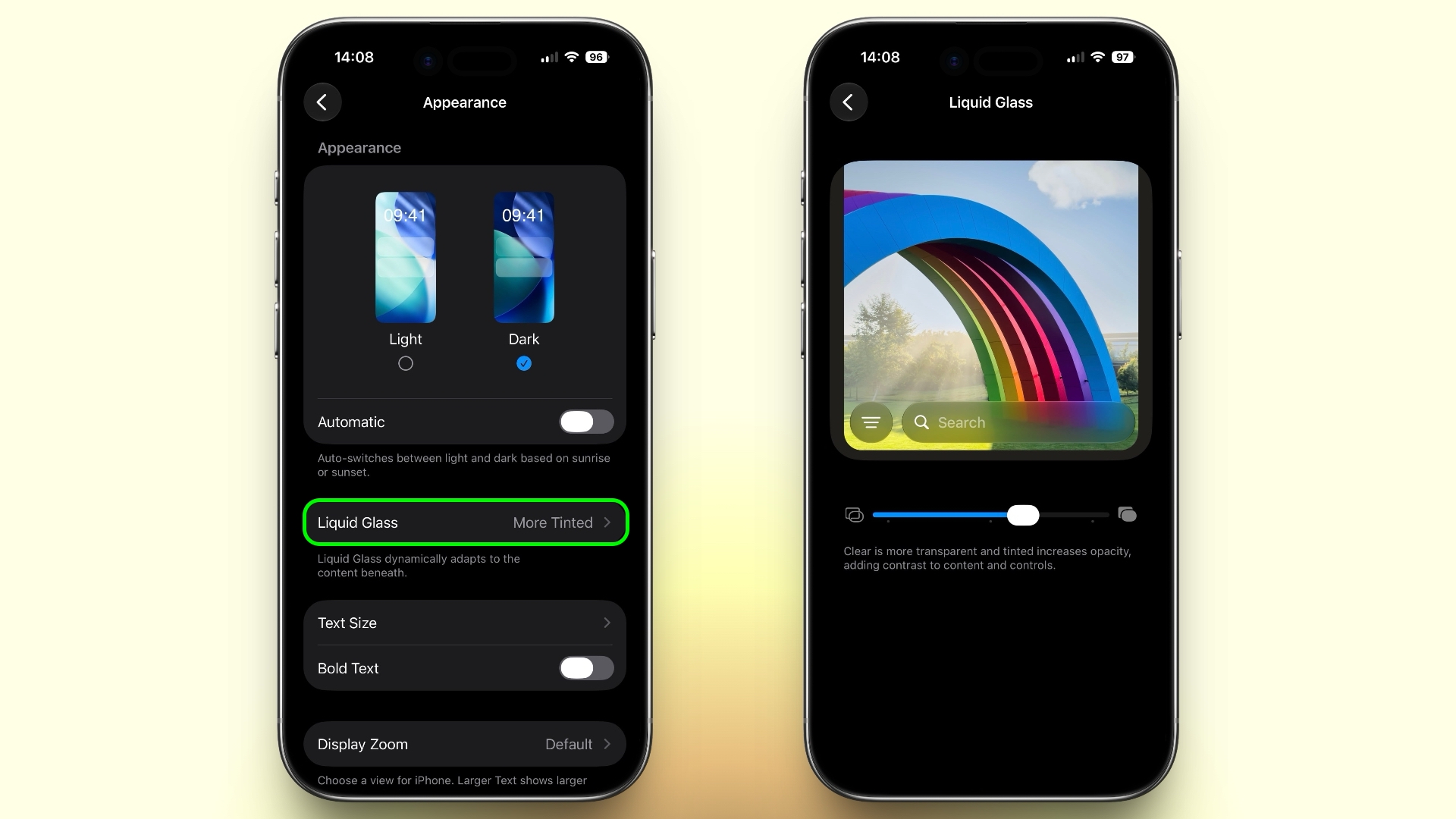
liquid-glass-opacity-setting-ios-27.jpeg

In iOS 27, Apple added a full Liquid Glass slider under Settings ➝ Appearance ➝ Liquid Glass. It changes the translucency of Liquid Glass elements, and you can choose a clear version of Liquid Glass that allows some of the background to show through, select a more opaque, tinted version that improves the legibility of text, or choose something in between. Granted, it's more of a system-wide customization feature than a Lock Screen-exclusive feature, but it directly impacts the look of your clock setup, buttons, widgets, and notifications.

New Siri Interface
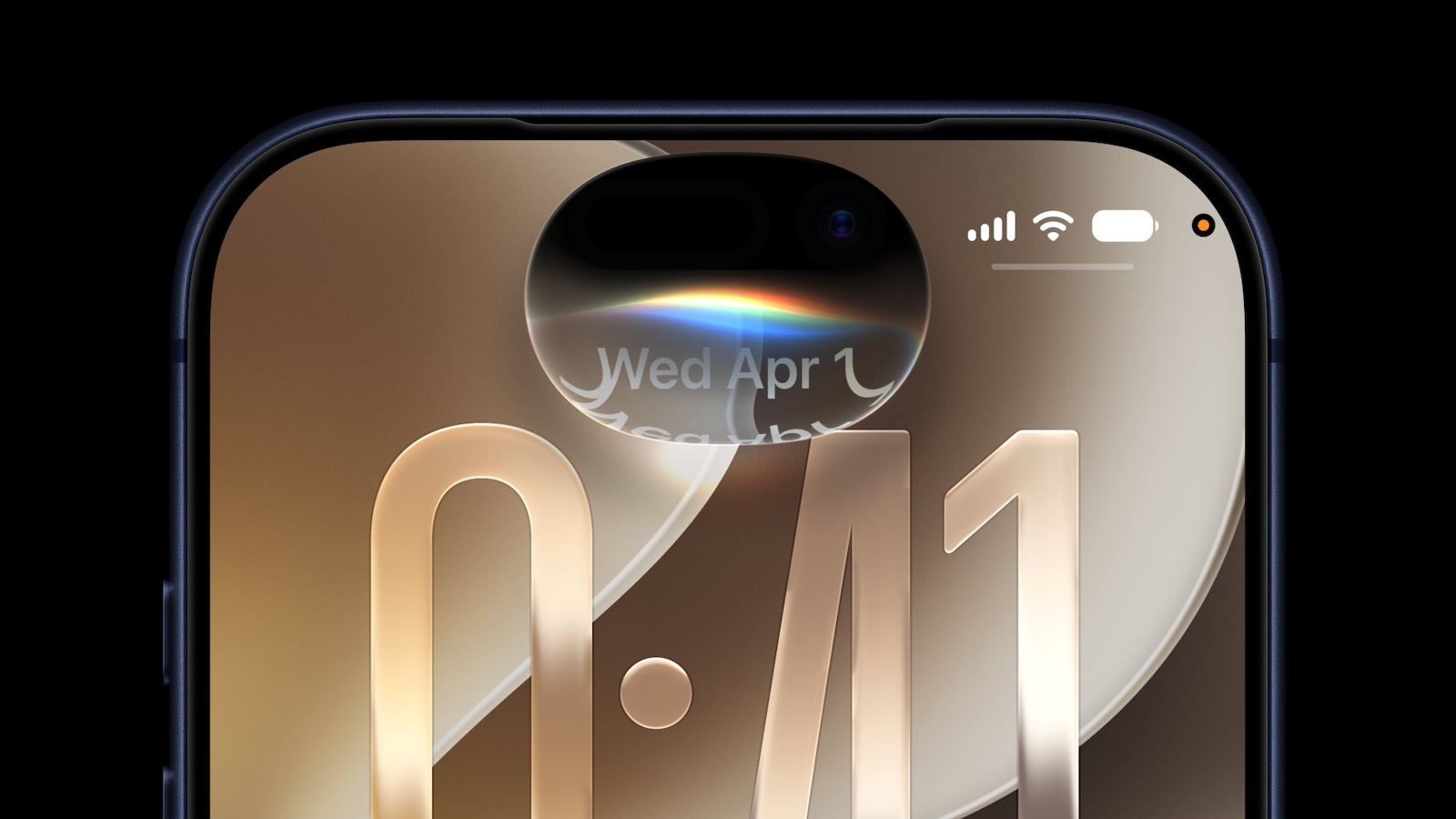
ios-27-siri-animation.jpg

To go with Apple's tentpole "Siri AI" chatbot-style overhaul, iOS 27 introduces a redesigned Siri experience. Instead of the glowing light effect that previously traced the edges of the display, a swirling Siri orb now expands and animates within the Dynamic Island. Siri requests and responses are also now presented in a more compact interface surrounding the Dynamic Island, so interactions should feel more focused rather than completely taking over your Lock Screen.

Article Link: iOS 27 Brings These Five New Features to Your iPhone Lock Screen
 
  • Sad
Reactions: Z-4195 and miq
I mean if making the clock tiny would allow for more widgets on the home screen — great, but I'm guessing that it doesn't.
 
What I really want is the ability to pick a photo album as a source of backgrounds and have my lock screen reference it as I make changes in the future.

I can do this on my Apple TV screensaver. I have an album on my phone and I can add or remove photos at any point and the screensaver will reflect that in the future.

But for some reason on my iPhone lock screen it’s a big hassle to add and remove photos from my rotating photo gallery. It’s a completely separate process and it never checks photo albums again after you import the photos.

This would be far more useful than anything listed in this article.
 
I mean if making the clock tiny would allow for more widgets on the home screen — great, but I'm guessing that it doesn't.
This was my immediate thought when I discovered I could make the clock smaller. I wanted to put a widget in its place, but it's not possible.

You can move the widget section all the way to the top...but yeah, it doesn't allow for more widgets.
 
A feature to change just the current wallpaper would be great. I've setup my lock screen widgets the way I want them, but having to redo them just to pick a new wallpaper is annoying.

I hope I'm not missing a setting somewhere, but even the settings pane have that little animation switching between lock screens. I don't want an entire lock screen just to change the wallpaper.
 
This was my immediate thought when I discovered I could make the clock smaller. I wanted to put a widget in its place, but it's not possible.

You can move the widget section all the way to the top...but yeah, it doesn't allow for more widgets.
I figured as much. Widget placement options are limited AF, almost to the point where it doesn't feel like there are options 🙂
 
  • Like
Reactions: zenmacx
This was my immediate thought when I discovered I could make the clock smaller. I wanted to put a widget in its place, but it's not possible.
The compact clock option is welcome!
I’ll avoid the obvious… Android has had this for years 😂
You can move the widget section all the way to the top...but yeah, it doesn't allow for more widgets.
Not allowing for more widgets reveals Apples refusal to apply common sense. Rather mind boggling but not surprising.
 
  • Like
Reactions: miq
Resizable iPhone mirroring was overt foreshadowing of a squat, folding iPhone.

A compact clock on the lock screen is another subtle signal of the same.
 
I wish I could make it more closely match the font for the date. Also I can’t measure because I’m not at my computer but I feel like the clock is a few pixels higher than the date 😅

Hoping that’s not the case and it’s just the difference in font type playing tricks on me.

IMG_1388.jpeg
 
Just give me the option to disable pressing and holding the Lock Screen to change the wallpaper.

Also, allow us to disable triggering Siri by swiping from the Dynamic Island. I don’t want to have to reach to the top left of the screen to see the Notification Center. I’m fine triggering Siri by just holding the side button.
 
The tiny clock's just the clock that shows on iOS 26's lock screen music player with customizable fonts. (That kinda look worse. What kind of maniac would use two completely different fonts in a single line of text??)

IMG_1505.webp
 
I’m running iOS 18 on my 16 Plus, but I never liked the large default clock on iOS 26. I do like the compact clock, I think I’d try it for a while if I could.
 
Register on MacRumors! This sidebar will go away, and you'll see fewer ads.