

Become a MacRumors Supporter for $50/year with no ads, ability to filter front page stories, and private forums.

MacRumors

macrumors bot
Original poster


When AirPods owners connect to their iPhone running iOS 27, they'll see a completely revamped settings menu for their earbuds that does a better job at organizing all of the feature options that Apple has added over the last few years.
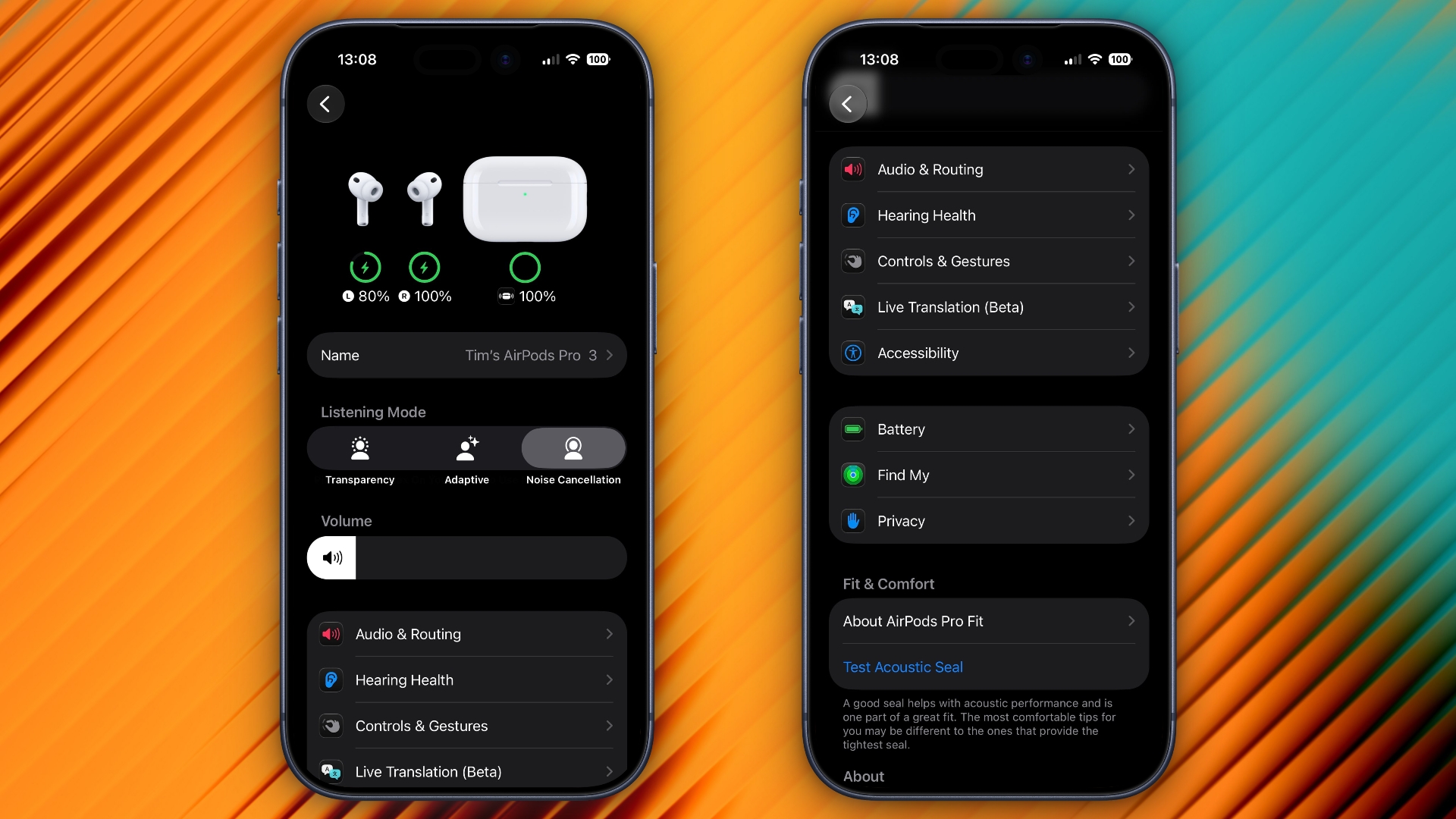
airpods-settings-ios-27.jpeg

In the first iOS 27 developer beta, released on Monday, the new settings menu can be accessed in the same way as the old one – i.e. by appearing only when your AirPods are paired with your iPhone – but the menu itself is now a lot more easy to navigate.

Apple has added a volume slider under the Listening Mode toggles, while the Hearing Health, Call Controls/Camera Control, Live Translation and Adaptive Audio sections have been condensed into separate menus identified by new icons: Accessibility, Audio & Routing, Hearing Health, and Controls & Gestures. There are also new menus for Battery, Privacy, and Find My options.

The new design makes the AirPods settings menu a lot more compact, and it no longer feels like you have to endlessly scroll to try and find the option you're after. Apple has also implemented the redesign in System Settings for macOS 27 Golden Gate.
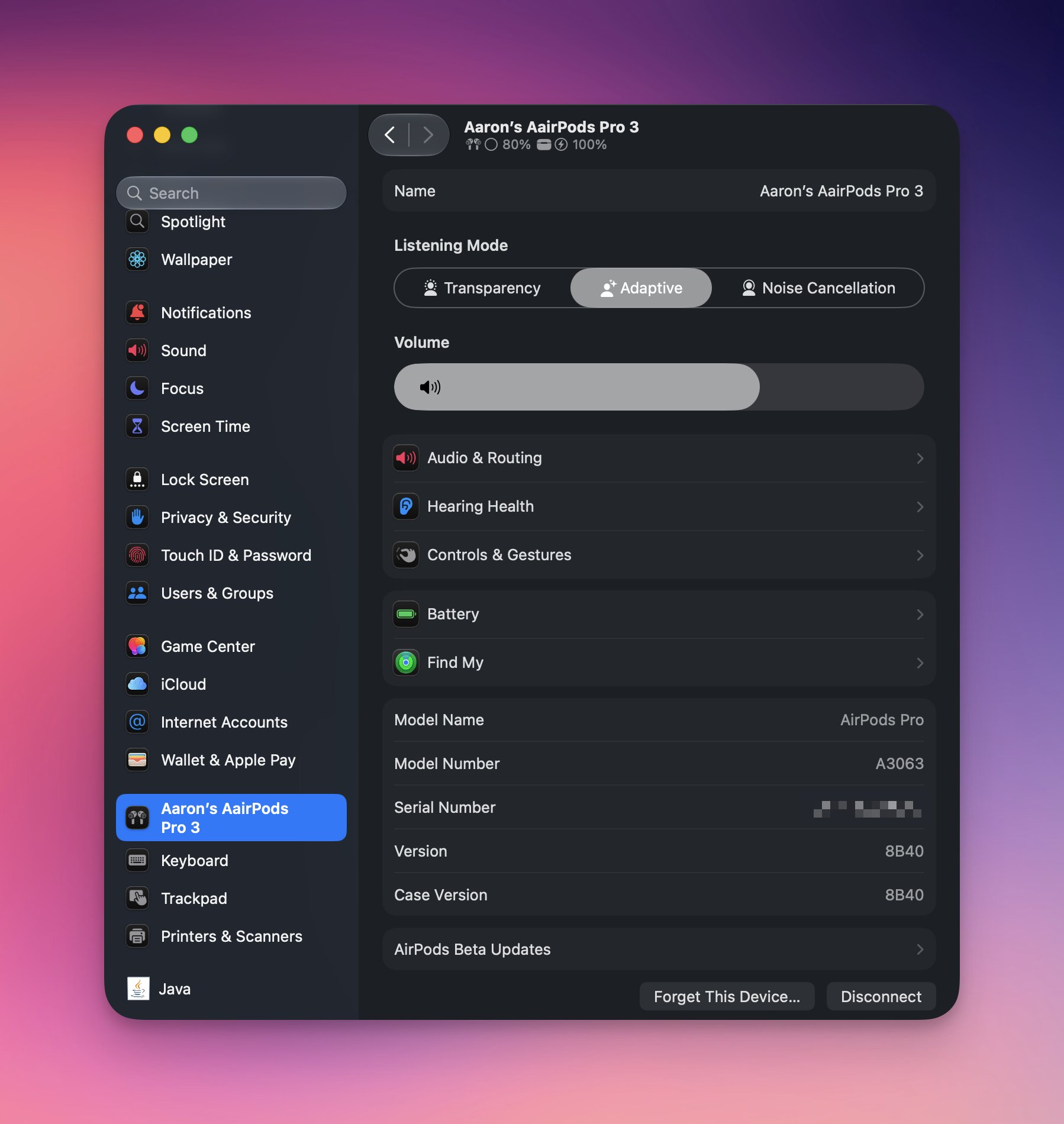
macos-27-airpods-settings.jpeg

Apple plans to release a public beta version of iOS 27 and macOS 27 next month, with a general release of the updates expected in the fall.

Article Link: iOS 27 Introduces Overhauled AirPods Settings Menu
 
  • Haha
Reactions: Z-4195
The volume slider is horrible 😂

Do you know if this menu and the new equalizer is available for the Beats Studio Pro?

So far the equalizer doesn’t even appear to be available for AirPods 🤔 you may need to also be running AirPods beta firmware
 
Wake me when I have better control over updating them. Which doesn’t appear to have been fixed here.
I found out that if your phone is connected to your home Internet via Wi-Fi and you have your AirPods active, the update usually occurs automatically pretty quickly. I do agree on a manual update process, though; hopefully, we'll see it in the next developer beta.
 
The one feature I wish I could access more quickly is the three levels of adjustment to ANC strength you can make within Adaptive Audio. I usually want the middle value, but sometimes want the highest one. Changing that involves digging into that settings panel, and I wish it could be surfaced in a widget or something. Anybody know if it can be changed via a shortcut?
 
Related but unrelated...

Why in 2026 can we have AirPods that can pair to multiple devices, yet peripherals like Magic Keyboard, Mouse, and Trackpad can only be paired to a single device?

People in my household share an office space for working. It's absurd that we can't share wireless peripherals between multiple Macs.
 
  • Like
Reactions: reinem85
After updating to iOS 27 yesterday, my Airpods Pro 3 maximum volume was very low. A reboot didn't fix it, so I dug around in the Airpods settings, and when I went into the Hearing Protection page, the music volume increased on its down, even though that setting isn't related to outgoing volume. But... beta.
 
The one feature I wish I could access more quickly is the three levels of adjustment to ANC strength you can make within Adaptive Audio. I usually want the middle value, but sometimes want the highest one. Changing that involves digging into that settings panel, and I wish it could be surfaced in a widget or something. Anybody know if it can be changed via a shortcut?
I agree completely on that. Hopefully Apple does that along with more granular tone controls when an iPhone running iOS 27 is connected to the AirPods Pro 3.
 
  • Like
Reactions: ignatius345
Is the battery menu for checking the remaining battery health or just the current battery level? I don't know of any other way to check the battery health of my AirPods Pro 2.
 
Register on MacRumors! This sidebar will go away, and you'll see fewer ads.