
Got a tip for us?
Let us know
Become a MacRumors Supporter for $50/year with no ads, ability to filter front page stories, and private forums.
iOS 4 mail app mobileme aliases
- Thread starter koopa35
- Start date
- Sort by reaction score
You are using an out of date browser. It may not display this or other websites correctly.
You should upgrade or use an alternative browser.
You should upgrade or use an alternative browser.

GadgetGeek71
macrumors 6502
Do you mean if Superman sends you an email, will it show up as Clark Kent?
<3
Do you mean if Superman sends you an email, will it show up as Clark Kent?
Bravo!!! 😀
Aliases? Not sure what you mean by that.
mobileme has false email addresses i can give out instead of my real one. it still goes to my main account but i can turn off and stop getting mail from the account.
Do you mean if Superman sends you an email, will it show up as Clark Kent?
something like that
-----------------------
im not picking on you two but im looking for an answer from someone who knows 100% if the mail app in ios4 supports it now
Attachments
yes,it does support this feature from the mail app.
when you send a email you can choose what alias to send it with
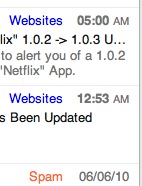
sweet 🙂 does it show what alias its sent to like the mobileme web app and like the picture i attached on a few posts up?
GadgetGeek71
macrumors 6502
Ahhh...MobileMe. I didn't know that's what you were referring to. 😀
sorry i wasnt to clear 😱
There were a lot of posts online about how this was to be supported. TUAW mentioned it a couple months back.
Why isn't it there?! 😡
Apple describes MobileMe email aliases as "nicknames" for your account. When you join MobileMe you have a primary user name/email address, but Apple also allows you to create five "nickname" aliases that you can send and receive email with... It looks like you will also be able to send and receive emails from your MobileMe email addresses using the Mail app in iPhone OS 4.
Why isn't it there?! 😡

yes. it does show mobileme alaises i've been waiting over a year for this.
thank you apple.
What?! Seriously? I start a new email, go to "From" to send it from a different address — none of my aliases are there!


frunkis54
macrumors 65816
What?! Seriously? I start a new email, go to "From" to send it from a different address none of my aliases are there!
for me when i click on from the spinning wheel thing comes up you can slide the the from address of your choice.
for me when i click on from the spinning wheel thing comes up you can slide the the from address of your choice.
does it show it inside the mail box also. if you go to web app each mail indicates what address its sent to.
edit: i saw waynes post above. cant wait to have this on the new iPhone


Naomi
macrumors newbie
I just got done with a mobile me support chat and this was the conclusion:
Ryan P.: Upon investigation there have been issues similar to this reported at it is currently being investigated for the quickest possible resolution and fix. Please try this feature daily until it is working properly.
His original instructions were to...
Ryan P.: Please delete your mobileme account from the iPhone and readd it to refresh: From the home screen, tap Settings > Mail, Contacts, Calendars, and then tap your MobileMe account. Tap Delete Account. (If prompted to do so, choose "Delete from My iPhone" (or iPad/iPod touch). Restart your device. After it restarts, on the Mail, Contacts, and Calendars screen, tap Add Account > MobileMe, and set up your account again.
Ryan P.: Upon investigation there have been issues similar to this reported at it is currently being investigated for the quickest possible resolution and fix. Please try this feature daily until it is working properly.
His original instructions were to...
Ryan P.: Please delete your mobileme account from the iPhone and readd it to refresh: From the home screen, tap Settings > Mail, Contacts, Calendars, and then tap your MobileMe account. Tap Delete Account. (If prompted to do so, choose "Delete from My iPhone" (or iPad/iPod touch). Restart your device. After it restarts, on the Mail, Contacts, and Calendars screen, tap Add Account > MobileMe, and set up your account again.

soundsgoodtome
macrumors regular
His original instructions were to...
Ryan P.: Please delete your mobileme account from the iPhone and readd it to refresh… [snip]
deleting/restarting/re-adding did not work for me. however, the following did work:
EDIT: [before performing this workaround, see my update below.]
To send email with a MobileMe alias:
(paraphrased from http://discussions.apple.com/thread.jspa?messageID=11709702)
Create a new account (Settings > Mail, Contacts, Calendars > Add Account...), choosing "Other," instead of MobileMe.
Use the following IMAP account info:
Name = the name you want recipients to see
Address = your MobileMe alias
Password = your MobileMe password
Description = how you want the account to appear on your device
Incoming Mail Server:
Host Name = mail.me.com
User Name = your MobileMe address (not alias)
Password = your MobileMe password
Outgoing mail Server:
SMTP = smtp.me.com
User Name* = your MobileMe address (not alias)
Password* = your MobileMe password
*(Though the outgoing User Name and Password fields say "optional," some users reported this method doesn't work without filling them in.)
[end quote.]
-----
while it's possible that in iOS 4 aliases are supposed to appear automatically (i.e., without adding a special account), as some have suggested previously in this thread, many of us are not seeing our aliases. so, this at least is a workaround, for now.
the only "caveat" is that in mail.app, both the normal account and the alias account will be displayed with identical unread-message counts (and content). harmless, of course, but some users may not like seeing the alias listed as a separate account. but hey -- it works.
UPDATE: after doing the above for only one of my three aliases, i happened to check my alias settings at me.com (mail > preferences > addresses). and although i did not make any changes whatsoever (i was just looking things over), i clicked the "done" button to dismiss the alias-edit window, and now all three of my aliases are showing up on my phone. and the one i added manually shows up twice.
so, clearly, although the workaround i mentioned above does work, it's not necessary. try going to your alias settings at me.com, and just "refresh" them by clicking "done."
try going to your alias settings at me.com, and just "refresh" them by clicking "done."
BRILLIANT! Thank you! It worked flawlessly!
I just hit "done" on me.com, and BOOM they showed up under my accounts to send from instantly. Thanks!