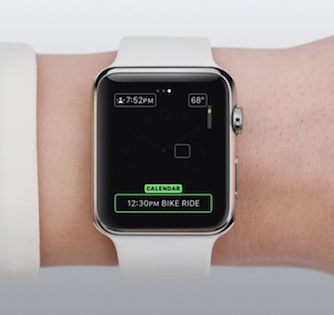
twisted-pixel macrumors 6502a Original poster Apr 8, 2015 #1 ...including how to customise your watch face to add whatever you want...looks cool that you can add temperature etc, on a watch face by selecting the area and scrolling to the piece of information you want.
...including how to customise your watch face to add whatever you want...looks cool that you can add temperature etc, on a watch face by selecting the area and scrolling to the piece of information you want.
twisted-pixel macrumors 6502a Original poster Apr 8, 2015 #2 Select and area of the screen, use the scroll to select the piece of information you want to display there. very very cool!!
Select and area of the screen, use the scroll to select the piece of information you want to display there. very very cool!!
blastair macrumors regular Apr 8, 2015 #5 Thanks. I thought these were here before, but maybe not. I can't remember.
P parkds macrumors 6502 Apr 8, 2015 #7 Looks like these are the Guided Tour videos from the Apple website: http://www.apple.com/watch/guided-tours/
Looks like these are the Guided Tour videos from the Apple website: http://www.apple.com/watch/guided-tours/
twisted-pixel macrumors 6502a Original poster Apr 8, 2015 #8 Pooshka said: Welcome to last week. www.apple.com/watch Click to expand... as far as I know, they weren't available on the watch app last week though
Pooshka said: Welcome to last week. www.apple.com/watch Click to expand... as far as I know, they weren't available on the watch app last week though
T tagy macrumors 6502 Apr 8, 2015 #9 This doe not seem to be related to iOS 8.3 FYI seen the same in 8.2
twisted-pixel macrumors 6502a Original poster Apr 8, 2015 #10 in that case...ignore this thread....it has no relevance.