
Become a MacRumors Supporter for $50/year with no ads, ability to filter front page stories, and private forums.
Status
The first post of this thread is a WikiPost and can be edited by anyone with the appropiate permissions. Your edits will be public.

RobCoenen

macrumors member
Original poster
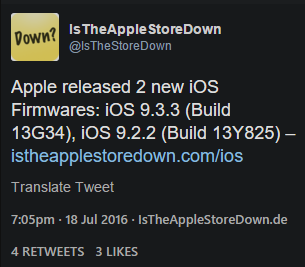
iOS 9.3.3 final
Build:
13G34 (same build as beta 5)

Bugs (new to iOS 9.3.3 final):
• Not available yet (7:07 PM, 18-7-2016)

Changes:
• Not available yet (7:07 PM, 18-7-2016)

Bug Fixes:
Security fixes

Performance:
Not available yet (7:07 PM, 18-7-2016)

As a small 9.x.x update, iOS 9.3.3 focuses mainly on under-the-hood performance improvements and bug fixes rather than outward-facing changes.

iOS 9.3.2 is the ninth update to the iOS 9 operating system, following iOS 9.0.1, iOS 9.0.2, iOS 9.1, iOS 9.2, iOS 9.2.1, iOS 9.3, iOS 9.3.1, and iOS 9.3.2. iOS 9 will be followed by iOS 10, which has already been provided to developers.
0a4285dd27cf693c53810f1b6744717f.png
 
Last edited:
Same build as Beta 5 apparently, so we should probably just rename the other thread and roundfile this one.
 
For the people who don't see the update OTA. It should be available now!
 
Last edited:
explain auto brightness lag, never noticed it

If you're playing a game (in my case, Flappy Bird) and the lighting changes in the room (sun goes behind cloud, wife turns off light) the iPhone (or iPad mini 4 in my case) will start to dim. As the display is dimming, the game is GREATLY affected. As the brightness lowers, the game starts stuttering like crazy (a 60fps game will bog down to 30fps) until the iPad or iPhone is done changing brightness.
 
If you're playing a game (in my case, Flappy Bird) and the lighting changes in the room (sun goes behind cloud, wife turns off light) the iPhone (or iPad mini 4 in my case) will start to dim. As the display is dimming, the game is GREATLY affected. As the brightness lowers, the game starts stuttering like crazy (a 60fps game will bog down to 30fps) until the iPad or iPhone is done changing brightness.

ok i have never noticed this. maybe because i have the latest model ? (6s plus)

edit: i will probably notice it now i know what to look for haha
 
I just installed and the first thing I notice is the clock is gone from the lock screen. I kinda like it since I can see my whole wallpaper now, but I'm pretty sure it's not supposed to be happening.
 
I just installed and the first thing I notice is the clock is gone from the lock screen. I kinda like it since I can see my whole wallpaper now, but I'm pretty sure it's not supposed to be happening.
I restarted and it came back. I'm kinda disappointed.... Lol.
 
Register on MacRumors! This sidebar will go away, and you'll see fewer ads.