Hello,
I just got an iPad pro M5 with the Apple pencil pro today and I have seen videos and tutorials about scribble mode and also converting handwriting to text.
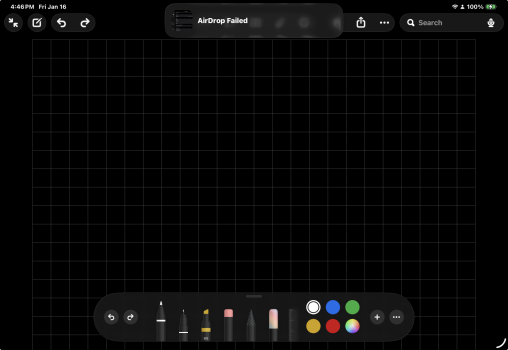
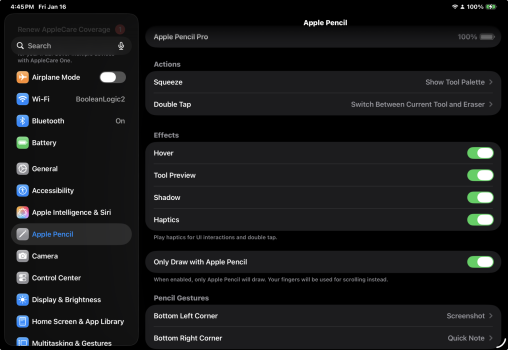
I do not seem to have anything to enable or disable scribble mode in the Apple Pencil settings, I'm also missing the pen in Notes that has the A that is supposed to convert handwriting to text.
Anyone know why and how to fix it? I came across one apple community post where they said to make sure the language and country are supported (I'm in the US and language is English)
I just got an iPad pro M5 with the Apple pencil pro today and I have seen videos and tutorials about scribble mode and also converting handwriting to text.
I do not seem to have anything to enable or disable scribble mode in the Apple Pencil settings, I'm also missing the pen in Notes that has the A that is supposed to convert handwriting to text.
Anyone know why and how to fix it? I came across one apple community post where they said to make sure the language and country are supported (I'm in the US and language is English)