Luftkopf
macrumors 68000
Whatever Apple does, there will be people lining up to criticise them. It’s inevitable.People will then complain that iOS 27 is boring and Apple is not innovating 🤣

Whatever Apple does, there will be people lining up to criticise them. It’s inevitable.People will then complain that iOS 27 is boring and Apple is not innovating 🤣

And in the exact same way, whatever Apple does, there will be people lining up to praise them. It’s inevitable. 😉Whatever Apple does, there will be people lining up to criticise them. It’s inevitable.
Because only shills like things, right? 😉And in the exact same way, whatever Apple does, there will be people lining up to praise them. It’s inevitable. 😉

There’s a small (I definitely would not call it a “hang”) delay before a web page gets displayed. I have found that iCloud Private Relay does occasionally produce significant lag in page loading, though. If you have it, you might try turning it off and see if that helps.Has anyone else found that loading web pages hang for quite a while on iPadOS 26.2? I don’t want to blame it on the OS if it’s actually another issue. But the issue seems to have started right after the update and happens across all of my iOS/iPadOS devices. Meanwhile… using the Speedtest app to check my internet speeds reveals no problem in that area.
I definitely notice this. Usually have to close out and reopen for it to stop doing that. But then it will start happening again.Has anyone else found that loading web pages hang for quite a while on iPadOS 26.2? I don’t want to blame it on the OS if it’s actually another issue. But the issue seems to have started right after the update and happens across all of my iOS/iPadOS devices. Meanwhile… using the Speedtest app to check my internet speeds reveals no problem in that area.

Same here. One of the few annoyances I have with iPadOS26I definitely notice this. Usually have to close out and reopen for it to stop doing that. But then it will start happening again.

That seems in line with Apple’s usual promise of ten hours of web browsing per charge… do they promise more for the M5?I just want the battery on my m5 pro to get better. Losing 10% every hour from just web browsing.
Where do you keep your screen brightness set? I can get about 8% drop from web browsing on my M4 13”, with brightness at about 35%.I just want the battery on my m5 pro to get better. Losing 10% every hour from just web browsing.
Also relevant are the specific websites we visit. Facebook, for one example that I visit, uses a lot more battery than, say, MacRumors does.Where do you keep your screen brightness set? I can get about 8% drop from web browsing on my M4 13”, with brightness at about 35%.

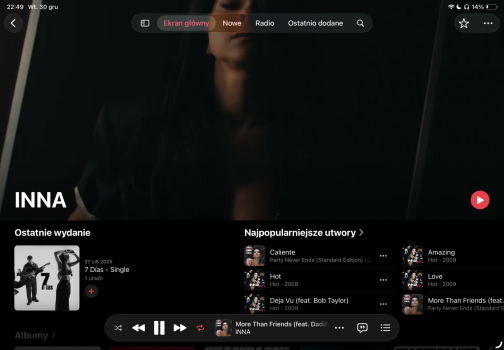
Wish there was option to resize the dock to make it smaller so it always stays there. I love new window system in iPad os 26. iPad Air M1 does a really good job with it. I whsh there was option to add more users to iPad with biometric authenticationDespite being laggy M1 Air I love Music on iPad
What we have here is Split View plus a resizeable and freely positionable Slide Over. Maybe, even having two Slide Over windows can make sense.The exact 3 studies you linked. The website (left) and the PDF (right)
M-series iPad battery life is atrocious. My 11” A-series iPad Pro would get 18 hours of screen time per charge, half brightness with the Magic Keyboard case attached. My M2 iPad Pro 12.9” struggles to get more than 8 hours of screen time under the same conditions.I just want the battery on my m5 pro to get better. Losing 10% every hour from just web browsing.
It's true for the earlier M-Series iPads for me, but for some reason, my M4 11' iPad Pro have significant better battery life compared to my previous iPad pros. In fact, it's my all-time best iPad I've ever own for the battery life so far. I'm still on iPadOS 18.7.3 though.M-series iPad battery life is atrocious. My 11” A-series iPad Pro would get 18 hours of screen time per charge, half brightness with the Magic Keyboard case attached. My M2 iPad Pro 12.9” struggles to get more than 8 hours of screen time under the same conditions.
Apple’s rated runtimes used to be easy to exceed. Now, it’s a challenge to reach them.


I own lots of Apple junk and can say for a fact it's a fun hobby to collect them. Therefore, I own them for fun.Didn’t read this thread. Just came here to say I just updated my iPad Pro to iPadOS 26 and I’ve never seen something that ugly. It reminds me of iOS 7. A lot of bugs, a lot of glitches, the design is so incredibly ugly! Not just the Liquid Glass, but they changed a lot of small icons and buttons. Why? What’s the function behind that? Does Apple realise these devices are tools for us? We don’t own them for fun. They’re just means for a higher purpose - they’re not purpose itself and never will nor can be!
I own lots of Apple junk and can say for a fact it's a fun hobby to collect them. Therefore, I own them for fun.

What’s the issue with the three multitasking modes. I tried them all and they inherently seem to work. The window option was cool and I liked it better than the other two.It truly is garbage. Why are there three different under multi/gestures? Should only be one, as too many flavors. Quit making it so complicated. The problem is some media kept saying how they want the iPad to function like a Mac. It was never meant to be that way and I think functioned better than a Mac with previous iOS. At least for my use cases.
Apple needs to quit trying to please everyone and only worry about the majority of users, who I am sure never wanted it like this. Simple is what Apple was always supposed to make things. Not some complicated mess.
'Why are there three different under multi/gestures? Should only be one'- I don't really mind, I see it more of a convenience as I can just use the closest tool to do one job instead of one thing does all and having it be somewhat of an inconvenience.It truly is garbage. Why are there three different under multi/gestures? Should only be one, as too many flavors. Quit making it so complicated. The problem is some media kept saying how they want the iPad to function like a Mac. It was never meant to be that way and I think functioned better than a Mac with previous iOS. At least for my use cases.
Apple needs to quit trying to please everyone and only worry about the majority of users, who I am sure never wanted it like this. Simple is what Apple was always supposed to make things. Not some complicated mess.