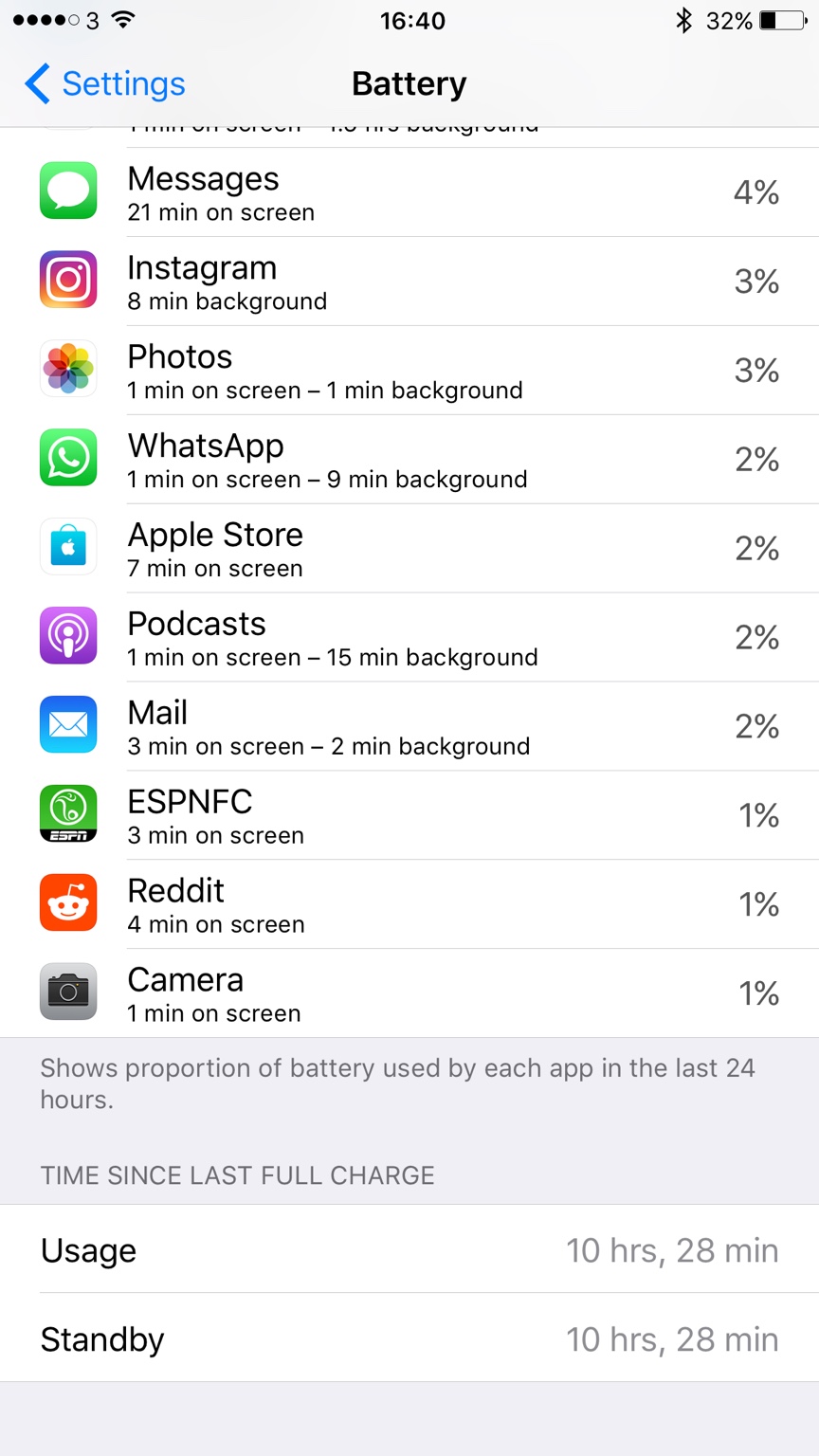
The Game 161 macrumors Nehalem Original poster Dec 15, 2016 #1 Happening to anybody else since updating?
X Xgm541 macrumors 65816 Dec 15, 2016 #2 Looks like an app that wasnt updated for the newest version is causing this. Have you restarted? Check which app is using a lot of time in background.
Looks like an app that wasnt updated for the newest version is causing this. Have you restarted? Check which app is using a lot of time in background.
BigMcGuire macrumors G4 Dec 15, 2016 #3 Yeah, something isn't allowing the phone to sleep. Just do a hard restart (home + power) - different on the 7. Happens now and then after an update.
Yeah, something isn't allowing the phone to sleep. Just do a hard restart (home + power) - different on the 7. Happens now and then after an update.
The Game 161 macrumors Nehalem Original poster Dec 15, 2016 #4 switched it on and off but yeah maybe a hard reset will help.
The Game 161 macrumors Nehalem Original poster Dec 16, 2016 #5 for some reason holding power and home button it won't let me do a hard reset
BigMcGuire macrumors G4 Dec 16, 2016 #6 Yeah looks like it changed on the iPhone 7 from the 6s ---- Lock + Volume Down should do it according to: http://www.iphonehacks.com/2016/09/how-hard-reset-iphone-7.html Reactions: Jetcat3, Sunny1990 and The Game 161
Yeah looks like it changed on the iPhone 7 from the 6s ---- Lock + Volume Down should do it according to: http://www.iphonehacks.com/2016/09/how-hard-reset-iphone-7.html
The Game 161 macrumors Nehalem Original poster Dec 16, 2016 #7 BigMcGuire said: Yeah looks like it changed on the iPhone 7 from the 6s ---- Lock + Volume Down should do it according to: http://www.iphonehacks.com/2016/09/how-hard-reset-iphone-7.html Click to expand... thanks for that, will give it a try Reactions: BigMcGuire
BigMcGuire said: Yeah looks like it changed on the iPhone 7 from the 6s ---- Lock + Volume Down should do it according to: http://www.iphonehacks.com/2016/09/how-hard-reset-iphone-7.html Click to expand... thanks for that, will give it a try
nateofmelb macrumors regular Dec 16, 2016 #8 Happened to me with previous update. Hard reset will fix it. Reactions: Jetcat3 and cics
The Game 161 macrumors Nehalem Original poster Dec 27, 2016 #9 Looks like it's returned again Last several charges showing same usage and standby times.
Mlrollin91 macrumors G5 Dec 27, 2016 #10 It means you have a rogue app. Only thing you can do is start deleting app by app until you find the culprit. If you have Facebook or Messenger, start there. Reactions: BigMcGuire
It means you have a rogue app. Only thing you can do is start deleting app by app until you find the culprit. If you have Facebook or Messenger, start there.
macfacts macrumors 603 Dec 27, 2016 #11 The Game 161 said: Happening to anybody else since updating? Click to expand... You only showed the bottom of that list. What is at the top?
The Game 161 said: Happening to anybody else since updating? Click to expand... You only showed the bottom of that list. What is at the top?