Become a MacRumors Supporter for $50/year with no ads, ability to filter front page stories, and private forums.

celo48

macrumors 6502a
Original poster
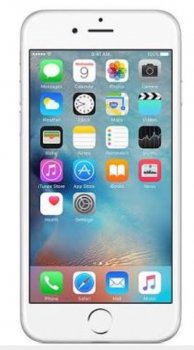
I turned on/off reduced transparency but doesn't work. Any idea how to fix it?
 

Attachments

  • image.jpeg
    image.jpeg
    90.9 KB · Views: 607
Mine is exactly like that too, with that wallpaper.
Try changing the wallpaper and seeing how the dock reacts.
 
It s grey because of the wallpaper, try another one and you ll see that the dock color will change.
 
Of course I tried other wallpapers🙂

Same.
 

Attachments

  • image.jpeg
    image.jpeg
    88.5 KB · Views: 353
Why? Go to Settings -> General -> Accessibility -> Reduce Transparency -> Turn it off.

Is it a difficult fix?
Do a research before accusing someone.
The very post you refrenced has an edit to it addressing that part of it. The OP covers it as well. How can you miss that still?
 
Last edited:
Future readers: if turning reduce transparency on/off doesn't work, please try a reset by holding the home and sleep buttons for 10 seconds before taking the drastic step of reinstalling iOS. (OP didn't mention doing this so it's still a possible fix)
 
Register on MacRumors! This sidebar will go away, and you'll see fewer ads.