

Become a MacRumors Supporter for $50/year with no ads, ability to filter front page stories, and private forums.

MacRumors

macrumors bot
Original poster


Apple's digital driver's license feature in the Wallet app is set to expand to Virginia, according to a person familiar with the matter.
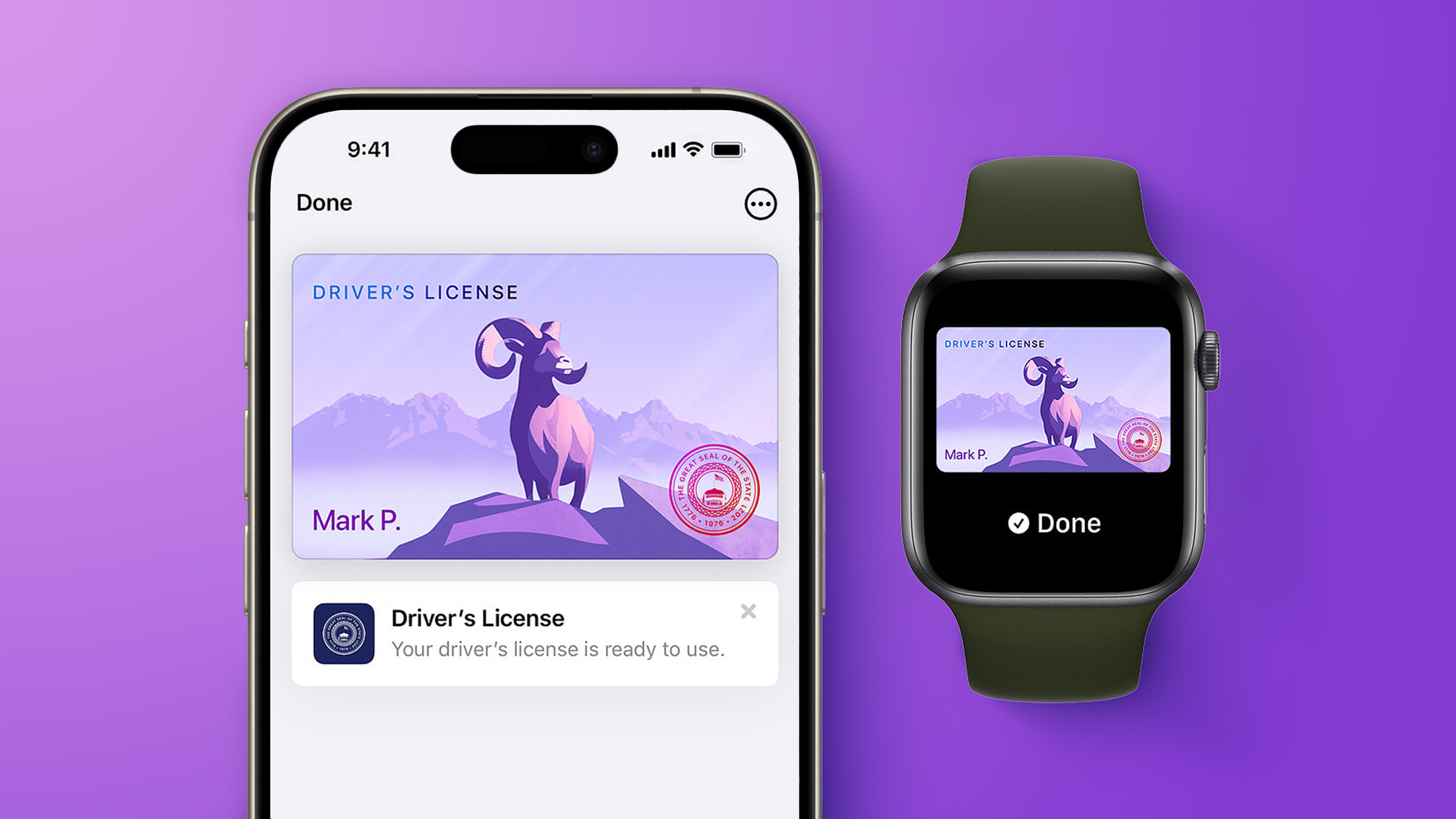
apple-wallet-drivers-license-feature-iPhone-15-pro-purple-1.jpg

In select U.S. states, residents can add their driver's license or state ID to the Wallet app on the iPhone and Apple Watch, and then use it to display proof of identity or age at select airports and businesses, and in select apps. The feature has rolled out to 14 states so far, including Arkansas earlier this week, and it is also available in Puerto Rico.

The other states are Arizona, Maryland, Colorado, Georgia, Ohio, Hawaii, California, Iowa, New Mexico, Montana, North Dakota, West Virginia, and Illinois.

Now, Apple is preparing for the feature to go live in Virginia, the person said. However, we do not have an exact timeframe for availability. Towards the end of 2025, Virginia's Department of Motor Vehicles said it planned to support the Apple Wallet's digital ID feature in the coming months, so hopefully it goes live soon by this point.

When the feature goes live, Virginia residents will be able to set it up by opening the Wallet app on the iPhone and tapping on the plus sign in the top-right corner. Next, they will tap on Driver's License and ID Cards, select Virginia from the list once it is added, and follow the on-screen steps to complete the process.

Apple Wallet IDs are accepted at TSA checkpoints at hundreds of U.S. airports for domestic travel. Given that Apple Wallet IDs are not accepted by law enforcement, and lack many other use cases, carrying a physical ID is still necessary.

If you live in a state that does not yet offer Apple Wallet IDs, you can create a Digital ID based on your U.S. passport, and present it at the same participating TSA checkpoints, for age and identity verification purposes during domestic travel. It is not a replacement for a physical passport, and it cannot be used for international travel.

The passport feature requires iOS 26.1 or watchOS 26.1 and later.

Article Link: iPhone Driver's License Feature Set to Expand to a 15th U.S. State
 
That’s good that this continues to expand to additional states

Hopefully it will soon be made available in both Massachusetts and Rhode Island where I currently live right now
 
Has anyone used the feature?

Frequently enough to say it is useful?

(Feature itself is great, but it can be used in _very_ few places in practice. It is one thing to list online that a certain airport supports TSA checking with it, in my experience it is a VERY different thing to actually go to that airport to try to use it.)
 
Needs to hurry up in KY. It's been on the coming soon list for years it feels like. We just launched our own version of it(that barely works)so here's hoping.
 
15 states full of disappointed people who can't use this anywhere.
Me to TSA: "how often does the mDL work?"
TSA: "the what?"
Me: "digital driver's license?"
TSA: "this isn't the CLEAR/touchless lane."
Me <pointing at RFID scanner>: "this thing."
TSA: <shrugs> "about 20% of the time."
 
Has anyone used the feature?

Frequently enough to say it is useful?

(Feature itself is great, but it can be used in _very_ few places in practice. It is one thing to list online that a certain airport supports TSA checking with it, in my experience it is a VERY different thing to actually go to that airport to try to use it.)
I’ve used it at the airport a handful of times, it’s very smooth
 
I just don’t see a clear use case for this. While I get wanting to remove things you carry, I would never want to hand my phone over to any law enforcement officer for the purposes of conveying my id. The physical analogy to that is like them asking for your ID and you give them your entire wallet and glove compartment.

I’ll stick with physical id.
 
Still not many uses for this. The one place where I wish it did was Disneyland. When I got to the gate using my ticket with a local discount, they didn’t accept my mDL as verification that I was a local, they had to call the manager to verify my digital ID and scroll through my info. Was a total pain.
 
  • Like
Reactions: lindros2
I'm in California and have had it for a while. I cannot get verified for some reason. I have to take all the pictures of my head at all the angles and then it says "FAILED" and to go to some DMV site. I've done it a few times and always the same result. Might just be me.

It may be nice to have but there's no way I would ever roll without my physical driver's license on my person as a backup. Therefore, pretty much worthless which is why I haven't really put in much time in trying to fix it.
 
Has anyone used the feature?

Frequently enough to say it is useful?

(Feature itself is great, but it can be used in _very_ few places in practice. It is one thing to list online that a certain airport supports TSA checking with it, in my experience it is a VERY different thing to actually go to that airport to try to use it.)
I have attempted to use it at 4 airports. All of them say that it's supported. Every single TSA agent was excited and said they'd been trained on it but had never had a single person try to do it. And it failed everytime.

The first 2 flights I tried with my iPhone which seems to be utterly impossible - TSA wants you to be staring into their camera for it to scan you at the same time as the iPhone wants you to stare at its camera for FaceID. However your iPhone must be in a very precise position about 2 feet below the TSA camera and pointing basically at the ceiling. This set of constraints is utterly physically impossible. Not barely possible or close to possible, it's just totally and obviously impossible to both be looking down at your phone and across at the TSA camera at the same time. Both want you to hold this quantum superposition for a few seconds for both to perform their concurrent scans.

The next two flights I tried the Apple Watch instead. It may be possible with the Apple Watch. You need to wear your watch and hold it face down on the TSA tap sensor thing at the same time as you stare into the TSA camera. With practice or coaching or something it's maybe possible, but there's really no feedback to let you know if your watch is doing the right thing or not. This same issue kind of happens with Apple Pay... but then normally the payment terminal screen can at least kind of tell you whether it's working or not. And you can get practice on terminals with screens and then move onto terminals without screens. There's no easy setup for TSA though - none of them have screens of any sort to let you know if you're doing the right thing (and even if they did, you're getting your face scanned while this happens so it's not like you could look away to read something.)

I'm flying again in a month and I'll get another two chances to try.

I look forward to being the first person on earth to successfully do this.
 
34% of the population to actually do anything.
got it.
You’re a real glass-half-full sorta guy, aren’t you?

The 34% only counts state IDs and drivers licenses. If you account for the portion of people outside those states who have passports, you get to about 65% of people eligible to use this feature. It can already be used all over the country by anyone who flies to get through TSA, and states like Illinois and Ohio have apps that allow businesses to use it to easily verify age using another iPhone. Apple Pay wasn’t an immediate hit, it took a decade to ramp up but now it’s absolutely ubiquitous. Some people really just can’t envision the long game, but clearly it can work.
 
Last edited:
I have attempted to use it at 4 airports. All of them say that it's supported. Every single TSA agent was excited and said they'd been trained on it but had never had a single person try to do it. And it failed everytime.

The first 2 flights I tried with my iPhone which seems to be utterly impossible - TSA wants you to be staring into their camera for it to scan you at the same time as the iPhone wants you to stare at its camera for FaceID. However your iPhone must be in a very precise position about 2 feet below the TSA camera and pointing basically at the ceiling. This set of constraints is utterly physically impossible. Not barely possible or close to possible, it's just totally and obviously impossible to both be looking down at your phone and across at the TSA camera at the same time. Both want you to hold this quantum superposition for a few seconds for both to perform their concurrent scans.

The next two flights I tried the Apple Watch instead. It may be possible with the Apple Watch. You need to wear your watch and hold it face down on the TSA tap sensor thing at the same time as you stare into the TSA camera. With practice or coaching or something it's maybe possible, but there's really no feedback to let you know if your watch is doing the right thing or not. This same issue kind of happens with Apple Pay... but then normally the payment terminal screen can at least kind of tell you whether it's working or not. And you can get practice on terminals with screens and then move onto terminals without screens. There's no easy setup for TSA though - none of them have screens of any sort to let you know if you're doing the right thing (and even if they did, you're getting your face scanned while this happens so it's not like you could look away to read something.)

I'm flying again in a month and I'll get another two chances to try.

I look forward to being the first person on earth to successfully do this.
You don’t have to scan your face at the same time as you’re holding your phone to the reader. I’ve never had this problem. Hold your phone to the reader, then it will prompt you to scan your face. You do not have to continue holding the device near the reader once it prompts you to verify with Face ID. Also, you don’t have to use the TSA cameras. You can opt out and still use the mobile ID. I’ve done it both ways successfully
 
Has anyone used the feature?

Frequently enough to say it is useful?

(Feature itself is great, but it can be used in _very_ few places in practice. It is one thing to list online that a certain airport supports TSA checking with it, in my experience it is a VERY different thing to actually go to that airport to try to use it.)

A lot of people said this about Apple Pay when it first came out. First time a clerk saw me use it he called it "voodoo". Now it's everywhere (except Wal Mart 🙄 ). New technologies take time to mature in the field. Nothing happens overnight. Five years from now, this will be everywhere.

Any theories why? (this would actually make the digital DL useful)

Any delay in the implementation of technology in law enforcement is directly related to one thing. Money. Tech costs money, connectivity costs money, the "back end" of it costs money. Politicians have other priorities. For the most part, law enforcement is (overall) late to the tech show due to a lack of funds, and any roll out is linked to those funds being available in a budget year where the groundwork for year 202X is preliminarily being laid out 8-10 months before the budget year begins. So if something is in the planning stages right now, you might see it in 2 years. If you're lucky.

You can't tell people they can stop carrying their DL when they drive in lieu of a hard copy if you don't have universal acceptance of the electronic one first. That includes the ability to digitally verify it on the device. No place is there yet. So for now acceptance is hit or miss. Just like Apple Pay was when it first came out. Now, I can reliable leave my wallet in the car and ditty bop into Dunkin' with my watch and pay.

Again, with technology. The limitation is usually not line staff or an aversion to tech. People in LE absolutely love a new toy. Especially a techie one. Cops will be lining up to be the ones using this first just for the novelty of it. Cash is the issue. Where I work we've been begging for body cameras for 5 years now and we were told they could afford to buy them, but the data retention and servicing is the real cost. I love 'em. When we work with other agencies that have them as soon as that camera gets turned on, people seem to behave a little better. On both sides of it.
 
Register on MacRumors! This sidebar will go away, and you'll see fewer ads.