Become a MacRumors Supporter for $50/year with no ads, ability to filter front page stories, and private forums.

vtboyarc

macrumors 6502a
Original poster
As per my title, screenshots require using the home button, and locking the phone seems like it would just activate Siri now, unless maybe you’re really fast about doing it?
I foresee lots of accidental Siri activations haha.
Oh well, either way I’m getting one. Just curious how functions that have required the Home button will work without one.
 
  • Like
Reactions: lubblyjubbly
As per my title, screenshots require using the home button, and locking the phone seems like it would just activate Siri now, unless maybe you’re really fast about doing it?
I foresee lots of accidental Siri activations haha.
Oh well, either way I’m getting one. Just curious how functions that have required the Home button will work without one.
think it's holding down the power button or clicking it once i think
 
As per my title, screenshots require using the home button, and locking the phone seems like it would just activate Siri now, unless maybe you’re really fast about doing it?
I foresee lots of accidental Siri activations haha.
Oh well, either way I’m getting one. Just curious how functions that have required the Home button will work without one.

You have to press and hold for Siri so it would not activate Siri when when trying to take a screen shot (Side button + Volume Up) since your pressing 2 buttons at once or locking the device with just the side button.
 
You have to press and hold for Siri so it would not activate Siri when when trying to take a screen shot (Side button + Volume Up) since your pressing 2 buttons at once or locking the device with just the side button.
Where'd you get this info of the volume button and power button for a screenshot
 
Where'd you get this info of the volume button and power button for a screenshot

Among multiple places. It's also the most logical way of doing it, its the same as how Android does it with no home button.

Taking screenshots is still as easy on the iPhone X, but the home button is replaced by the volume up button, iMore confirmed. That means you still have to press two buttons simultaneously, including the volume up button and the side button.

http://bgr.com/2017/09/13/how-to-take-a-screenshot-on-iphone-x/
 
It's very intuitive - you simply look at the phone. The TrueDepth camera system analyzes your face, and assisted by the A11 Bionic's on-board neural network, the phone establishes your intent to take a screenshot. The system also learns your facial traits over time to reduce the probability of false positives - it's magical. Apologies for the sarcasm, but after last night's keynote, I wouldn't put anything past Apple's marketing team.
 
It's very intuitive - you simply look at the phone. The TrueDepth camera system analyzes your face, and assisted by the A11 Bionic's on-board neural network, the phone establishes your intent to take a screenshot. The system also learns your facial traits over time to reduce the probability of false positives - it's magical. Apologies for the sarcasm, but after last night's keynote, I wouldn't put anything past Apple's marketing team.

Ah that makes sense!
 
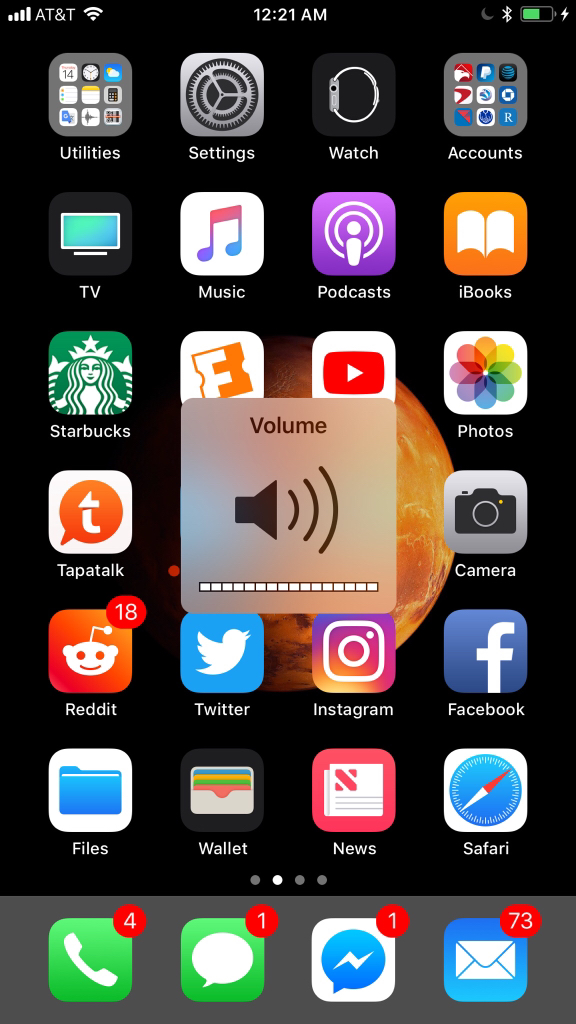
So does this mean that the volume HUD will be in all of my screenshots?

9571237bceef3018ab182bde42dcbc33.jpg
 
Everyone's wondering how to take screenshots, etc. And I'm here like: how do you turn the damn phone off?

Since apparently pressing and holding down the side button triggers Siri...
 
Everyone's wondering how to take screenshots, etc. And I'm here like: how do you turn the damn phone off?

Since apparently pressing and holding down the side button triggers Siri...
Yes, but 'pressing and holding down' is different from 'pressing and releasing'.

The Watch already uses this paradigm with the Digital Crown - press and release to get the app cloud. Press and hold to activate Siri.
 
Register on MacRumors! This sidebar will go away, and you'll see fewer ads.