Become a MacRumors Supporter for $50/year with no ads, ability to filter front page stories, and private forums.

saldin

macrumors regular
Original poster

Attachments

  • Captura de pantalla 2025-08-11 a la(s) 6.49.42 p.m..png
    Captura de pantalla 2025-08-11 a la(s) 6.49.42 p.m..png
    810.8 KB · Views: 280
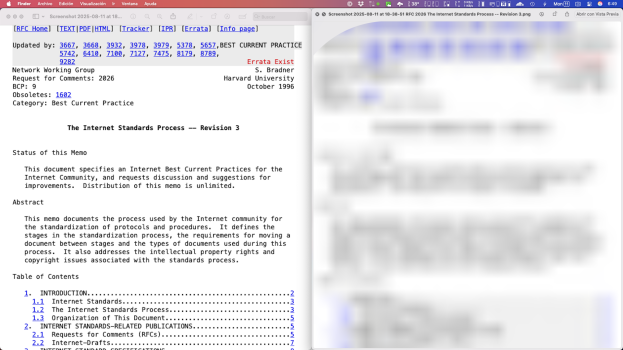
Still broken in Tahoe. Zooming in on a PNG is blurry. JPG looks fine.

This is zooming in on a 1637 x 60000 image generated from a web page screenshot on my iPhone (similar to the example you created from Firefox).

PNGJPG
1755028366287.png
1755028410701.png
 
It's a shame 😓

If it's not too much trouble, could I ask you to please submit a bug report using the Feedback app?
 
Are you sure you've tested correctly?

BigBlur confirmed with receipts that it was broken for them on Tahoe beta (although not sure if public or dev, or what release): https://forums.macrumors.com/thread...roken-in-macos-26-tahoe.2463212/post-34058057 and I've also confirmed with other people running Tahoe dev beta 6 that their results match BigBlur's.
No, not sure. I just took a .png file and used quicklook and zoomed in and it looked fine on Tahoe public beta.
 
No, not sure. I just took a .png file and used quicklook and zoomed in and it looked fine on Tahoe public beta.
No big deal.

I'm aware it's difficult to appreciate if the image doesn't need zooming in in the first place... but if you were to take a rolling screenshot like BigBlur did and end up with a very long image (1,637 by 60,000 pixels in their case - but it doesn't have to be that long - my example image in the first post is 1,920 by 32,766) where you'll be forced to zoom in A LOT to try to notice the details, all you'll end up seeing will be blurs and smears.

For PNG files, Quick Look appears to set a zoom ceiling that's WAY LOWER than 1x; and when that ceiling is reached but you continue to zoom in, it will switch to interpolating the image instead of zooming, blurring it out and making it unreadable.

I've found other file types are also blurry when zoomed in with Quick Look, like PDF/GIF/WEBP, but the zoom ceiling in these cases is close to 1x; and while the details will be blurred, it will be mostly readable and less mangled than a PNG image.

 
Last edited:
  • Like
Reactions: iBookmaster
Still broken on 15.7.9 and 26.6.1.

I don't have more Macs to test other OS versions, and Parallels Desktop can only build a VM of the same Mac OS version that's on the host (which blows any chance of testing an older OS version to pinpoint where the problem started)
 
Last edited:
I can't believe this has not been fixed over multiple macOS releases. I use this all the time but on Mojave and Monterey. No issues there of course. Thank you for pointing this out!
 
  • Like
Reactions: saldin
I can't believe this has not been fixed over multiple macOS releases. I use this all the time but on Mojave and Monterey. No issues there of course. Thank you for pointing this out!
I also use it daily and rely on it a lot, but it's difficult for me as broken as it is now. I know from having personally experienced it, that Quick Look on High Sierra on my defunct MBP 2011 was good, and Quick Look on Ventura on my Mini M2 was not. But I didn't have any confirmation for any other release in between.

You pointing out that Mojave and Monterey are good would mean that most likely Catalina and Big Sur in between are also good, and the problem was introduced in one of the earliest Ventura point releases: 13.0 or 13.0.1 or 13.1 or 13.2, since I got my Mini M2 very close to the launch date and it came with 13.2.

Could I ask you please test it like BigBlur did on post #2 (https://forums.macrumors.com/thread...26-tahoe.2463212/?post=34058057#post-34058057) and share a screenshot I could send to Apple to update my years old case? I'd really appreciate it.
 
I just tried this in macOS 27.0 Golden Gate beta and it's still broken. PNG on the left, and JPEG on the right.

1788187996830.png 1788188048183.png

Still broken on 15.7.9 and 26.6.1.

I don't have more Macs to test other OS versions, and Parallels Desktop can only build a VM of the same Mac OS version that's on the host (which blows any chance of testing an older OS version to pinpoint where the problem started)
The statement about Parallels isn't accurate. I know that's what they say in one of their KBs, but they're wrong. I think they wrote that during Monterey when it wasn't possible (and still isn't) to use a macOS 11 Big Sur IPSW to set up a VM. I have an M3 Pro MBP running Tahoe, and am able to create VMs from IPSWs starting with macOS 12 Monterey.

I spun up a couple of VMs, and it appears that this bug started with macOS 14.0 Sonoma. It is working fine in macOS 13.7.8 Ventura. This seems to contradict with your last post; did you mean Sonoma? (All your previous posts have been about it being broken in Sonoma.)
 
Register on MacRumors! This sidebar will go away, and you'll see fewer ads.