
Become a MacRumors Supporter for $50/year with no ads, ability to filter front page stories, and private forums.

iemcj

macrumors 6502
Original poster
It's a 8.18 gig download which on my internet is a few days. I've been trying for over a week to download and it keeps failing, sometimes at 7 gigs sometimes at 3. "an unknown error occurred." Then when I click upgrade now it starts again from scratch.

Can I just download a .dmg file somewhere cuz this is getting crazy and hogging up our entire bandwidth of internet speed, I just want it done. Thank you!
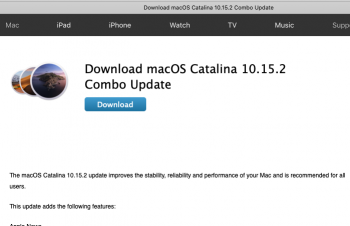
 
Download this, you won't be able to install it as you'll get an error.
http://swcdn.apple.com/content/down...cjx58vib39t7rmgsy3es/InstallAssistantAuto.pkg

However you can extract it to get the actual installer.
Open Terminal and type:
pkgutil --expand-full ~/Downloads/InstallAssistantAuto.pkg ~/Downloads/Installer


Then go into your Downloads folder, open the Installer folder, go into Payload and open the "Install macOS Catalina.app" application.
 
Last edited:
Download this, you won't be able to install it as you'll get an error.
http://swcdn.apple.com/content/down...cjx58vib39t7rmgsy3es/InstallAssistantAuto.pkg

However you can extract it to get the actual installer.
Open Terminal and type:
pkgutil --expand-full ~/Downloads/InstallAssistantAuto.pkg ~/Downloads/Installer


Then go into your Downloads folder, open the Installer folder, go into Payload and open the "Install macOS Catalina.app" application.
Cool beans, thanks oat man!
 
Download this, you won't be able to install it as you'll get an error.
http://swcdn.apple.com/content/down...cjx58vib39t7rmgsy3es/InstallAssistantAuto.pkg

However you can extract it to get the actual installer.
Open Terminal and type:
pkgutil --expand-full ~/Downloads/InstallAssistantAuto.pkg ~/Downloads/Installer


Then go into your Downloads folder, open the Installer folder, go into Payload and open the "Install macOS Catalina.app" application.
Update that unfortunately didn't work, it's just telling me "this copy of Install macOS Catalina.app application is damaged, and can't be use to install macOS."

I'll keep trying but any other ideas?
 
Update that unfortunately didn't work, it's just telling me "this copy of Install macOS Catalina.app application is damaged, and can't be use to install macOS."

I'll keep trying but any other ideas?
My bad, I forgot one step!
Go into the "Install macOS Catalina.app" navigate into the "Contents" folder and delete "SharedSupport". Run the installer again and it will work!
 
My bad, I forgot one step!
Go into the "Install macOS Catalina.app" navigate into the "Contents" folder and delete "SharedSupport". Run the installer again and it will work!
Look up gibMacOS on GitHub.. it’s a nice cli tool to download all MacOS versions directly from Apple.
 
You could try this one? Or is this the one you've been trying?

https://support.apple.com/kb/DL2028

Screen Shot 2019-12-16 at 12.45.00 pm.png
 
Register on MacRumors! This sidebar will go away, and you'll see fewer ads.