The ability to archive messages is a basic feature of any chat app and it has been for decades. Yet even in 2026, Apple Messages doesn't provide this basic functionality. Why?

Got a tip for us?
Let us know
Become a MacRumors Supporter for $50/year with no ads, ability to filter front page stories, and private forums.
It's 2026, why doesn't Messages have an "archive" function?
- Thread starter KES3059A3
- Start date
- Sort by reaction score
You are using an out of date browser. It may not display this or other websites correctly.
You should upgrade or use an alternative browser.
You should upgrade or use an alternative browser.


HouseLannister
macrumors 68040

eccentricglow
macrumors regular
Commenting for a bump -- I've been preaching about this for at least a decade. Every other major messaging platform has this functionality but Apple. It's annoying when they release pointless emoji updates, but won't spend time on this important feature. Plus, proper backup functionality would be nice as well.
definitely a feature that needs to be added. One other feature I absolutely loved in Android was scheduled send. I know you can do it when sending to another iPhone, but my closest contacts are mostly android and when I’m in a different time zone, scheduling a text message for the following morning was a god send.

HouseLannister
macrumors 68040
Inbox zero. Get rid of everything once it has been acted on, but don’t delete it. Make it searchable, but out of sight, so it is only there when you need it. Same way I handle email.What is the use-case an archival feature in Messages solves for?
I think what it comes down to is what you see as the "inbox" and what you see as the "archive".
With texts, functionally the Notification Center is the "inbox". Once you open the message notification (and presumably immediately respond), it disappears from the "inbox" and is stored in the conversation history. Functionally the conversation histories are the archive, so it doesn't really need to be archived again.
I think this is intentionally different from the way emails work. With emails, it's a very deliberate form of communication, and often long-form and complex, so you often can't respond to messages quickly. This means you need an inbox that you have complete control over so you can empty it at your own pace. But as a downside, this is also why email inboxes often get so backed up with messages. With texts, it's meant to be closer to a real-time conversation, with casual short-form messages, so the notification (without an email-like inbox) is meant to force you to respond immediately or as soon as you have a free moment.
I know no one likes to be forced, but if people are allowed to control texts like emails, then people will inevitably have backed up text message inboxes too. Also if the two forms of messaging function in the same way, what is the point in both existing? Only one should exist then. But if one is used differently and fills a different purpose, then it has a reason for existing.
Instead of archiving, I think what would be more useful is a quick easy way to forward a text message to your email inbox, for those text messages that require a more deliberate response at a later time.
With texts, functionally the Notification Center is the "inbox". Once you open the message notification (and presumably immediately respond), it disappears from the "inbox" and is stored in the conversation history. Functionally the conversation histories are the archive, so it doesn't really need to be archived again.
I think this is intentionally different from the way emails work. With emails, it's a very deliberate form of communication, and often long-form and complex, so you often can't respond to messages quickly. This means you need an inbox that you have complete control over so you can empty it at your own pace. But as a downside, this is also why email inboxes often get so backed up with messages. With texts, it's meant to be closer to a real-time conversation, with casual short-form messages, so the notification (without an email-like inbox) is meant to force you to respond immediately or as soon as you have a free moment.
I know no one likes to be forced, but if people are allowed to control texts like emails, then people will inevitably have backed up text message inboxes too. Also if the two forms of messaging function in the same way, what is the point in both existing? Only one should exist then. But if one is used differently and fills a different purpose, then it has a reason for existing.
Instead of archiving, I think what would be more useful is a quick easy way to forward a text message to your email inbox, for those text messages that require a more deliberate response at a later time.

auxbuss
macrumors 6502a
Aside: What I'd like is retention by contact. Some folk I only need short retention, while others I want "forever" – and some for various amounts in between. The global "keep messages" time period doesn't offer any granularity at all.
HouseLannister
macrumors 68040
The issue with that is notification center sucks. No notification history. Notifications on lock screen are often hidden. Tap into the notification and there is no option to leave it unread so you can act on it later. The notification is just gone. An email inbox just changes the message from bold to standard font and the message still needs to be archived. That's nothing like how notification center (fails to) work.With texts, functionally the Notification Center is the "inbox".
Showing notifications on lock screen is a setting you can choose.The issue with that is notification center sucks. No notification history. Notifications on lock screen are often hidden. Tap into the notification and there is no option to leave it unread so you can act on it later. The notification is just gone. An email inbox just changes the message from bold to standard font and the message still needs to be archived. That's nothing like how notification center (fails to) work.
Again, I believe not having the features you mention is intentional so that NC doesn't work like an email inbox where one is able to keep read (past tense) messages in it. iOS even automatically removes notifications that have sat in NC for a certain amount of time (maybe a month or two). All this is to force the user to not treat NC like a storage bin, but as a real-time spring board for action.
And I know everyone wants choice, but forcing is the key to this function. It's the complete inability to store read notifications (and unread notifications indefinitely) in NC that gives it a uniquely useful function that's different from an email inbox--which is urgency. An email inbox is not urgent, and neither would NC be if it was allowed the option to retain read messages/notifications.
In a sense, your feature requests and my feature request (a quick way to forward a text message to email) are the same. They both want a way to deal with messages that can't be acted upon immediately. But by forwarding the message to email instead of turning NC into an email-like inbox, the unique functions of both email and NC are retained.

turbineseaplane
macrumors Penryn
Great question.
I could probably create a page long document of all the features I wish Messages had.
It's really frustrating. There's a LOT of low hanging fruit here.
I could probably create a page long document of all the features I wish Messages had.
It's really frustrating. There's a LOT of low hanging fruit here.
HouseLannister
macrumors 68040
I just wish it worked reliably. I have Calendar.app set for notifications on lock screen, grouping off, deliver immediately on, and all the AI stuff off. And yet half the time the event notifications aren't on the lock screen and I need to flick up to find them. But I think this is the only app I have this kind of constant reliability issues with. Might need to switch calendar apps.Showing notifications on lock screen is a setting you can choose.
I've noticed inconsistencies here and there in NC too. Not sure who's to blame (iOS or the app) but hopefully it can get ironed out.I just wish it worked reliably. I have Calendar.app set for notifications on lock screen, grouping off, deliver immediately on, and all the AI stuff off. And yet half the time the event notifications aren't on the lock screen and I need to flick up to find them. But I think this is the only app I have this kind of constant reliability issues with. Might need to switch calendar apps.

stikle
macrumors member
I've got 10 years of history in one message thread from the first day that I got my cat with the person I got her from. I'd LOVE to offload (export) this one thread for historical purposes, but have yet to find an app or program that will do it. I'm talking pictures and everything are many gigabytes.
So yeah...Messages is lacking in a few places.
So yeah...Messages is lacking in a few places.
I used to use a third party Mac app called "Phoneview" by Ecamm (may be under a different company now) for this. I've been too busy/lazy to set it up after I replaced my computer, but it was a very useful app that backed up/archived all my iPhone messages (including media) and voicemails, and the messages were easily viewable and searchable, unlike the iTunes/Finder iPhone backup. I used it to backup but you could also use it to offload, just delete the conversation from your phone after it is archived to Mac. I believe the iMazing app does all this too and more, but I haven't used it.I've got 10 years of history in one message thread from the first day that I got my cat with the person I got her from. I'd LOVE to offload (export) this one thread for historical purposes, but have yet to find an app or program that will do it. I'm talking pictures and everything are many gigabytes.
So yeah...Messages is lacking in a few places.
stikle
macrumors member
Thanks for the suggestions but I'm a PC guy. It's been a couple years since I last looked so maybe there's something current that will do the job.I used to use a third party Mac app called "Phoneview" by Ecamm (may be under a different company now) for this. I've been too busy/lazy to set it up after I replaced my computer, but it was a very useful app that backed up/archived all my iPhone messages (including media) and voicemails, and the messages were easily viewable and searchable, unlike the iTunes/Finder iPhone backup. I used it to backup but you could also use it to offload, just delete the conversation from your phone after it is archived to Mac. I believe the iMazing app does all this too and more, but I haven't used it.

chrfr
macrumors G5
Phoneview seems to be long dead anyway, but you can use iMazing on ether Windows or macOS.Thanks for the suggestions but I'm a PC guy. It's been a couple years since I last looked so maybe there's something current that will do the job.
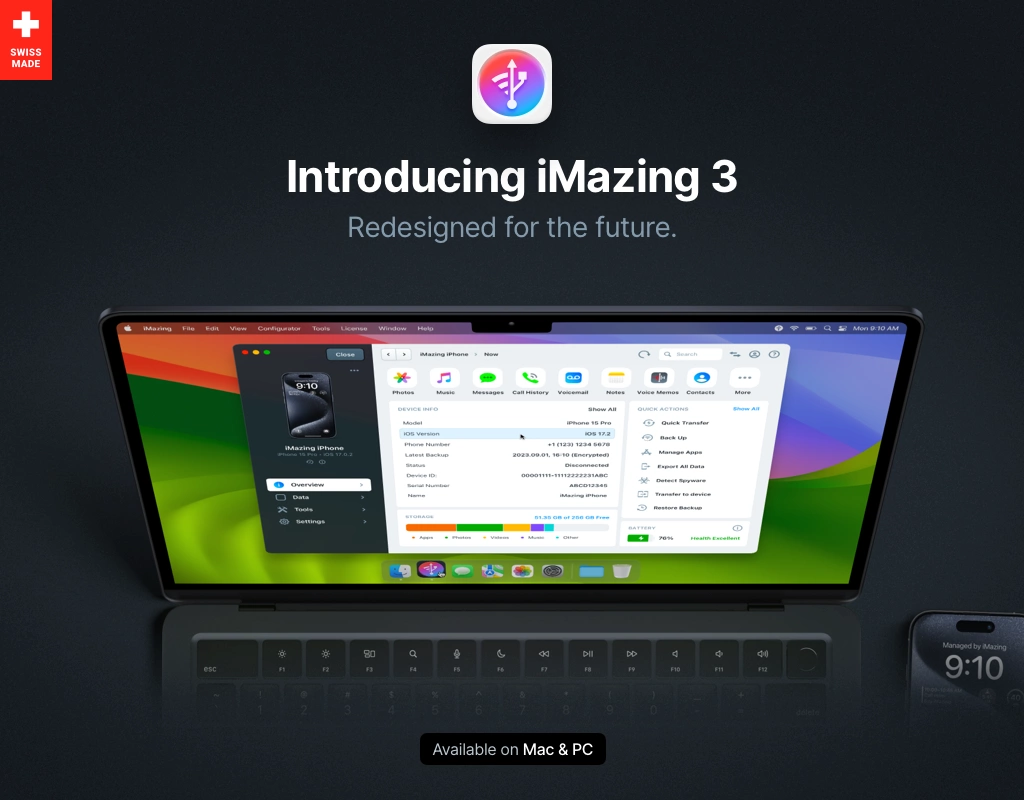
iMazing | iPhone, iPad & iPod Manager for Mac & PC
iMazing lets you transfer music, files, messages, apps and more from any iPhone, iPad, or iPod to a computer, Mac or PC. Manage and backup your iOS device simply without iTunes. (was DiskAid)
 imazing.com
eccentricglow
macrumors regular
I don't see the Notification Center as an "inbox" for security reasons. The Notification Center is just for... you guessed it - a notification. It isn't an inbox because there's text character limits. I have it set that it notifies who texted me, but it doesn't include any body content. Also, if you have to explain functionality in order for people to see it a certain way, that means the UX isn't that great to start. Plus, I don't want to be sending texts to my email inbox. That's just creating a different mess that I don't want.I think what it comes down to is what you see as the "inbox" and what you see as the "archive".
With texts, functionally the Notification Center is the "inbox". Once you open the message notification (and presumably immediately respond), it disappears from the "inbox" and is stored in the conversation history. Functionally the conversation histories are the archive, so it doesn't really need to be archived again.
I think this is intentionally different from the way emails work. With emails, it's a very deliberate form of communication, and often long-form and complex, so you often can't respond to messages quickly. This means you need an inbox that you have complete control over so you can empty it at your own pace. But as a downside, this is also why email inboxes often get so backed up with messages. With texts, it's meant to be closer to a real-time conversation, with casual short-form messages, so the notification (without an email-like inbox) is meant to force you to respond immediately or as soon as you have a free moment.
I know no one likes to be forced, but if people are allowed to control texts like emails, then people will inevitably have backed up text message inboxes too. Also if the two forms of messaging function in the same way, what is the point in both existing? Only one should exist then. But if one is used differently and fills a different purpose, then it has a reason for existing.
Instead of archiving, I think what would be more useful is a quick easy way to forward a text message to your email inbox, for those text messages that require a more deliberate response at a later time.

ivanwi11iams
macrumors 601
Hmm, interesting, I hadn't thought about Archive for Messages, till now. Yes, I'd like that feature.
I tend to keep my email Inbox clean, and would like to do the same with Messages.
I delete message almost every other day, only for a few days later to need something in a message that someone mentioned 😭
I tend to keep my email Inbox clean, and would like to do the same with Messages.
I delete message almost every other day, only for a few days later to need something in a message that someone mentioned 😭
Again, the idea is that the user isn't allowed to leave read messages in the "inbox". If you could read the whole text message body then you could leave it in NC after you've read it and NC could easily get filled up and cluttered with read notifications like an email inbox. Again, its purpose is to create urgency since that's what sets it and text messages apart from email, and it does this by not allowing users to leave read messages.I don't see the Notification Center as an "inbox" for security reasons. The Notification Center is just for... you guessed it - a notification. It isn't an inbox because there's text character limits. I have it set that it notifies who texted me, but it doesn't include any body content. Also, if you have to explain functionality in order for people to see it a certain way, that means the UX isn't that great to start. Plus, I don't want to be sending texts to my email inbox. That's just creating a different mess that I don't want.
The text message UX is fine for most people. I'm only explaining this to people who want text messages to work like email, which I don't think is most people.

BobVB
macrumors 6502a
But Messages and emails are two different things organized by two different identification modes. You may think of them as two similar ways of communication but they aren’t. I would want to be able to archive my messages in the same way I do my emails but I definitely would not want the to merge. Your solution would just get messages lost in a sea of mails and be less organized, not more. I wouldn’t what my letters and phone calls treated the same, I don’t want my emails and messages treated the same either.Showing notifications on lock screen is a setting you can choose.
Again, I believe not having the features you mention is intentional so that NC doesn't work like an email inbox where one is able to keep read (past tense) messages in it. iOS even automatically removes notifications that have sat in NC for a certain amount of time (maybe a month or two). All this is to force the user to not treat NC like a storage bin, but as a real-time spring board for action.
And I know everyone wants choice, but forcing is the key to this function. It's the complete inability to store read notifications (and unread notifications indefinitely) in NC that gives it a uniquely useful function that's different from an email inbox--which is urgency. An email inbox is not urgent, and neither would NC be if it was allowed the option to retain read messages/notifications.
In a sense, your feature requests and my feature request (a quick way to forward a text message to email) are the same. They both want a way to deal with messages that can't be acted upon immediately. But by forwarding the message to email instead of turning NC into an email-like inbox, the unique functions of both email and NC are retained.
HouseLannister
macrumors 68040
But do they have to be? I get what you are saying and I agree that I want mine treated separate, but maybe that's just because I am old and stuck in my ways? Universal inboxes have been a thing in email apps for awhile now and chat apps like Adium used to pull together all your different chat services into one app. I tried that Spike email app that treated every email like a chat thread and bounced off it, but it still has its users. I have my Reminders in my Calendar, but some people want those things separate. Email and messages can be treated separately, but maybe we should be given the choice of having one big inbox. I don't think the answer is notification center. But maybe a new interpretation of the Today View screen with persistent notifications, notification history, archive, etc. -- instead of being a dumping ground for widgets. Just a thought. Mostly I just want more options, not fewer. What iOS really needs is a developer mode or something like Samsung Good Lock, where everything cool is locked behind a barrier to stop people from screwing up their devices, but power users can go and get a lot more control and options and go nuts customizing their phones so they are unique to their workflows.But Messages and emails are two different things organized by two different identification modes.

jerryjohnson
macrumors member
Apple keeps adding AI features while ignoring basic messaging features people have wanted for 10+ years 😭
eccentricglow
macrumors regular
What? How does this even make sense? How do you know that it's fine for most people? Have you taken a survey? Being the archive feature exists on every other messaging platform, I would beg to differ on this opinion. Plus, if you don't like using it -- then don't. Leave all the text threads in the inbox.Again, the idea is that the user isn't allowed to leave read messages in the "inbox". If you could read the whole text message body then you could leave it in NC after you've read it and NC could easily get filled up and cluttered with read notifications like an email inbox. Again, its purpose is to create urgency since that's what sets it and text messages apart from email, and it does this by not allowing users to leave read messages.
The text message UX is fine for most people. I'm only explaining this to people who want text messages to work like email, which I don't think is most people.
dallastigers
macrumors regular
Aside: What I'd like is retention by contact. Some folk I only need short retention, while others I want "forever" – and some for various amounts in between. The global "keep messages" time period doesn't offer any granularity at all.
I would like this and the OP’s. There are manual options, but more options to do this automatically based on who contact is would be good.
A way to limit Group notification sounds to no more than once every minute or even longer and/or mute reactions. I have to mute the group when multiple replies start firing off one or the other and then miss stuff when a new topic or info pops up later when I forget to unmute (or mute the entire phone and forget to reverse). Maybe at a minimum when muting have a time limit option for all notifications or just for sounds to avoid the surge but still get later notifications.
Also, only in group if it doesn’t already exist - i know direct messages can have notifications turned on regardless of other settings, but in group texts using the reply function to a specific message in a group chat should be included in that direct setting or with possibly the reply function used for context only then have its own option to turn on or off. I don’t always remember to type the persons name out not do other to me which is probably after I mute it.
I would also like a search button inside the thread with person or group instead of typing name(s) on the main view and then typing term I want to search. Also, Starting at main and selecting multiple individuals not in a group together when I can’t remember who sent me something, but the search term is broad enough that I would like to narrow it down whose texts are being searched.
Would like date (not day of the week) and/or times to appear with the texts instead of having drag left as when time appears on top of a new message is too long a time period for me. This is should be a choice I guess, but I do like message apps that include it in smaller print below each message. At least the time in hours & minutes and maybe have the date and time shown by dragging messages left.
A better way to deal with unread messages like maybe started at the oldest unread when opening the thread or having that option, or at least if I don’t tap on the that up arrow that pops up to view unread then keep unread messages displayed as unread in app, notifications, and badge to remind me I skipped something. It should also cover a way to show notifications for messages or show them as unread if pushed up and off the screen if they arrive while typing your own reply. I think I get a softer sound, but I have often missed quick additions, updates, or corrections showing if I have a few sentences typed or include an image while typing a reply.
If all these exist then a better way for Apple to have one place across its apps for all available actions. It can still have some specific items tied to like tap and hold pop up menu or right click, but with phone calls, emails, and also messages if these exist i forget what action the particular function is hidden at. Like mail’s remind me feature being in one place under more while dragging message left, but there is no “more” available dragging left in phone calls and messages. Seems like blocking a phone number is more difficult on some screens of the phone app than others. Sometimes in photos the ellipse menu has what I need while other times it’s under the share menu, and while there is some crossover they also have exclusive functions (the share also always has stuff that seems related to other apps or webkit).
For stuff I don’t use often or for stuff Apple has changed years of muscle memory I find myself constantly having to do extra to do what I have always done. At least having a consistent one stop “shopping” area across its apps including having a link to their Apps settings in system app now that the apps settings under system have moved. Right now settings for Apple apps are basically in 2 different places and have to open a separate app for some settings (3rd parties just use system settings for required items related to Apple features like Siri’s access, search, device privacy, device notifications on/off, and so on while Apple can include some basic functions like it does with Safari settings).
I have submitted these or similar to Apple in the past, but that always feels like I am wasting my time. Software area at Apple is mismanaged and all over the place it seems at times.