Hello...
I've spent the past 3 days in the terminal and looking online for commands that I'm not aware of.
Been a Mac user for years...I know my way around fairly well and I can navigate within the terminal but not experienced with obscure commands.
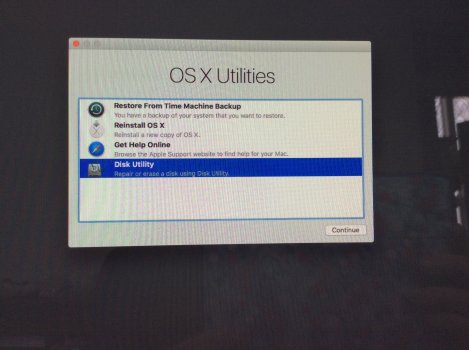
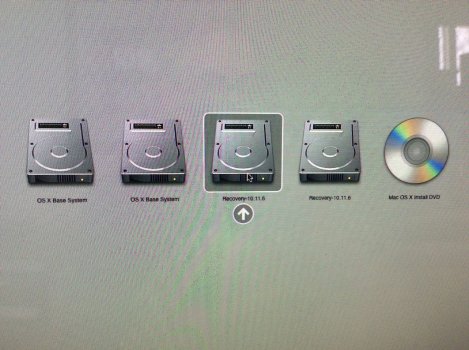
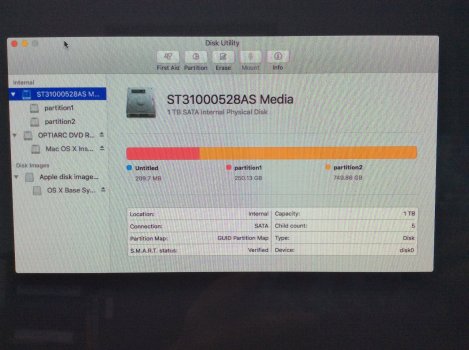
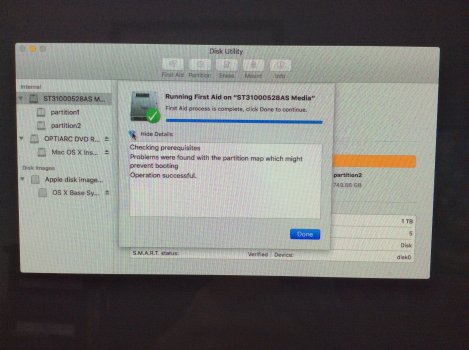
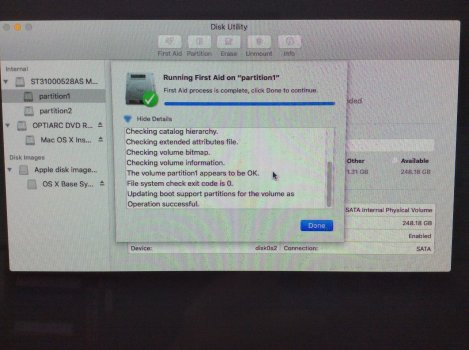
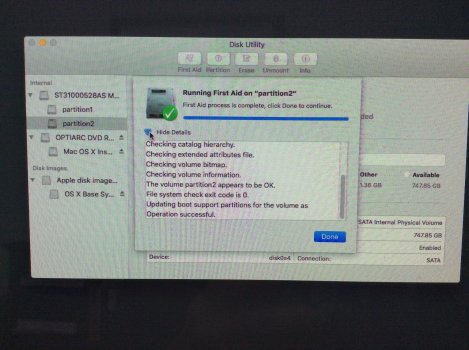
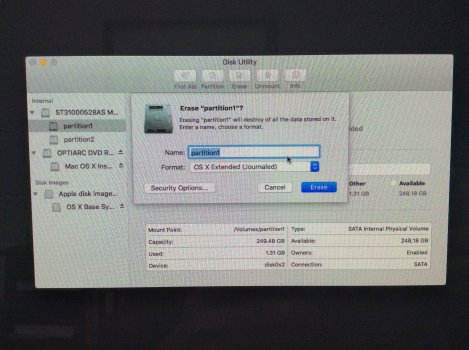
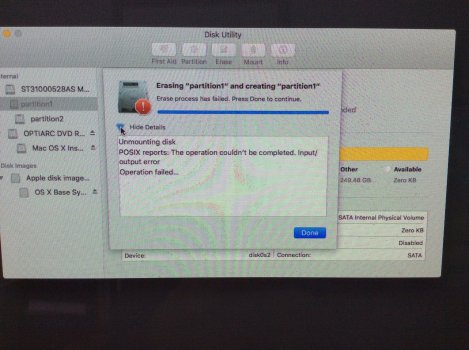
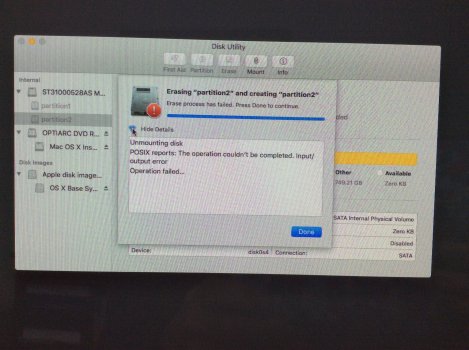
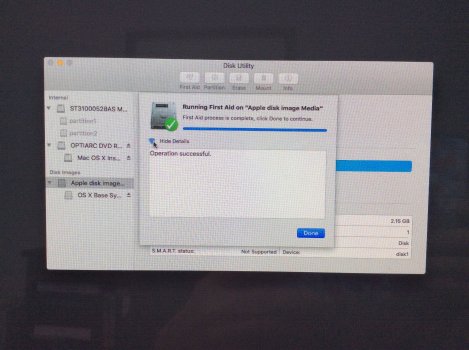
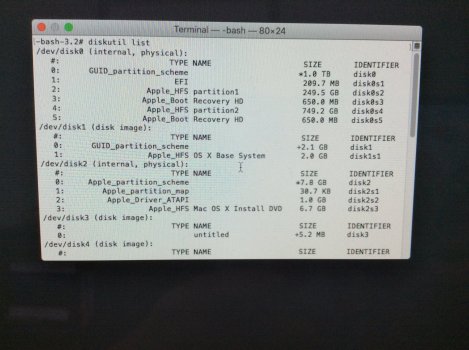
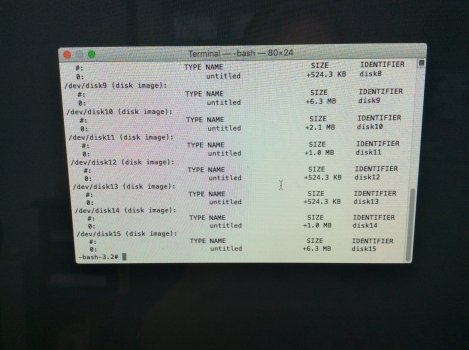
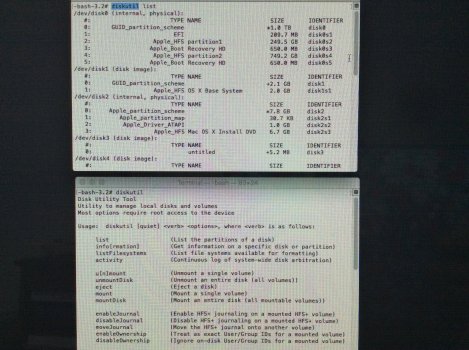
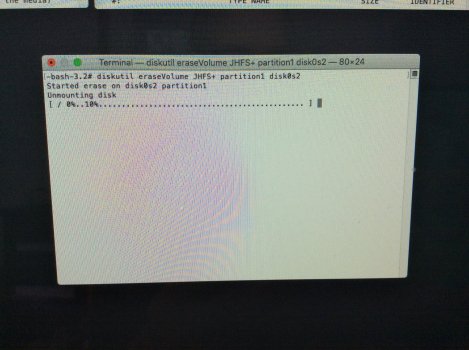
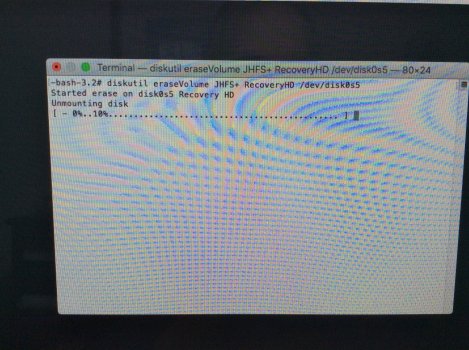
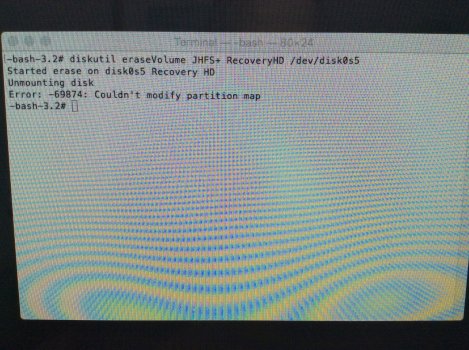
Have a look a my screen shots when U have a moment.
I was recording on the mac with GarageBand, things started slowing down.
I don't often see the death wheel.
Deleted some larger files I didn't need...still slower than normal.
Rebooted and reinstalled 1 of 2 partitions with my external Time Machine backup.
It worked but then processing became even slower.
I have sufficient ram and have been performing similar tasks for years without a glitch.
I did transfer a daw...Band In A Box from my other, more current partition.
I think that may have been the start of the slowdown.
Anywhoo...I want to do a complete erase and reinstall.
I have installer disc.
Tried recovery install ( El Capitan) ...connected to Apple, logged in.Script said...Not available, try later.
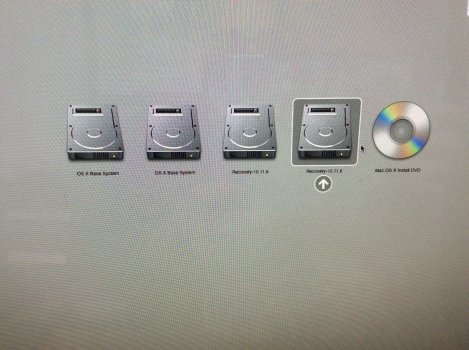
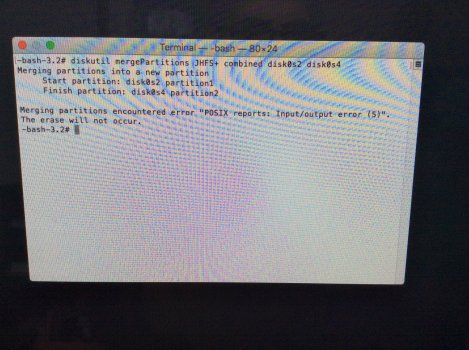
Can't merge partitions because I now have 2 Recovery HD's ...one is between the partitions.
Not sure how I ended up with a second recovery disk?
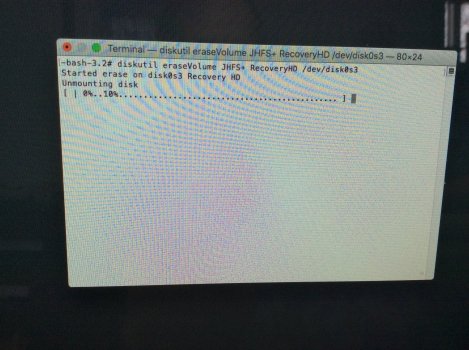
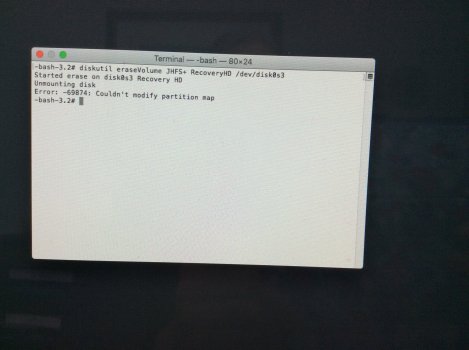
I want to delete this one, hopefully allowing me to merge partitions.
Both partitions and the Recovery HD I would like to delete can be unmounted but not erased.
Partition names are different as you will see in screenshots.
I know at the end of the day I could make it easy on myself and just swap the external HD for a new one but...
I like a challenge.
Ok...I'll stop talking now.
Any help would be greatly appreciated
Cheers from PEI,Canada.
I've spent the past 3 days in the terminal and looking online for commands that I'm not aware of.
Been a Mac user for years...I know my way around fairly well and I can navigate within the terminal but not experienced with obscure commands.
Have a look a my screen shots when U have a moment.
I was recording on the mac with GarageBand, things started slowing down.
I don't often see the death wheel.
Deleted some larger files I didn't need...still slower than normal.
Rebooted and reinstalled 1 of 2 partitions with my external Time Machine backup.
It worked but then processing became even slower.
I have sufficient ram and have been performing similar tasks for years without a glitch.
I did transfer a daw...Band In A Box from my other, more current partition.
I think that may have been the start of the slowdown.
Anywhoo...I want to do a complete erase and reinstall.
I have installer disc.
Tried recovery install ( El Capitan) ...connected to Apple, logged in.Script said...Not available, try later.
Can't merge partitions because I now have 2 Recovery HD's ...one is between the partitions.
Not sure how I ended up with a second recovery disk?
I want to delete this one, hopefully allowing me to merge partitions.
Both partitions and the Recovery HD I would like to delete can be unmounted but not erased.
Partition names are different as you will see in screenshots.
I know at the end of the day I could make it easy on myself and just swap the external HD for a new one but...
I like a challenge.
Ok...I'll stop talking now.
Any help would be greatly appreciated
Cheers from PEI,Canada.