

Become a MacRumors Supporter for $50/year with no ads, ability to filter front page stories, and private forums.

MacRumors

macrumors bot
Original poster


The Level Lock Pro is Level's latest smart lock, featuring Matter connectivity for Apple Home, multiple unlocking methods, door status, and the unassuming design that Level products are known for.
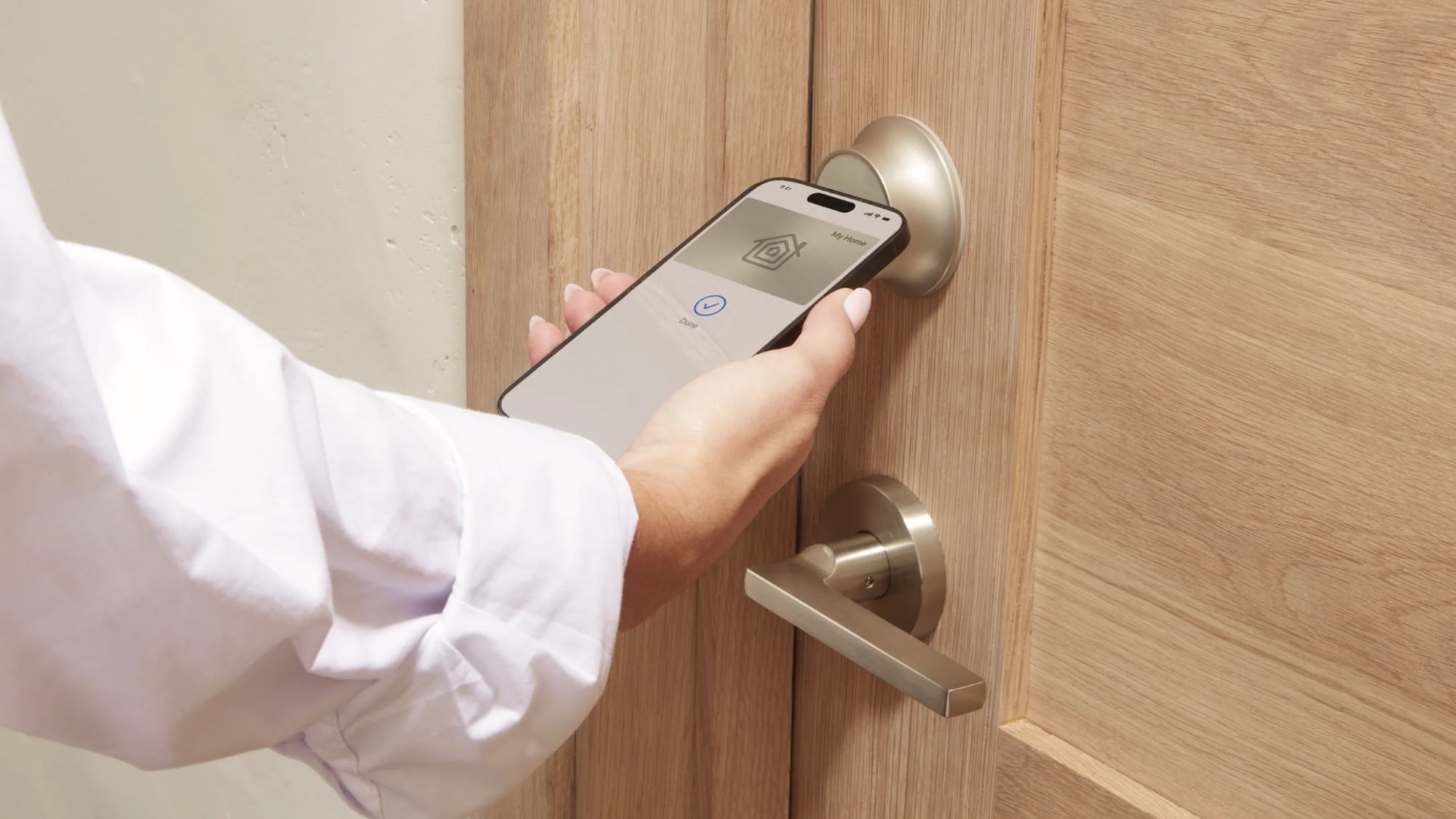
level-lock-pro.jpg

I've tested and reviewed several great HomeKit-compatible smart locks, but Level Locks are my personal favorite because of the look. From both the inside and the outside, Level Locks look like a standard deadbolt and not like a smart lock. I had feature-rich smart locks from Aqara that I was using for about a year after a review, but I got tired of looking at the bulky boxes on my doors. A couple of months ago, I bought two standard Level Locks, and then later, Level sent me the Level Lock Pro.

I don't think there's any smart lock solution that has a better aesthetic than the Level Lock, so if that's important to you, these are the locks to get. It comes in satin nickel and matte black, so it should match many standard doorknobs. The Level Lock Pro has an IP54 water and dust resistance rating, so it will hold up fine in the rain.
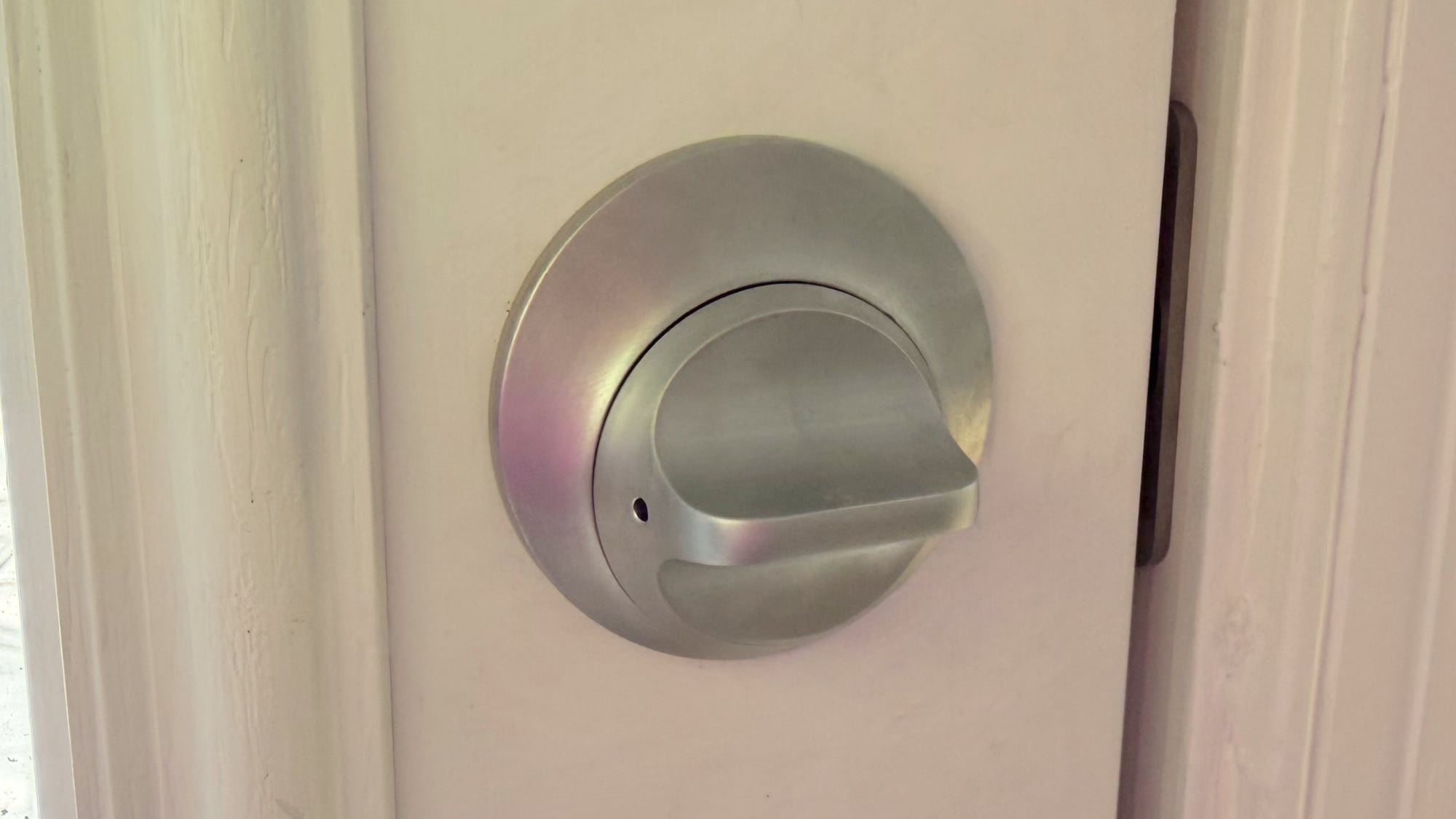
level-lock-interior.jpg

Level Locks are not the cheapest locks on the market, and depending on what you're comparing against, there's a premium for design. The Level Lock Pro is $349, and the Level Lock is $249. Aqara locks range from $150 to $270, and Matter locks from Eufy, Yale, and Kwikset are in that same range.

The Level Lock Pro replaces a standard deadbolt and strike plate on your door, so installation is a matter of pulling out the existing deadbolt and walking through the Level Lock Pro instructions to install the new lock. I am going to blame this on my crummy doors, but I have more trouble installing Level Locks than other smart locks. Level Locks have a wide, circular bolt that's not the shape of most deadbolts, and I haven't had a Level Lock setup where I didn't have to fuss with the fit of the lock in the door or the fit of the plate on the doorframe. I generally get things to work, but there's frustration involved.
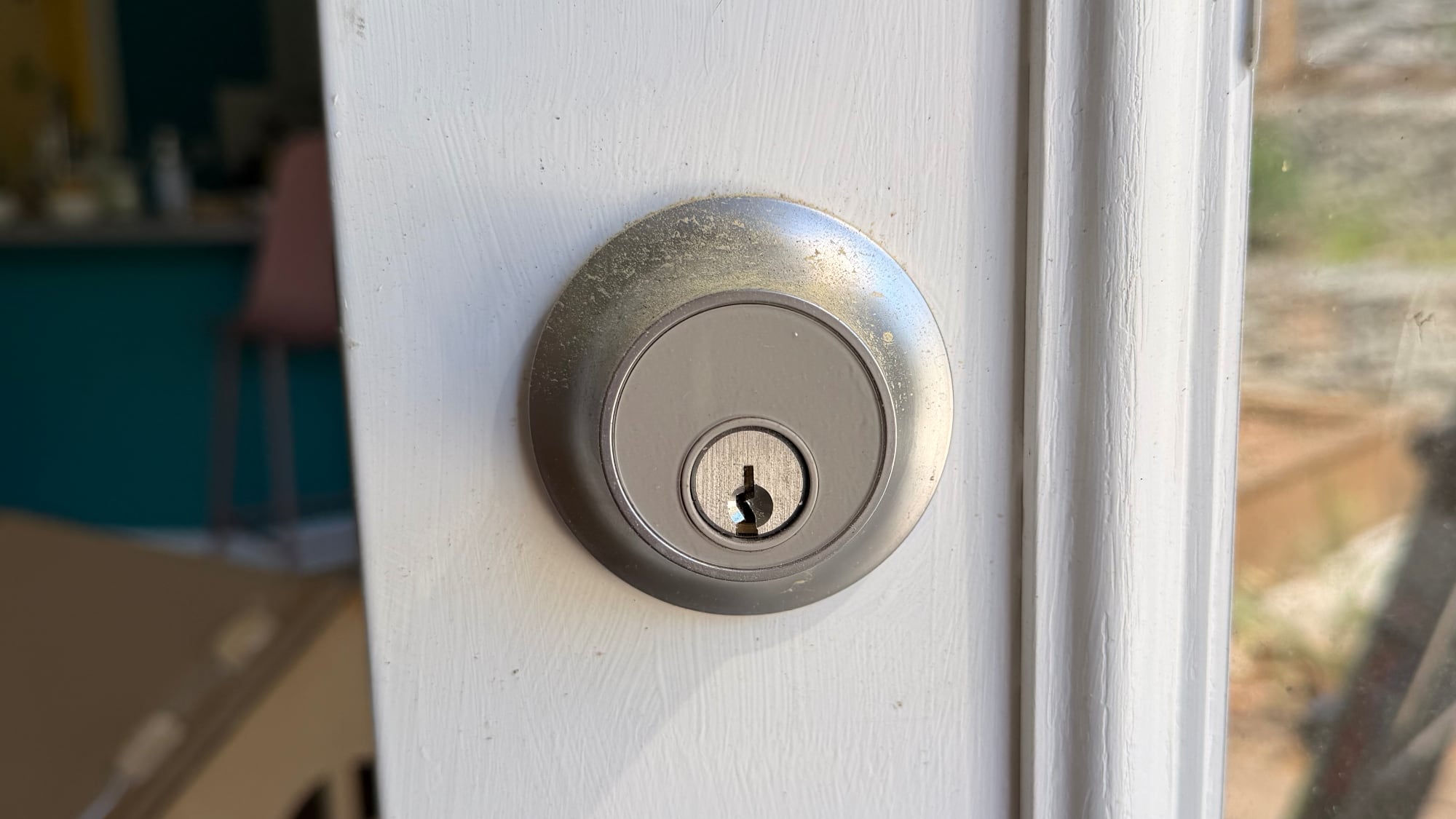
level-lock-on-door-outside.jpg

There are smart locks that can unlock your door with fingerprint sensors, palm recognition, facial scans, and codes, but the Level Lock Pro is simpler. You can use a key, one of the two included NFC key fobs, tap to unlock with your phone or watch, use the Home app or Level app, or ask Siri to unlock the door.

The Level Lock Pro integrates with HomeKit using Matter, and it also supports Apple Home Key so you can store a key in the Wallet app on iPhone or Apple Watch. With Home Key, I can unlock my door without having to unlock my iPhone and with no need for Face ID. I just tap my phone or my watch on the lock, and it unlocks.
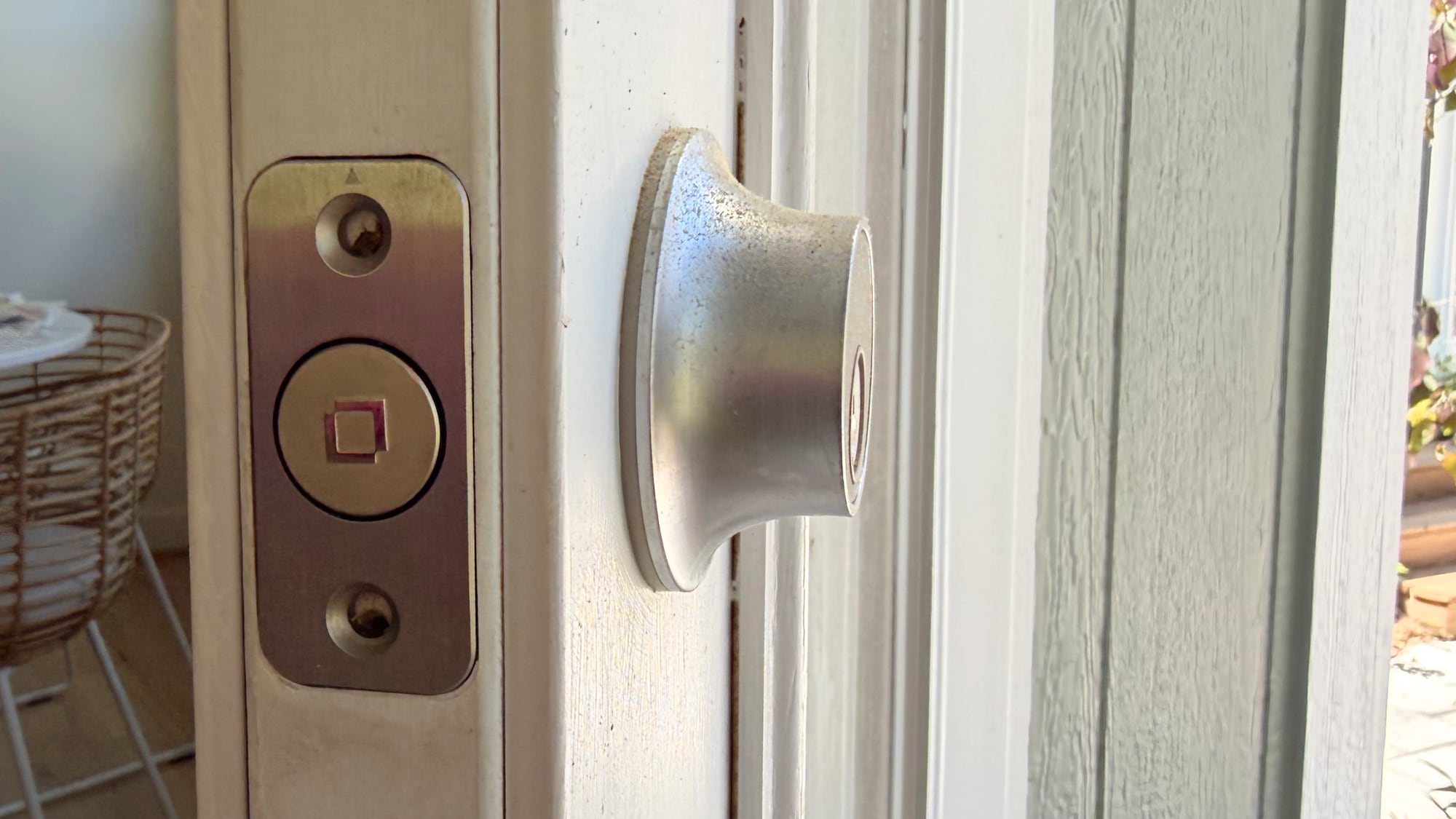
level-lock-bolt-view.jpg

Siri and the Home app work for unlocking too, and there's a Level app. I don't use the Level app, but it is available for locking and unlocking, assigning codes, setting up auto lock and auto unlock (which uses Bluetooth and unlocks when you're in range), adjusting sound, giving someone a door code, and enabling door status. Like the Level Lock, the Level app has an uncomplicated design, so it's easy to get to all of the features.

Door status is a Level Lock Pro feature that lets you know if your door is open or closed, and it works when the door is unlocked. I have the Level Lock Pro on my garage door, and it's a door that's often not locked, so it's useful to get an alert when it's opened.

I use the Home app and Siri to unlock my Level Locks, especially if I'm not home and need to let someone in. I also ask Siri to open the door as I approach, so a lot of the time, I'm not even using tap to unlock. The Home app sends a notification to my iPhone and Apple TV when a connected lock is locked or unlocked, and the Home app Activity log keeps track of when each door was locked or unlocked. Everyone that's invited to an Apple Home can access the lock, but you can also share access with the Level app. The Level app supports temporary entry, which is useful for a one-time event or a weekly cleaning.
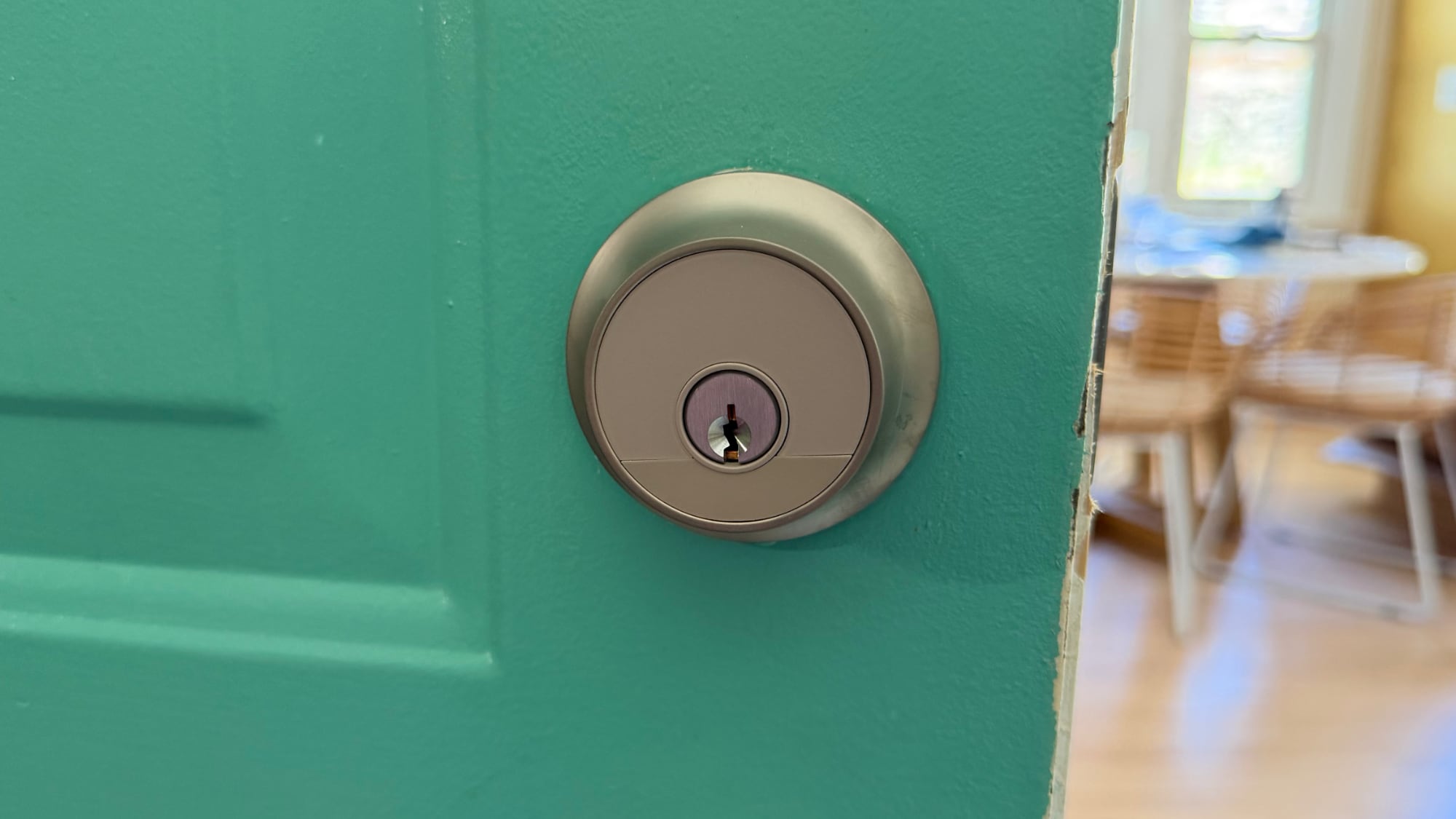
level-lock-on-door.jpg

The Home app is also useful for automations, like locking up automatically when everyone leaves the home or unlocking the door at a certain time. I have an automation that locks all my locks at 10:00 p.m., just in case I forget to lock one of the doors.
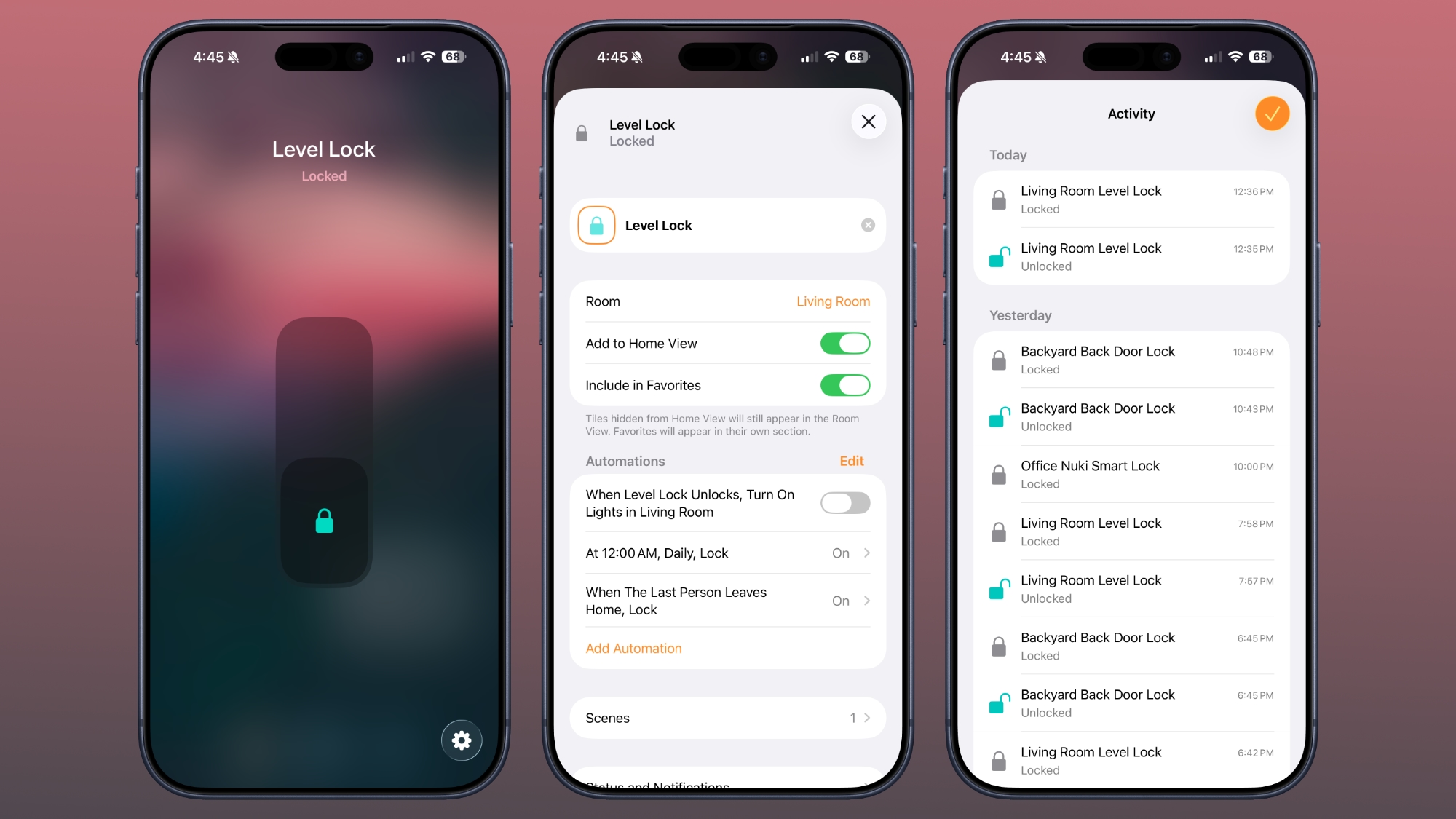
level-lock-home-app.jpg

For remote access features, you need a Matter-over-Thread controller and a border router, which are requirements fulfilled by a HomePod or Apple TV. You need one of those to add any Matter-enabled device to HomeKit. The Level Lock Pro connects to Apple Home using Thread instead of Wi-Fi, but if you want Wi-Fi connectivity, there is an optional Level Connect Wi-Fi Bridge. I haven't needed it because HomeKit provides all of the same functionality. You can also add on a keypad if you want that option.
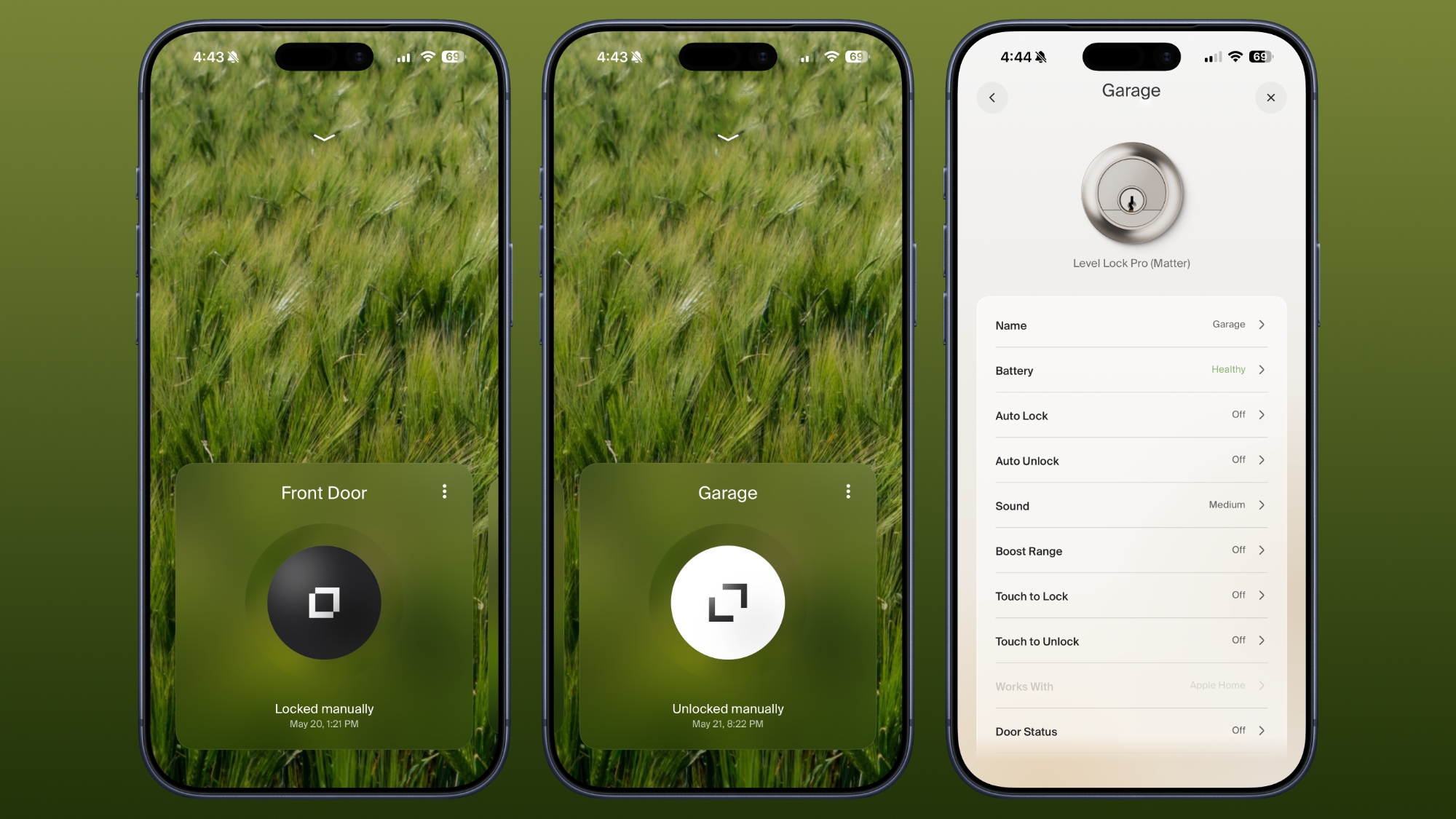
level-lock-level-app.jpg

Most smart locks have a battery in the box that goes on the door, but the Level Lock Pro's battery is in the deadbolt. It uses a CR2 Lithium battery, which fits inside the deadbolt once the cap is taken off. Changing the battery is a matter of opening the door, locking it, popping out the old battery, and adding in the new one. The Level app lets you know battery status, so you can keep tabs on when it's time to update the battery. Each battery lasts for about a year, and I haven't had to change mine yet.

According to Level, the Level Lock Pro has an ANSI Grade 1 bump- and pick resistant cylinder, which isn't common for smart locks. That means it's resistant to lockpicking, it's harder to drill out, and lock bumping is harder.

How to Buy

The Level Lock Pro is available from the Level website or from Amazon.com for $349.

Note: Level provided MacRumors with Level Lock Pro for the purpose of this review. No other compensation was received.


Article Link: Level Lock Pro Review: An Apple Home Key Smart Lock That Doesn't Look Like One
 
As an Amazon Associate, MacRumors earns a commission from qualifying purchases made through links in this post.
  • Haha
Reactions: Z-4195
I have the Level Bolt, and am generally happy with it. (Them, actually. I have 14.)

They are all pre-Matter Bolts, which I updated to Matter when it became available. Jury is a little out on that. I have more trouble with my HomePods (and therefore the Bolts since that is their connection point) than I do with any of my other smart home devices which are NOT Matter/Thread.

Edit: I don't use any of the "fancy" features, though. Like geofencing or auto-unlock or anything. Those may be more problematic. I just wanted a device that I could lock and unlock with automations. And it fits that bill well.
 
US locks make no sense — why would anyone want to worry about manually locking their door? The rest of the world uses locks that lock automatically when one closes the door.

Then again, US is also using imperial units...
 
Respectfully disagree with this write up. I have tried every lock. This one does not auto-unlock when you get home. August does/can. I had the Matter version of this lock. Anyway, nothing meets my expectations except for August but August eats batteries and is Fugly.
 
One huge flaw with this is that the app doesn’t warn you when the battery is getting low….. it goes from fully healthy to one day it’s completely dead and the lock doesn’t work at all. Twice already I’ve gotten locked out of my house and had to wait for my wife to come home with keys. I’ve just started carrying my keys with me, which defeats the purpose. Going to switch this out and get something else when I have the chance
 
Respectfully disagree with this write up. I have tried every lock. This one does not auto-unlock when you get home. August does/can. I had the Matter version of this lock. Anyway, nothing meets my expectations except for August but August eats batteries and is Fugly.
It can lock automatically if you set it to do so...
 
  • Like
Reactions: HaHaRich!
One huge flaw with this is that the app doesn’t warn you when the battery is getting low….. it goes from fully healthy to one day it’s completely dead and the lock doesn’t work at all. Twice already I’ve gotten locked out of my house and had to wait for my wife to come home with keys. I’ve just started carrying my keys with me, which defeats the purpose. Going to switch this out and get something else when I have the chance
YES, I had that happen to me once before, now I just switch the battery out every 3-4 months. Also I have a key in my car.
 
  • Like
Reactions: Spinarelo
I put a Level lock on my mother’s door because she wanted a smart lock that doesn’t look as obvious as the majority of the market.

TLDR: I won’t be buying one for myself.

The thing needs a new battery every 3 months, frequently gets caught on the strike plate both locking and unlocking, and the touch to trigger is far too easy to hit by accident. We both hate it.
 
US locks make no sense — why would anyone want to worry about manually locking their door? The rest of the world uses locks that lock automatically when one closes the door.

Then again, US is also using imperial units...
Wtf. You go outside to look for the mail or whatever, a small breeze your door close by itself and you’re looked outside… at -15C in the winter….
 
Sadly, all my door hardware has a polished brass finish. It would be nice if Level offered more than just satin nickel and matte black on this product, but until then ...
 
  • Like
Reactions: jib2 and MacBorn
Any solutions available in the US for sliding door latches? The type with the hook to catch the door frame? I saw an Australian one years ago that was more than the cost of a new sliding door, but that’s the one entry point on my house that is still “dumb” yet the one I use dozens of times a day.
 
  • Like
Reactions: Tom Nash
I have 2 of these and similar to the writer, I use them for my front door and garage door access. About 14 years ago, when I moved to this house, the previous owner left the smart locks on the door and I tried to use them and get used to them. They were Kwikset (needed 4 AA batteries and removing 3 screws just to change them and no smart app), then I switched to Schlage for better integration and control and then to Level. These are the best ones out of the ones that I have wrestled with. A couple of things that come really handy with these units:

Key cards - Super useful to give to visitors, dog sitter, etc. You can set the expiration time/date on each key card.
Actual keys - Nothing replaces the actual key as the last option. Always have one hidden somewhere!
Watch access - Unlocking the door by tapping your watch is very convenient.
Phone access - Just like the watch, tapping the top of the phone to the lock activates the lock/unlock.
One touch locking - When leaving, close the door and touch the exterior of the lock and it will lock the door.
HomeKit automations - For example, lock all doors when everyone has left the house, or lock at certain time.

One word of advice after using these units for nearly 3 years. Get CR2-R Rechargeable batteries. someone mentioned that the battery level indicator in the Level app isn't accurate and I agree with that. You go from 100% to almost 0% without warning. CR2-R with charger were about $14 and that has saved me a ton of money, but I have it scheduled on my calendar to change the batteries every 3 months or before I leave for a long trip.

One other strange things is that the unit makes certain chimes when you lock/unlock the unit with the app or one touch lock. But it also makes another chime which I have no idea what it's for. I've searched all over the place and can't find any reference to it. Maybe it's a low battery chime? Who knows, but someone put it in the code.

I wish I could get the Matter enabled versions, but for now, these work just fine with HomePod/AppleTV and Home app.
 
US locks make no sense — why would anyone want to worry about manually locking their door? The rest of the world uses locks that lock automatically when one closes the door.

Then again, US is also using imperial units...
Tell me you live in a tiny flat with absolutely no reason to ever go outside unless you are going away without actually telling me.
 
I've got a few of these. The older version of the lock works great. No operational issues, tap to unlock works perfectly, touch to lock works perfectly. HomeKit integration is great. The new "Matter" version. Bzzz. I can't get tap to unlock to work for more than a few days. Their customer service is among the worst I've ever experienced. They don't seem interested or equipped to care about the issue. TBH, I'd uninstall it and trash it, but the only thing that doesn't work is tap to unlock. I'm hoping that a future firmware update will fix it.
 
  • Like
Reactions: dwsolberg
US locks make no sense — why would anyone want to worry about manually locking their door? The rest of the world uses locks that lock automatically when one closes the door.

Not true. In Australia, we have a huge range of different types of locks, and I’d assume it’s the same in most countries. So go ahead and pick on the US if you like — there's a huge range of things to pick on them about! I just don’t think this is one them.

Me personally? I don’t want a door to lock automatically without my consent. In the same way, I don’t love the way so many products these days assume we value automated convenience over personal autonomy. For example, I absolutely hate the way driver-side car windows assume you want the window down all the way when you press that button. Yeah I know, if you hold it down for 0.87 seconds or something, it won’t do it, but in all these years, I still find it a terrible user experience.
 
Last edited:
US locks make no sense — why would anyone want to worry about manually locking their door? The rest of the world uses locks that lock automatically when one closes the door.

Then again, US is also using imperial units...
I spent 3 years in Germany and cursed it each of several dozen times I went to take out the trash without my keys. Maybe it’s just more secure here… 😂
 
I’ve had this lock since October and I love it. HomeKey is awesome. I have a family of 6 and we all use our phones or watches to get it.

To answer some criticisms I saw here:

1) The battery lasts me about 4 months. With 6 people, we use the lock a lot. Batteries on Amazon are cheap and a year’s worth of batteries are a small expense.

2) You do get notified when the battery is low. I don’t remember an app notification but you get a special chime when using the lock. This lasts a week at minimum so you have plenty of time to replace the battery. You definitely don’t just leave the house and find it from full to dead.

3) The lock can be set to lock/unlock automatically when you leave or get home. You just have to turn the geofencing in but it eats more battery. I just lock it manually when I come in. It takes 2 seconds.

All in all, this is my favorite smart lock. August is awesome. We have one at our lake house, my parents house and my grandparents house, but they have issues staying online. Without fail, at least once a month, there will be an issue with one of the 3 houses. I have not had that with my Level lock. Would recommend and rate 4.5/5
 
  • Like
Reactions: xmach
I have an Ultraloq Bolt mission. I put it on the pass side of this equation. Eats 8 AA batteries like there is no tomorrow. None of its features really work that well, it integrates with the Appel home ok. The little fob is ok, the keypad works and setting a code is nice but the whole point of a smart lock is getting rid of physical keys and the NFC part of it only works with their app. There have been no updates to make it any better and the rechargeable battery pack still does not seem to be available. I would forgive a lot if it did not have such crappy battery life. They say 15 months with lithium batteries, that is a lie, three sets of lithium batteries since January.
 
When these get UWB (and more colors to match existing hardware!) I'm in. I don't want to mess with geofencing, I just want it to work.
 
  • Like
Reactions: xmach
When these get UWB (and more colors to match existing hardware!) I'm in. I don't want to mess with geofencing, I just want it to work.
Currently UWB on the mission bolt is a gimmick, works with their app occasionally. But yea, I was looking at this too. 🫠
 
  • Like
Reactions: xmach
Register on MacRumors! This sidebar will go away, and you'll see fewer ads.