Become a MacRumors Supporter for $50/year with no ads, ability to filter front page stories, and private forums.

waterdoc

macrumors newbie
Original poster
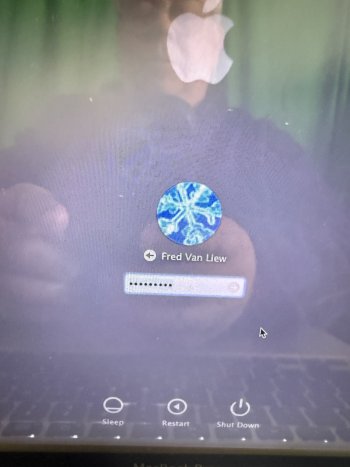
image.jpg
 
No idea what you mean by "1/2" pin charger" - I assume it's Intel?

Click the Question mark there, should give you reset options.

If not, shut down & boot while holding Command-Option-R which should get you to Internet Recovery. You will have "some" options there, exactly which will vary depending on settings. Disk Utility > Erase might be one option.
 
The different widths for the charging adapter plug should be the difference between the older Magsafe, and the newer Magsafe 2.

To change the login password -- Try booting to your recovery system, by holding Command-R, while booting. You should see a menu screen, with some choices.
Go to the Utilities menu, and choose Terminal.
You can then type "resetpassword" (without the quotes)
press Enter, then follow the on-screen prompts to set a new login password.
 
Yes. And it simply gives me my ewa as a reminder, that doesn’t jog any memory of an old password. No ability to change password. Insanity. 🥰💕
 
There's lots more you can do when booted to the recovery system, some of which are directly related to security of the Mac system.
That is also assuming that you have physical access to the Mac.
However, from what I have heard, Apple has recently (and finally) removed the ability to (easily) change a user login password, or at least made that process much less simple.
 
... Apple has recently (and finally) removed the ability to (easily) change a user login password, or at least made that process much less simple.
This is true - I ran into this on Sequoia/T2 device; newer versions of macos recovery require so many steps to reset the local user password that it is sometimes easier to just reinstall the OS if you have a full backup, especially if terminal commands bother the user. I'm glad for the security but was caught off guard!
 
  • Like
Reactions: DeltaMac
Register on MacRumors! This sidebar will go away, and you'll see fewer ads.