hello,
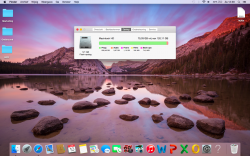
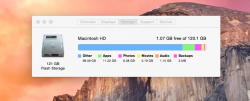
i have a problem with the storage of my macbook air. When i open the menu for storage it says that programs take 209,46 GB. But i only got a storage of120,11 GB. So i am a little bit confused right now. Is this just an error?
Honestly, it looks like one of your programs may be writing a file in a loop causing it to continue to take up space. You should check your background processes for a program that is writing to your file system or wipe your computer.
That screen gets data from Spotlight and when the Spotlight index is corrupted it will read incorrectly like yours is. Run the command below in Terminal to reindex Spotlight and that will fix it.
Other would be the OS itself and anything that does not fall into one of the other categories. If 100GB for that sounds high for you, the Spotlight index may be corrupted like I mentioned earlier and you will need to run the Terminal command I posted to fix it.