


Become a MacRumors Supporter for $50/year with no ads, ability to filter front page stories, and private forums.

MacRumors

macrumors bot
Original poster
Apr 12, 2001
70,250
41,853


The second beta of macOS 26.2 introduces a new Edge Light feature that's designed for video calls on FaceTime and other video calling platforms. It adds a light border around the edges of your Mac's display, providing improved lighting. Apple says that it is meant to help you look your best on video calls.
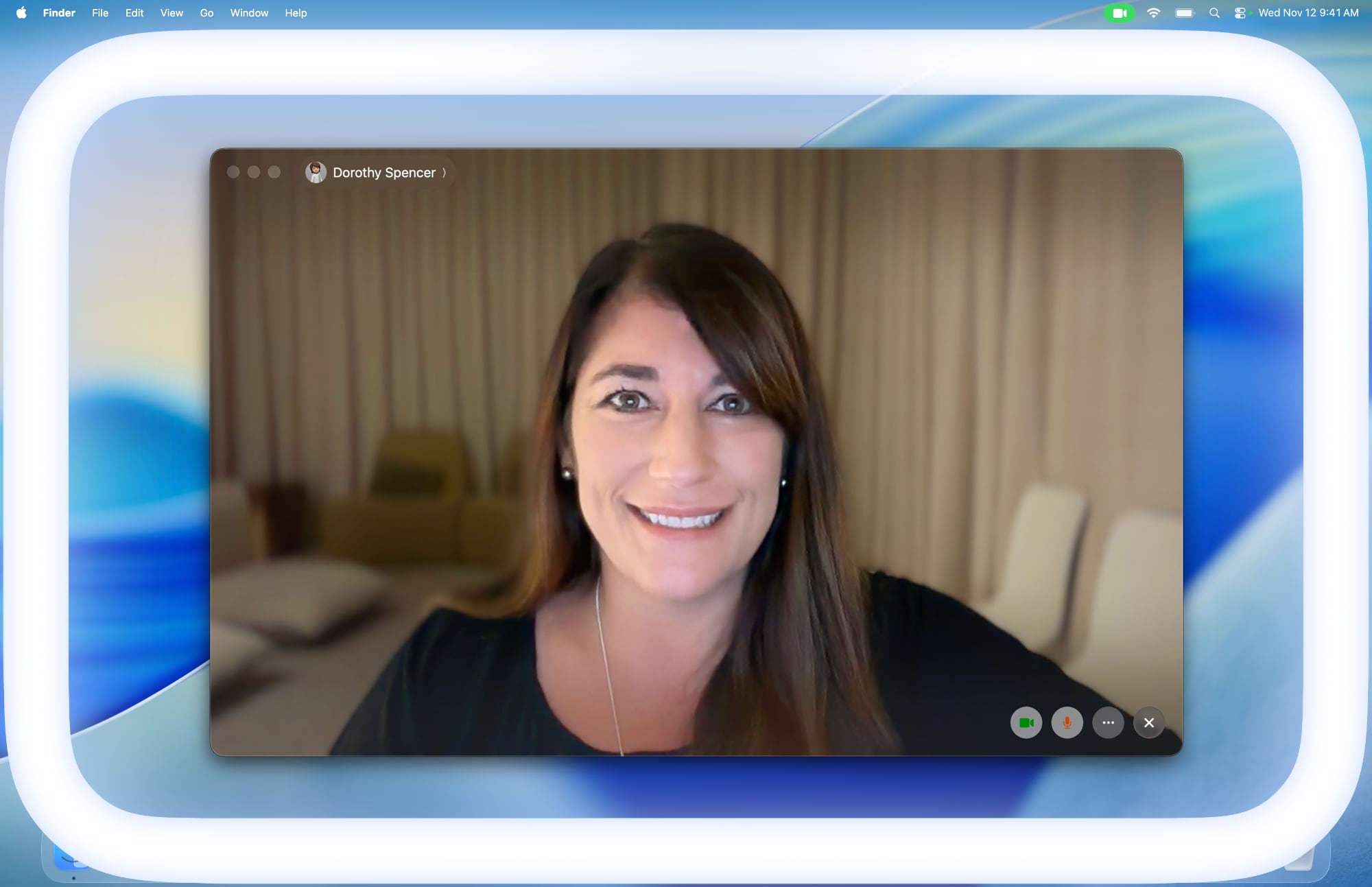
apple-edge-light-macos-tahoe-26-2.jpg

Edge Light mimics a ring light, eliminating the need for a separate device. It can provide illumination when you're in a dark room, and customize the light to match the brightness of the ambient lighting.

The Mac's Apple Neural Engine is able to detect your face, relative size, and location in the video frame to position the light appropriately, and it will fade out to allow you to access content on your screen when needed by detecting your mouse cursor. You can adjust the color of the light using a slider that transitions between warm and cool options.

Edge Light can be accessed in the settings of video conferencing apps alongside other options like backgrounds, Portrait mode, Studio Light, and Voice Isolation. The feature is available on Macs that support Apple silicon, and it works with both webcams and external cameras that are connected.

On Macs from 2024 and later, Edge Light can turn on automatically when ambient lighting in the room drops.

Developers can try Edge Light today, and macOS Tahoe 26.2 is set to launch to the public in December.

Article Link: macOS Tahoe 26.2 Gets Edge Light Feature for Video Calls
 
hahaha it's so true isn't it. This is like putting lipstick on a pig. Don't get me wrong, it's a pretty shade of lipstick but it's still a pig.
Maybe they can make it work independently of the chat platform. There really isn’t any reason not to have it work that way. The AI isn’t actually talking to facetime, it’s all local just analyzing the room and the subject and making adjustments.
 
Maybe they can make it work independently of the chat platform.
The article literally says it does:

The second beta of macOS 26.2 introduces a new Edge Light feature that's designed for video calls on FaceTime and other video calling platforms
You can probably just trigger it from the menu bar whenever your camera is active.
 
I guess Apple is a trillion dollar company and they should be able to simultaneously add features to the OS while also fixing the laundry list of issues withOS 26. Right?

Clearly the c-suite at Apple heard A LOT of customers asking for this.
 
This is cool, but Facetime is a mess on Macs.

My colleagues and I usually end up giving up on Facetime and switching to Zoom or Google Meetings.
Same here, and macOS/iOS 26 made FaceTime even more unusable. Half the time I call, it goes into the "calling" screen but doesn't actually call, so I have to initiate it on my iPhone or iPad first then handoff. But of course, handoff usually works half the time, and restarting never fixes it. When it does work, it works great, but it seems now with every update it's less and less which is a shame because it's such a core feature.

Zoom/Teams (never used Google Meetings) have had 0 issues between work, school, personal appointments since I first started using it during COVID 5 years ago.
 
This is cool, but Facetime is a mess on Macs.

My colleagues and I usually end up giving up on Facetime and switching to Zoom or Google Meetings.

hahaha it's so true isn't it. This is like putting lipstick on a pig. Don't get me wrong, it's a pretty shade of lipstick but it's still a pig.
This feature isn’t limited to just FaceTime, it’s available whenever your WebCam is active on macOS.
 
it does work on Studio Display as well, but the lighting improvement is marginal at best. It needs to be alot brighter
 
Last edited:
  • Like
Reactions: 960design
Why not just use Ai to fix the lighting in the captured image in real-time? Or did they tried that and this was plan B?
 
  • Like
Reactions: coolfactor
Register on MacRumors! This sidebar will go away, and you'll see fewer ads.