SnowGlobalist
macrumors newbie
The autofill for One-Time Passwords, which went away a few versions ago, is again working in Chrome and Brave!



I don't have that issue!
Lou
Yes - this feature appeared already in Mojave or Catalina and was/is enabled by default

I'm surprised Apple hasn't fixed the issue where apps are staying in the dock after you close them. This must be one of those intentional designs that we don't know we need yet.
I'm seeing a crash when I go to System Settings -- Apple Account -- iCloud -- Hide My Email.
View attachment 2585432

I noticed that there seems to be 3 extremely small files that are trying to sync and are just not. I’ve tried the killall bird command in Terminal and I’ve rebooted. Something is holding it up. Does anyone know how I can find out what these 3 files are? Is there a Terminal command or something in Console I can look for?
/usr/bin/log show --last 1d --predicate 'subsystem == "com.apple.clouddocs"'
I noticed that there seems to be 3 extremely small files that are trying to sync and are just not. I’ve tried the killall bird command in Terminal and I’ve rebooted. Something is holding it up. Does anyone know how I can find out what these 3 files are? Is there a Terminal command or something in Console I can look for?
View attachment 2585756
Hmmm I'm seeing a lot of these--maybe try
man brctl
or
Code:/usr/bin/log show --last 1d --predicate 'subsystem == "com.apple.clouddocs"'
1d being 1 day of course, adjust as required
I've also tried Cirrus to see some more details on this, and I'm seeing some folders that should be syncing that haven't synced in Years! I opened a case with Apple, but they're not very helpful with actual problems..I've had this problem too on Sequoia and probably before. I'm not really sure how to force iCloud to overcome that though. Maybe adding more, larger files for it to upload? In my case it has always resolved itself, at some point, but I don't know how or if it was anything I did.
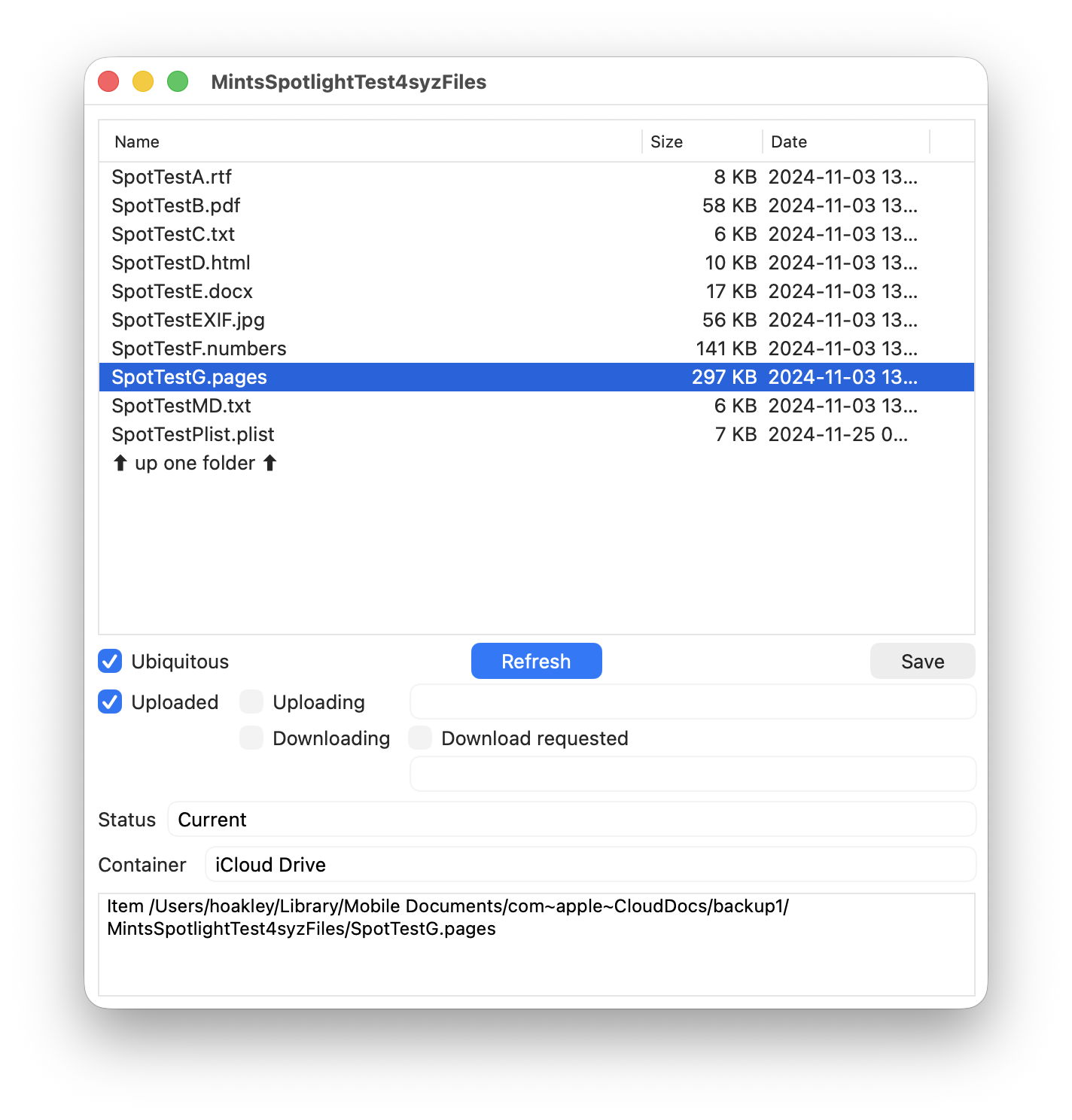
 eclecticlight.co
I've noticed if an app is on a different partition than the OS this can happen. Likewise, sometimes apps in the dock that are on a different partition simply won't launch -- you have to delete the app in the dock and then re-add it. If the app in question is on the same partition it seems to work as expected.Weird. A lot of users have reported it here.
For me, the only way to get Mail to start working again and be up to date is if I quit the app completely and then reopen it.. Then at some point not too long after (hours maybe?), it'll stop updating again.The Mail app has now stopped updating for me. I've restarted and tried quitting the Mail app.. I'm not having any issues on my iPhone, iPad, or Intel Mac mini still on macOS 15
View attachment 2586105
SAME!Submitted feedback. Can others verify this issue?
Columns cannot be resized in Finder if scroll bars visible - the handles are covering the only point of control.
View attachment 2586238
If those tiny squares were the only points of control of the columns size, it would be really horrible. Luckily you can resize the columns by grabbing them at any point.Submitted feedback. Can others verify this issue?
Columns cannot be resized in Finder if scroll bars visible - the handles are covering the only point of control.
View attachment 2586238
I cannot with a third party mouse and scroll bars visible all the time. I'm not finding any Finder settings or View Options that are limiting my resizing.If those tiny squares were the only points of control of the columns size, it would be really horrible. Luckily you can resize the columns by grabbing them at any point.
This has been happening to me at random too. I'll notice downloads and uploads and cannot find which files are attempting to sync. I've seen it as high as 10GB of data in motion constantly.I noticed that there seems to be 3 extremely small files that are trying to sync and are just not. I’ve tried the killall bird command in Terminal and I’ve rebooted. Something is holding it up. Does anyone know how I can find out what these 3 files are? Is there a Terminal command or something in Console I can look for?
View attachment 2585756
I think the other Issues I'm having (Photos app not fully restoring & Safari bookmarks and stuff not syncing) could be related to whatever these 3 "items" may be that are stuck. Could be holding everything else up.
Yesterday I saved a file on my iPhone in the Files app to my Desktop Folder. It almost immediately showed up on both my M1 MBP (having this Problem) and on my 2018 Intel Mac mini. I moved the file to a Documents folder (also iCloud) on my M1 MBP, and it did NOT sync across to the other devices. I moved it back and then moved it to the same folder but on my Mac mini, and it synced across all devices normally, including the MBP! It seems like it's accepting, or downloading changes, but is not uploading any changes made to the other devices. This has me really worried as to what is even being backed up with Time Machine. Both Macs are sharing the same account and should have identical Documents folders. I wish there was a better way to manage this stuff.
I'd like to add that at one point I was going to try signing out of iCloud on this MBP but the warning that comes up indicates the iCloud files/folders will be removed. Seeing as though there's some discrepancies between what's here and what isn't, I don't really see that as an option right now.
If it matters, I tossed FB21276231 into the Black Hole bottomless pit...
Sorry, I really don't understand what you want to resize. The columns' widths can be resized by dragging their vertical dividers at any point, not just at their feet. Plus, my Finder doesn't even show those little squares with those two bars (||) that you point at in your picture.I cannot with a third party mouse and scroll bars visible all the time. I'm not finding any Finder settings or View Options that are limiting my resizing.

I cannot with a third party mouse and scroll bars visible all the time. I'm not finding any Finder settings or View Options that are limiting my resizing.
Edit: Double checked, when pulling my mouse the scroll bars disappear and I can resize anywhere. As soon as I plug in and the scroll bars are always visible I must resize with the impossible to grab handle. The ONLY time I can resize is if I navigate to the start of the path, click into an empty space to deselect, and then the horizontal scroll bar disappears and I can interact with the handle.
Oh I see why I don't see those handles. I've set the scrollbars visible only when scrolling (which makes it possible to resize the columns by dragging every point of the vertical dividers).In settings, under Appearance, change "scroll bar behavior" to only show scroll bars when scrolling. If it is set it to "automatic" then it behaves as you described, showing them when a non-touchpad pointing device is connected. (I'm assuming that you'd normally scroll using the scroll wheel and not by grabbing the scroll bar in the UI, so it would not be a disruption to hide the scroll bars?)
Thanks for confirming 26.1 behavior. My bug is in 26.2 RC.Oh I see why I don't see those handles. I've set the scrollbars visible only when scrolling (which makes it possible to resize the columns by dragging every point of the vertical dividers).
Still, in 26.1 at least, those handles appear above the scrollbar if I enable them permanently.
