
Adora
macrumors 68020
I have also had this issue, but afraid to update on first beta.
Keep in mind there normally won't be a Beta 2 until January.

I have also had this issue, but afraid to update on first beta.
Seems this process is somehow going crazy on my Mac. I don't even use Shortcuts on any device. I forced quit all of them. But I think they will come back after a reboot. I found there were problems with it before causing high CPU usage but it was 0.0% here. Only taking up memory. There were even some more but all didn't fit on the screenshot.
View attachment 2588770

This is, frankly, insane. The processors in any Apple Silicon machine are far, far more powerful than simply being able to deliver some fancy graphics. It can run AAA games ffs. There's something fundamental underpinning this, and it's not just about optimisation. If Apple are committing code this bad, then something has gone badly wrong somewhere.It's using too much resources only for the new design. There is GPU usage jumping between about 15 and 35% on an M4 Pro while absolutely doing nothing.

I'm convinced an increasing number of the people developing at Apple don't even use the OS.What a crappy OS. They replaced the Launchpad with the Apps menu. Fine. But now it is glitchy and results in a modal windows which cannot even be dismissed / closed without restarting the Dock?
What is this, an alpha build of macOS?
View attachment 2589232

not experiencing that here. perhaps try rebuilding the spotlight index...What a crappy OS. They replaced the Launchpad with the Apps menu. Fine. But now it is glitchy and results in a modal windows which cannot even be dismissed / closed without restarting the Dock?
What is this, an alpha build of macOS?
View attachment 2589232
Spotlight works fine. I can open spotlight over the window when it happens.not experiencing that here. perhaps try rebuilding the spotlight index...

Yes. These little transparencies and effects should be NOTHING, NOTHING, for a modern GPU, even a mobile one for phones. And honestly there's not much liquid glass in Mac anyway. We should not be seeing CPU GPU sustained spikes due to the UIThis is, frankly, insane. The processors in any Apple Silicon machine are far, far more powerful than simply being able to deliver some fancy graphics. It can run AAA games ffs. There's something fundamental underpinning this, and it's not just about optimisation. If Apple are committing code this bad, then something has gone badly wrong somewhere.
This is, frankly, insane. The processors in any Apple Silicon machine are far, far more powerful than simply being able to deliver some fancy graphics. It can run AAA games ffs. There's something fundamental underpinning this, and it's not just about optimisation. If Apple are committing code this bad, then something has gone badly wrong somewhere.

I thought I was the only one, but I'm having this issue, too.What a crappy OS. They replaced the Launchpad with the Apps menu. Fine. But now it is glitchy and results in a modal windows which cannot even be dismissed / closed without restarting the Dock?
What is this, an alpha build of macOS?
View attachment 2589232


I 'upgraded' to Tahoe (26.2 release) last week and notice that the UI is about 500ms slower than on Sequoia, on all my 7 different macs. Opening a new Safari window is a good half second while a new tab is instant, even on a fresh install. even switching apps/windows is noticeably slower, even days after the install. Feels like I downgraded to an Intel mac. Anyone else noticing slowness?

Well most windows have an open/close animation now. Beyond that no I experience no slowdowns.I 'upgraded' to Tahoe (26.2 release) last week and notice that the UI is about 500ms slower than on Sequoia, on all my 7 different macs. Opening a new Safari window is a good half second while a new tab is instant, even on a fresh install. even switching apps/windows is noticeably slower, even days after the install. Feels like I downgraded to an Intel mac. Anyone else noticing slowness?
 forums.macrumors.com
Seems I missed this article:
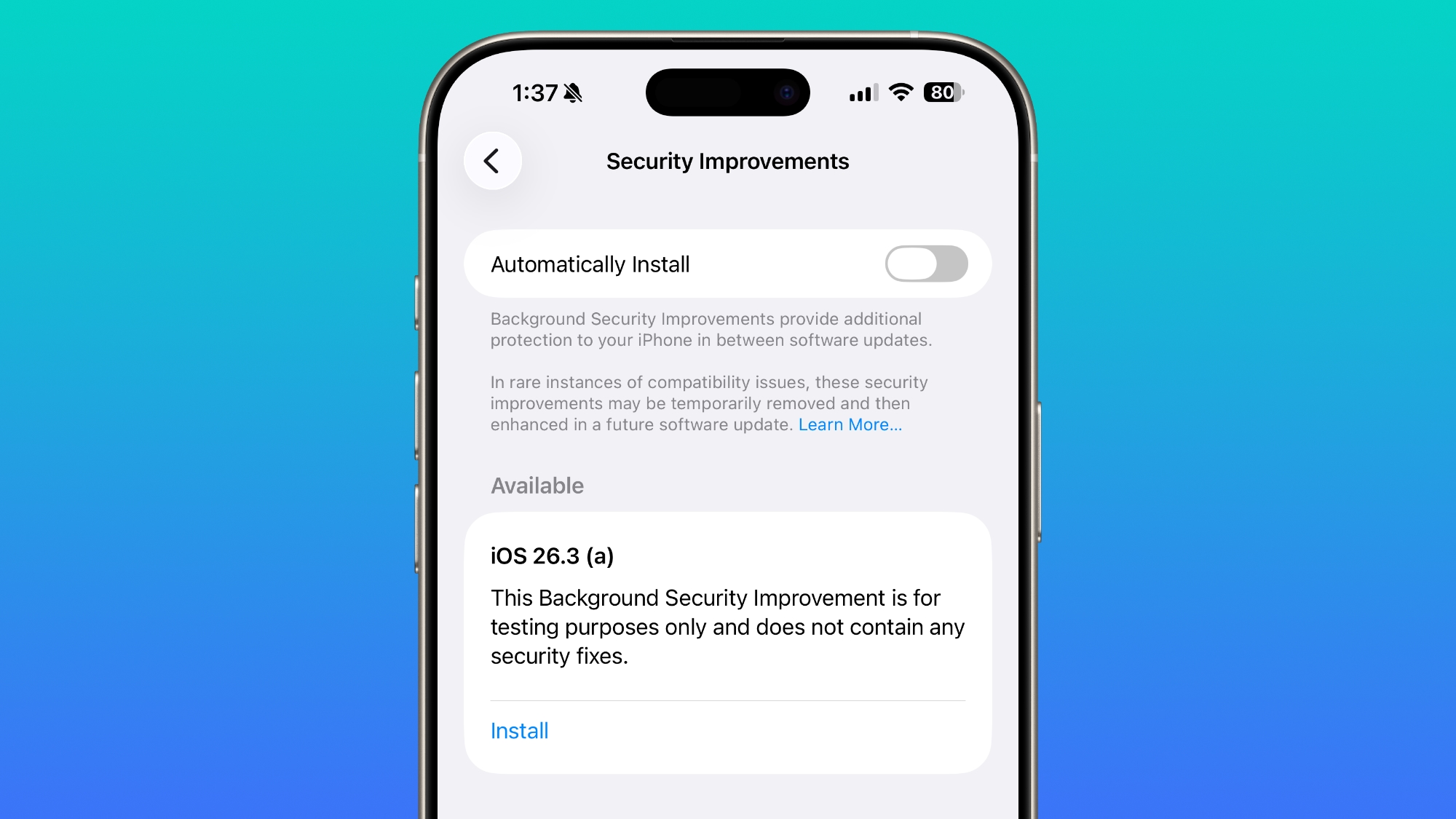
Apple Tests Background Security Updates in iOS 26.3 and macOS Tahoe 26.3
Apple is testing a Background Security Improvement feature that first rolled out in iOS 26.1, iPadOS 26.1, and macOS Tahoe 26.1. Developers and public beta testers who are running iOS 26.3, iPadOS 26.3, or macOS Tahoe 26.3 can install a new Background Security Improvement update for testing...
Did this install automatically for anyone? I turned off all automatic updates in the Software Update section but it was turned on in Background Security Improvements.
About Background Security Improvements for iOS, iPadOS, and macOS - Apple Support
Background Security Improvements delivers additional security protections between software updates.support.apple.com
It happens to me too, I hadn't noticed it before, really funny.Does anyone experience this as a bug?


