Become a MacRumors Supporter for $50/year with no ads, ability to filter front page stories, and private forums.
Hmm. 26.3 RC seems broken. NSWindow objects with with certain styleMask configurations cannot be interacted with or resized etc. What is happening? How can such major changes in how stuff work (since ages...) happen in a .3 update's RC (even compared to beta3)? Or are these bugs? Either way, this is weird.

Update: I think it's not just me - tried some other apps I know to use some creative UI, they seem to be broken as well + tried an installation on a separate Mac with same results. I hope this is a bug and not a feature, Apple will issue a quick follow-up version with a fix, otherwise some app developers will face a crowd of angry users when ppl start upgrading to 26.3. 🙂

Update 2: Apple confirmed the issue. Hopefully there will be a fix. It's a very specific problem, most other apps are fine of course but many are affected.
 
Last edited:
Hmm. 26.3 RC seems broken in many ways. I mean Cocoa is broken, even compared to 26.3 beta3. For example NSWindows with with certain style masks cannot be interacted with or resized etc. What is happening? How can such major changes in how stuff work (since ages...) happen in a .3 update's RC (even compared to beta3)? Or are these bugs? Either way, this is weird.

Update: I think it's not just me - tried some other apps I know to use some creative UI, they seem to be broken as well + tried an installation on a separate Mac with same results. I hope this is a bug and not a feature, Apple will issue a quick follow-up version with a fix, otherwise some app developers will face a crowd of angry users when ppl start upgrading to 26.3. 🙂
Not just you. The new RC screwed up Photoshop for me. The application opens but freezes on full screen. I tired reinstalling the app and it does exactly the same thing. Terrific.
 
Any improvement on 26.3 for this Studio Display issue?
The last beta it was still happening for me (MBP M1 Pro hooked to ASD) but was less frequent than before. Hasn’t happened since updating to RC but that has only been a few hours.
 
So that your apps can run 5% faster than they do with the current M chips 😂
No, it’s for those of us limping along with Intel chips coughing and spluttering.

Mission Control works at like 5fps for me right now. I have to go and make a coffee if I ever need to close and open PowerPoint.

M5 Max for me will be bonkers.
 
  • Like
Reactions: Nugget and ksec
Screenshot 2026-02-04 at 9.40.34 PM.png

Anyone else Menu bar Extras get jumbled up like this after updating from beta 2 to today's RC beta? I can't figure out how to un-jumble them up.
 
  • Like
Reactions: ParkHemp
No, it’s for those of us limping along with Intel chips coughing and spluttering.

Mission Control works at like 5fps for me right now. I have to go and make a coffee if I ever need to close and open PowerPoint.

M5 Max for me will be bonkers.

Still holding on to my Intel MBP.
 
  • Love
Reactions: TJFDenver
my 2020 iMac 5k is still kernel panicking at night ... did under 26.2.1 and this RC ... send report to apple every time
 
  • Haha
Reactions: NJRonbo
This RC makes Spotlight experience terrible, cmd+space not working, freezing for half a minute before working again.
 
I don't want new features. I want bug fixes. Any word on those. The Contacts app is still ridiculous, and I would love for Apple to hear the numerous complaints about the silly looking rounded corners.
 
On 26.2 my M4 MBA was freezing randomly ALL THE TIME! Just installed the RC 26.3 and it's running much smoother. No freeze ups so far.
 
overfixing and misimproving
misimproving ftw! How have I never considered, used, or heard of this word before?! I just looked up misimprove and while some say it goes back to 1913 it also appears in an 1828 dictionary too! Wow, it's a timeless concept I guess! In this age of misinformation and disinformation, where mis- is unintentional and and dis- is purposeful and malicious, this seems relevant.

With that logic: Does disimprovement = enshi✝ification? 🤑 15 years ago I was pretty annoyed (and still am) when Apple stripped the color from Finder's sidebar. I still wonder if it was mis or dis-improvement? Over-zealous Apple UI designer or something more nefarious to drive iCloud services? See Lion’s grey sidebar is a Jedi mind trick

Anyway "overfixing" is pretty good too but misimproving is gold! 🏅
 
So I won't be forced to upgrade to version 26 yet. Nice. I was getting the impression that iOS 18.7.3 and 15.7.3 were the end of the line for us holdouts.

I think it depends on your hardware. Most likely, the only iPhones that will get 18.7.5 are the iPhone XS/XR series, for example. I have an iPhone 13 mini signed up for the beta program, and it still shows 18.7.3 as the latest available version. My guess is that 18.7.5 will be available for the same iPhones and iPads as the final official 18.7.3 release.

Edited to add: 15.7.3 is showing up as an available beta on my M1 MacBook Air, so at least Apple doesn't seem to be forcing an update to 26 on that machine.
 
Last edited:
Tahoe? From the perspective of design, Apple seemingly has entered an era of overfixing and misimproving of what's already proven to be well working. Sometimes you have to leave things as they are, because they are good enough.
Amen to that. I just fired up my backup iMac (4K, 2019) last week that has Sequoia installed, and boy… it feels so good to be there compared to Tahoe on my daily MacBook Pro. Very snappy machine for having a Core i5 and pushing 7 years.

Whereas Tahoe is not only designed by an imbecile, it also simply doesn’t work right and makes using my Mac a living hell.

Battery life is crap
Standby battery life is a joke
The computer is slow AF in general
It takes ages to wake from sleep
Some functionality is straight up broken

Yes, me having an Intel Mac might be a factor in this, but the state of that system is so bad it almost feels intentional on apple’s part - with a Core i9 and 32 gigs of RAM, it has absolutely no business being this slow…

Long story short, I’m downgrading it to Sequoia this weekend and will remain there until it fakkin dies and I will be forced to buy a new one.
 
Live Activities are not working. Anybody else? Suggestions? I've tried everything I can think of and have read. Thanks!
 
  • Wow
Reactions: TJFDenver
I often wonder if Apple ever tested the MacBook Pro 2019 with macOS 26? The fact it was included in the upgrade list is honestly more for forced hardware upgrading than being good stewards and saying they support more hardware. If I didn’t know how to roll back, it may have worked with me. What a slug.
 
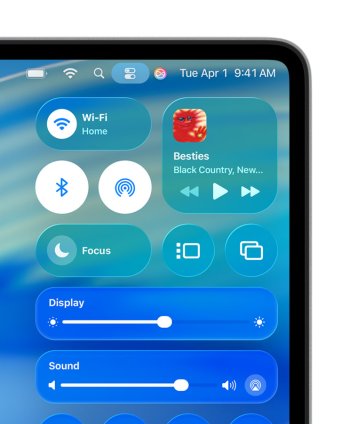
Is the close spacing in the screen shot expected behavior? It doesn't seem like it, according to this screen shot of Tahoe from Apple's website...
I downloaded that app, and the spacing was set to 0 somehow - I reset it using the app to what was seems to be a normal spacing (according to the Menu Bar Spacing app) of 16. Thanks for mentioning it!
 
  • Like
Reactions: p33t3r
Register on MacRumors! This sidebar will go away, and you'll see fewer ads.