Become a MacRumors Supporter for $50/year with no ads, ability to filter front page stories, and private forums.
Status
The first post of this thread is a WikiPost and can be edited by anyone with the appropiate permissions. Your edits will be public.
T26.2b is out: I just installed it on the "Amazon refurbished" 2020 i7 27 Imac I received yesterday(751.00) it is very speedy and seems great. Imagine my consternation when the 2020 "FAN" started during the download process, seemed like a normal fan that soon slowed down, but why is it on at all for just an OS download. My 2012 and 2015 27 Imacs had the fan on only very rarely. Is this normal for the 2020 Imacs, I am thinking of sending it back, something must be wrong.

I am still an OCLP'er for my 2015 5K, I wanted the 2020 because it is the last iteration of the style I like best.
 
  • Like
Reactions: olad
T26.2b is out: I just installed it on the "Amazon refurbished" 2020 i7 27 Imac I received yesterday(751.00) it is very speedy and seems great. Imagine my consternation when the 2020 "FAN" started during the download process, seemed like a normal fan that soon slowed down, but why is it on at all for just an OS download. My 2012 and 2015 27 Imacs had the fan on only very rarely. Is this normal for the 2020 Imacs, I am thinking of sending it back, something must be wrong.

I am still an OCLP'er for my 2015 5K, I wanted the 2020 because it is the last iteration of the style I like best.
Towards the end of Intel's lifetime with the Mac, we had Intel Macs with CPUs that jump to really high turbo CPU frequencies and the drop of a hat, even if they're only doing pretty "minor" work, which can cause the fans to ramp up. I know I heard similar complaints about the final rounds of MacBook Pro. It is normal for your 2020 system to be more noisy than your earlier systems.

There are apps that you can use to toggle turbo boost on and off at your whim. You can run with turbo boost off and be fine for "office" type workloads (it will run in the upper 2 GHz range instead of the 4+ GHz range), and it will help keep the fans in check.
 
Towards the end of Intel's lifetime with the Mac, we had Intel Macs with CPUs that jump to really high turbo CPU frequencies and the drop of a hat, even if they're only doing pretty "minor" work, which can cause the fans to ramp up. I know I heard similar complaints about the final rounds of MacBook Pro. It is normal for your 2020 system to be more noisy than your earlier systems.

There are apps that you can use to toggle turbo boost on and off at your whim. You can run with turbo boost off and be fine for "office" type workloads (it will run in the upper 2 GHz range instead of the 4+ GHz range), and it will help keep the fans in check.
Thanks for this info I will reconsider the send back and look for an app.
 
  • Like
Reactions: olad
Imagine my consternation when the 2020 "FAN" started during the download process, seemed like a normal fan that soon slowed down, but why is it on at all for just an OS download.
An OS download is actually a lot of activity for the computer. The ethernet chip generates heat and there is continuous CPU activity dealing with gigs of incoming data. Large high speed downloads have been activating fans for a long time. What you describe is completely normal.
 
Slightly OT, but hopefully indicative of good things for all Tahoe users ... After upgrading my Intel-based MBP16,2 to 26.2 RC1, performance is outstanding. I still configure Tahoe with "Reduce Transparency" and "Reduce Motion" enabled. I'm very pleased with 26.2 RC1.

@ronton3 I'm not seeing any excessive fan activity on my MBP16,2 (different platform, but still 10th gen Intel). Could it be something as simple as the need clean dust out of the vents?

EDIT: @ronton3 My laptop has 32GB DDR4 RAM. If you have only 8GB RAM, you may want to expand memory for Tahoe.
 
Last edited:
PurgePendingUpdate?

From what I've read, there seems to exist an OCLP tool called "PurgePendingUpdate" that supposedly helps to prevent the consequences of inadvertent, automatic upgrades to Tahoe caused by too-clever recent releases of Sequoia. The tool is said to exist somewhere in the Discord servers. Unfortunately, I've been unable to locate it. Can someone shed further light on this issue or share a verified download link?
The tool is mentioned here: https://discord.com/channels/1142855678218735628/1142855679271510018/1261234219762319460
 
Yes, I know, but, where is it? No download link?
there was the referral to the download link of dhinak in the text - works fine for me. Here is the direct message with the zip file:
 
there was the referral to the download link of dhinak in the text - works fine for me. Here is the direct message with the zip file:
Gee, I must be doing something wrong, but I can't see where. This is what I get when I click on the link you kindly provided. I registered to Discord, but it doesn't seem to take me anywhere useful. So, no link to a zip file anywhere in sight.
Screenshot 2025-12-05 at 10.56.48 AM.png
Using a different link, I got a little farther, but, alas, Discord can't find "purge".
Screenshot 2025-12-05 at 11.06.40 AM.png
 
Last edited:
Nice. Gave it a try and my wifi is back! THX!
I'm testing it in a safe, isolated environment. Gives us a great preview of what's to come. Just my personal preference, but I won't be using any post-install patchers released by anyone other than the original OCLP Devs. I have too much respect for them and am disappointed with the way others have hijacked the original effort.
 
Using a different link, I got a little farther, but, alas, Discord can't find "purge".
View attachment 2585202

There's a 5 minute wait time due to trolls and spammers before the bot grants you access to other channels but if you still don't have access after that, DM me your nickname you have in the bottom left of Discord and I'll add access manually (I'm a moderator there) since there are rare cases where the bot fails to do it.
 
Last edited:
Just my personal preference, but I won't be using any post-install patchers released by anyone other than the original OCLP Devs.
I would again go one step further and say that 3d party knock-offs with potentially malicious code inside really should not be discussed here. At all. For obvious resons. Anyone who wants to can of course go ahead and start their own thread if needed Just my 2 cents..
 
  • Like
Reactions: olad and rehkram
@houser For the reasons you stated, we need to mention them here. This is the thread where most people get their info and status about OCLP. If OCLP novices don't learn the dangers and risks of "unofficial" versions from here, they may never know. Agree that we shouldn't promote or provide testing status of the "3d party knock-offs," but I think the limited degree to which we're educating and cautioning is warranted in this thread. I have also provided warnings in the OCLP Security Thread.
 
  • Like
Reactions: olad
@deeveedee This is not for beginners who don't even understand how GitHub works and always have to wait for someone to serve them something ready-made. How and whether someone tests things is up to each individual to decide for themselves. You can also cobble together a nightly version locally from the official repo—that's all others have done who have compiled their own patchers from patches originating from the official repo and offered them for download. Again: if you have no idea what you're doing, it's better to stay away from it, but if you know what's going on and are aware of all the risks, there's no reason not to do it. But constantly acting like Mr. Super Serious just because you don't understand certain things is annoyingly pretentious.
 
  • Like
Reactions: Pri-est
@werty11 I'm just getting started with this stuff, so I did not know that. thank you for enlightening me.

EDIT: Saying that with the least toxicity that I know how. ;)

Oh - I prefer "Mrs. Super Serious". Thank you.
 
Last edited:
  • Haha
Reactions: olad
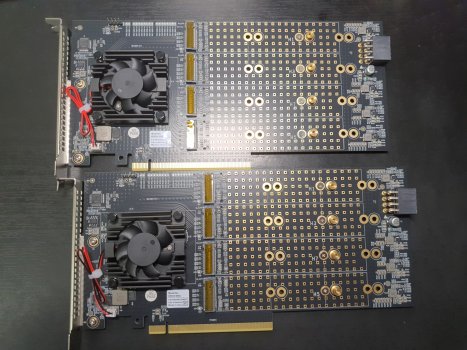
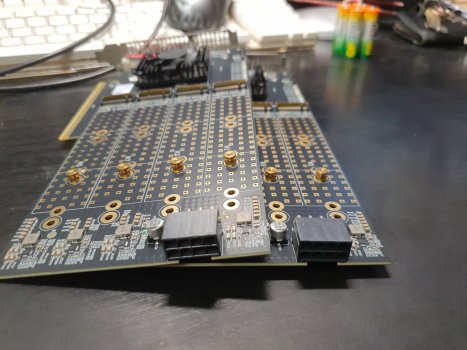
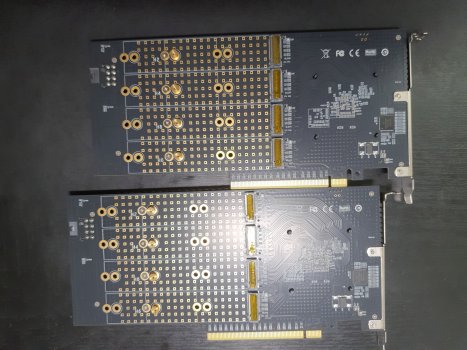
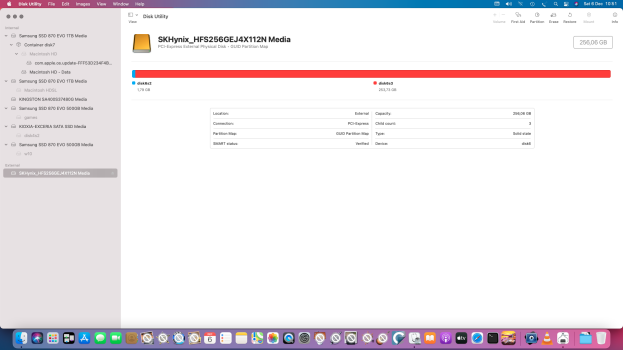
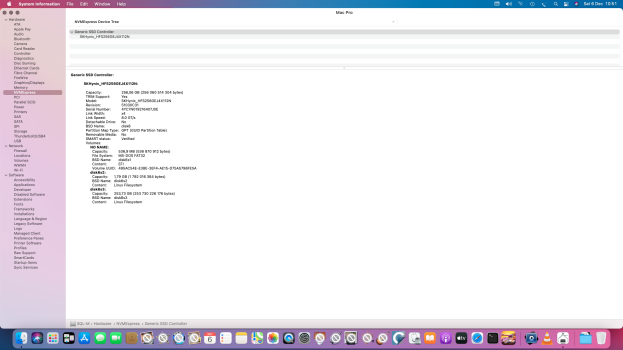
Got unnamed (chinese) PCIex NVME boards. (They looks quite good). At least 1 SSD it detects well (got no spare drives atm).
 

Attachments

  • OC-IMG_20251205_223156.jpg
    OC-IMG_20251205_223156.jpg
    740.7 KB · Views: 4
  • OC-IMG_20251205_223314.jpg
    OC-IMG_20251205_223314.jpg
    545 KB · Views: 6
  • OC-IMG_20251205_223240.jpg
    OC-IMG_20251205_223240.jpg
    666 KB · Views: 7
  • Screenshot 2025-12-06 at 10.51.50.png
    Screenshot 2025-12-06 at 10.51.50.png
    377.1 KB · Views: 5
  • Screenshot 2025-12-06 at 10.51.22.png
    Screenshot 2025-12-06 at 10.51.22.png
    442.6 KB · Views: 6
  • Wow
Reactions: PeterHolbrook
09:13.0 PCI bridge [0604]: PLX Technology, Inc. PEX 8749 48-Lane, 18-Port PCI Express Gen 3 (8.0 GT/s) Multi-Root Switch with DMA [10b5:8749] (rev ca) (prog-if 00 [Normal decode])
Subsystem: PLX Technology, Inc. PEX 8749 48-Lane, 18-Port PCI Express Gen 3 (8.0 GT/s) Multi-Root Switch with DMA [10b5:8749]
Flags: bus master, fast devsel, latency 0, IRQ 38, IOMMU group 47
Bus: primary=09, secondary=11, subordinate=11, sec-latency=0
I/O behind bridge: [disabled] [32-bit]
Memory behind bridge: [disabled] [32-bit]
Prefetchable memory behind bridge: [disabled] [64-bit]
Capabilities: [40] Power Management version 3
Capabilities: [48] MSI: Enable+ Count=1/8 Maskable+ 64bit+
Capabilities: [68] Express Downstream Port (Slot+), IntMsgNum 0
Capabilities: [a4] Subsystem: PLX Technology, Inc. PEX 8749 48-Lane, 18-Port PCI Express Gen 3 (8.0 GT/s) Multi-Root Switch with DMA [10b5:8749]
Capabilities: [100] Device Serial Number ca-87-00-10-b5-df-0e-00
Capabilities: [fb4] Advanced Error Reporting
Capabilities: [138] Power Budgeting <?>
Capabilities: [10c] Secondary PCI Express
Capabilities: [148] Virtual Channel
Capabilities: [e00] Multicast
Capabilities: [f24] Access Control Services
Capabilities: [b70] Vendor Specific Information: ID=0001 Rev=0 Len=010 <?>
Kernel driver in use: pcieport

...****. I've dropped posts to wrong thread. Mods, pls relocate my last 3 posts here: https://forums.macrumors.com/threads/what-have-you-done-with-an-early-intel-recently.2285317/
 
Register on MacRumors! This sidebar will go away, and you'll see fewer ads.