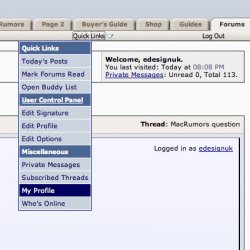
Look under the apple image to the left of the MacRumors logo. You should see User CP, FAQ/Rules, Members List, etc. User CP (User Control Panel) should take you to where you wish to go.
You can also click on your username in any of the posts on these boards to access your profile.
That is amazing! I can't believe in...well, however long I've been here, I've never noticed that. Just like a former PC user to always do things the hard way...😀
thanks, that helps.... But one more question: How do I get my profile picture to appear under my name when I write messages? I already chose/uploaded an image that it claims is my "profile picture", but it doesn't show up when i post.