

Become a MacRumors Supporter for $50/year with no ads, ability to filter front page stories, and private forums.

MacRumors

macrumors bot
Original poster


macOS 26.2 added an Edge Light feature to Macs with the M1 chip or newer, and it has now been rumored that this feature will expand to the iPhone.
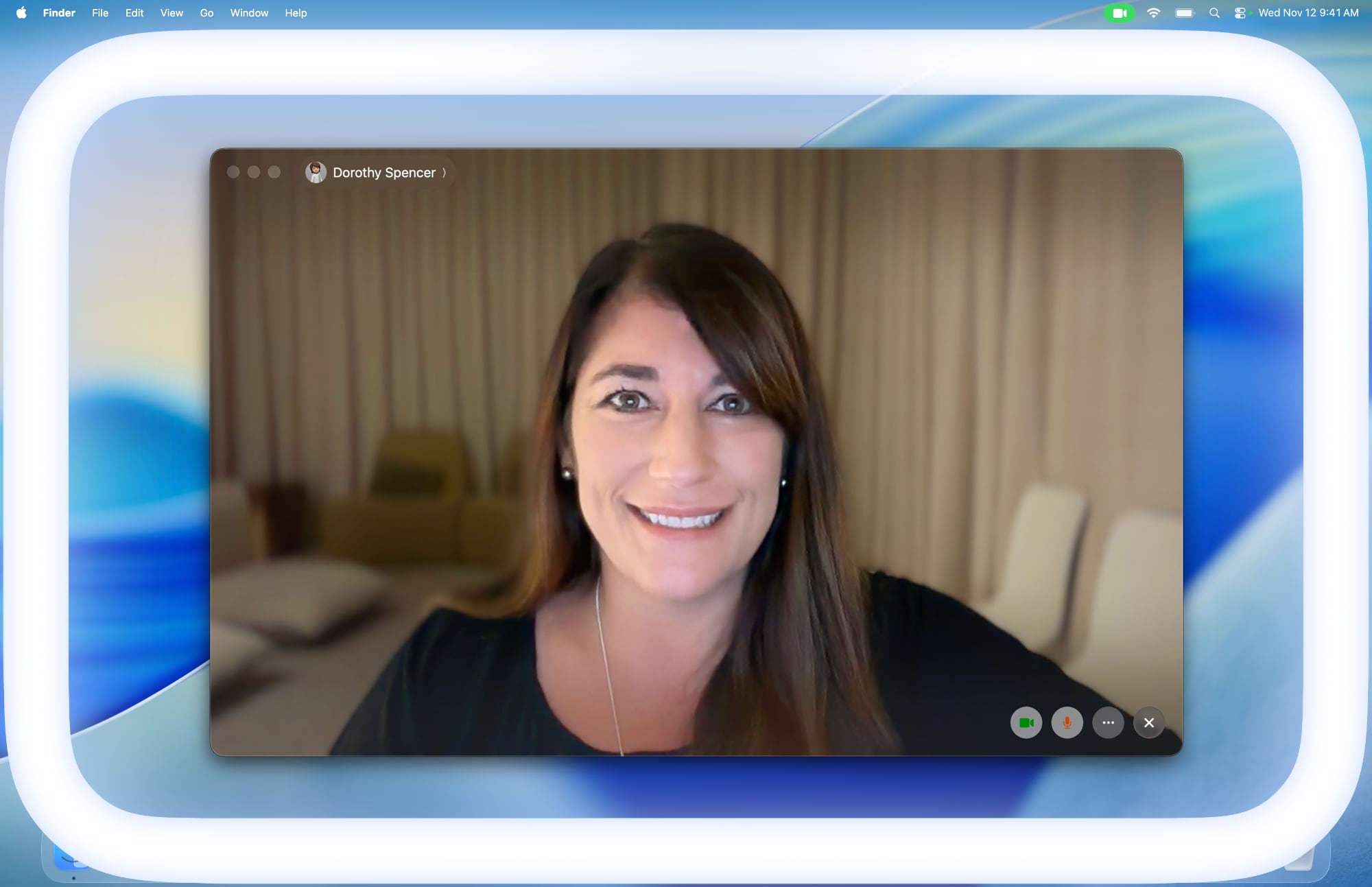
apple-edge-light-macos-tahoe-26-2.jpg

According to pdfu, who has been digging through code in Apple's software updates in recent weeks, the iOS 27 Release Candidate contains evidence of the Edge Light feature coming to the iPhone Duo at a minimum. However, it appears that the feature is still in development, as they said the color temperature setting is not fully implemented.

On the Mac, Edge Light illuminates the borders of the screen to evenly illuminate your face in low-light conditions. The feature is essentially a virtual ring light, and there are settings to adjust the width of the white line around the screen and a color temperature slider to make the light it produces appear more or less warm.

Edge Light is coming to iPhone.iOS 27 RC gates the feature behind a device subtype that points to iPhone Duo. The color temperature setting isn't fully implemented. pic.twitter.com/dc4pQmikJc— pdfu (@itspdfu) September 10, 2026

Based on a video of the feature in action on a simulated iPhone, it appears that the feature will work in a similar manner and have the same brightness and color temperature settings on the iPhone. It is unclear if Edge Light will be available on the iPhone Duo when the device launches on October 23, or if it will expand to other iPhone models.

Some of pdfu's other Apple-related code findings have already proven to be right, so the user has an accurate track record so far.

Article Link: Mac's Edge Light Feature Rumored to Expand to iPhone
 
I've tried this on my MBP M1M and there was no noticeable difference with the lighting on my face.
Played with it a bit on my Air and iMac and, yeah, same, but then again neither of those screens can hit the peak brightness of an HDR display. On a MBP, does it utilize the additional HDR peak brightness at all?
 
"I felt a great disturbance in the Force, as if millions of photoreceptor cells suddenly cried out in terror and were suddenly blinded"
 
Played with it a bit on my Air and iMac and, yeah, same, but then again neither of those screens can hit the peak brightness of an HDR display. On a MBP, does it utilize the additional HDR peak brightness at all?
That is actually a great question. By default it doesn't seem to enable HDR brightness. By using the Vivid app, I am able to enable HDR brightness and it does make a subtle difference.
 
  • Like
Reactions: ignatius345
Played with it a bit on my Air and iMac and, yeah, same, but then again neither of those screens can hit the peak brightness of an HDR display. On a MBP, does it utilize the additional HDR peak brightness at all?
It very much works on my MBP14 M5, like it can get BRIGHT. In sort of an unnatural way.

I usually have it set to automatically kick in when needed, but I always hate it when it does.
 
  • Like
Reactions: ignatius345
It very much works on my MBP14 M5, like it can get BRIGHT. In sort of an unnatural way.

I usually have it set to automatically kick in when needed, but I always hate it when it does.
I don’t love it on my non-HDR Macs because all it does when you turn up the “brightness” is make the band thicker, which just seems kind of corny. (I mean, technically it is throwing more light I guess.)

But when it first came out I was naively hoping for some localized brightness around the edge -- but I don’t think the display hardware is actually capable of that, at least not on non-HDR displays.
 
I don’t love it on my non-HDR Macs because all it does when you turn up the “brightness” is make the band thicker, which just seems kind of corny. (I mean, technically it is throwing more light I guess.)
I mean, that is basically what it does. No matter the theoretical level in nits or lux or whatever. It's just a border on a display.

Even some quite expensive ring lights are, at the end of the day, more a single spot of a light than not.

Whether on a display or some fancy ring light it at the end of the day doesn't come close to competing with a properly lit room, or simply a cheap light from IKEA at each end of your desk.

Honestly, today the only proper solution that isn't an already properly lit room is to use an AI avatar or filter making you look properly lit. That would work best.
 
Register on MacRumors! This sidebar will go away, and you'll see fewer ads.