Become a MacRumors Supporter for $50/year with no ads, ability to filter front page stories, and private forums.

MacRumors

macrumors bot
Original poster


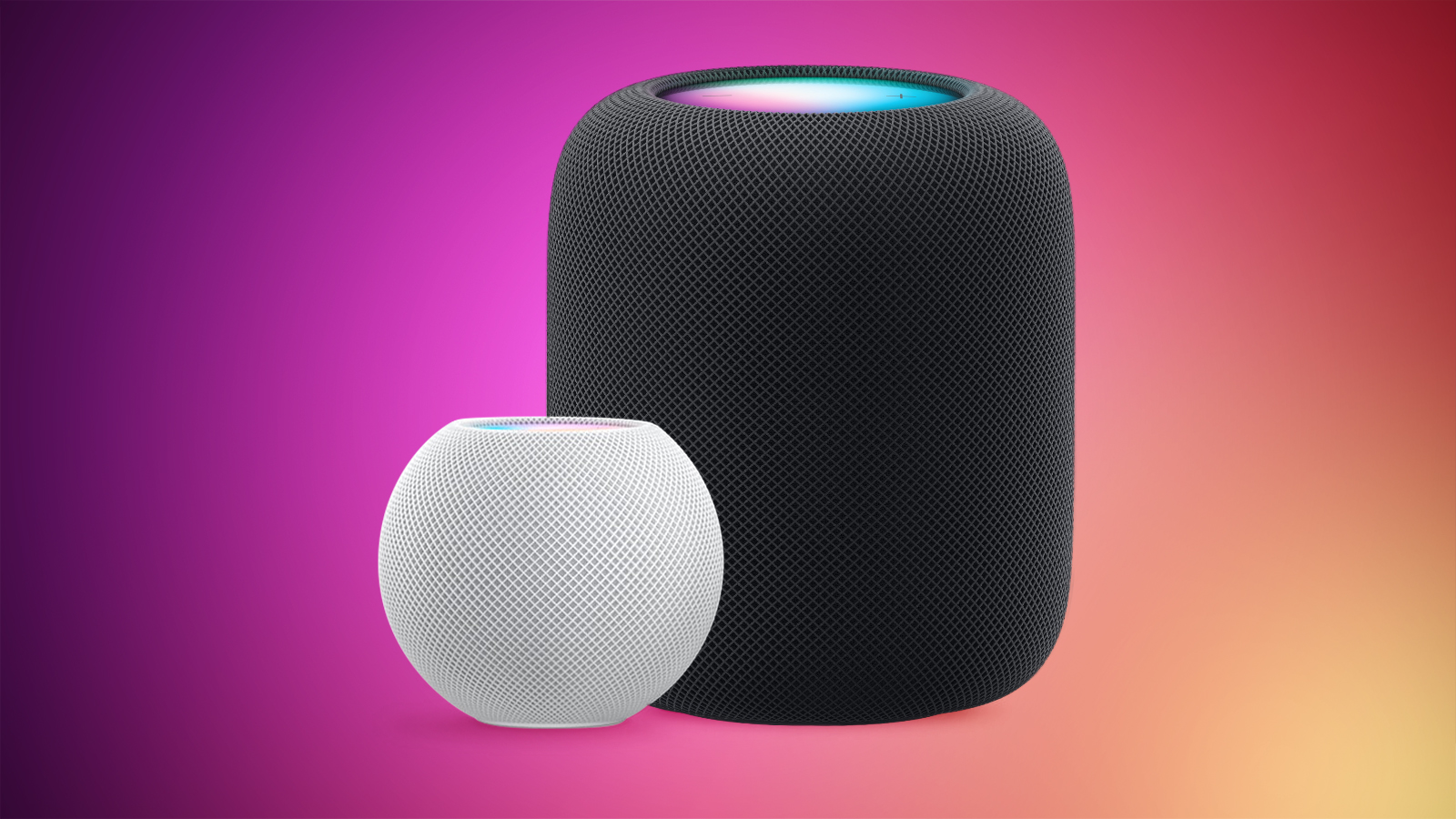
Thanks to Apple's Sound Recognition feature, the HomePod mini and second-generation HomePod can send you notifications when they recognize smoke or carbon monoxide alarm sounds. Keep reading to learn how it works.
HomePod-2-and-Mini-feature-1.jpg

With Sound Recognition, HomePod can detect the sound of a smoke or carbon monoxide alarm in your home, and alert you by sending a notification to your iPhone, iPad or Apple Watch.

It's a neat addition if you don't own a smart detector, although Apple warns that the feature should not be relied upon "in circumstances where users may be harmed or injured," or in "high-risk or emergency situations."

The Sound Recognition feature is accessible in the Home app. If your Home system is connected to a smart camera, it will also display live video of your home, so you can see what's happening in real time.

Here's how to enable the feature. Note that Sound Recognition on HomePods requires Apple's updated Home app architecture that was introduced in 2022 as part of iOS 16.4 and iPadOS 16.4.
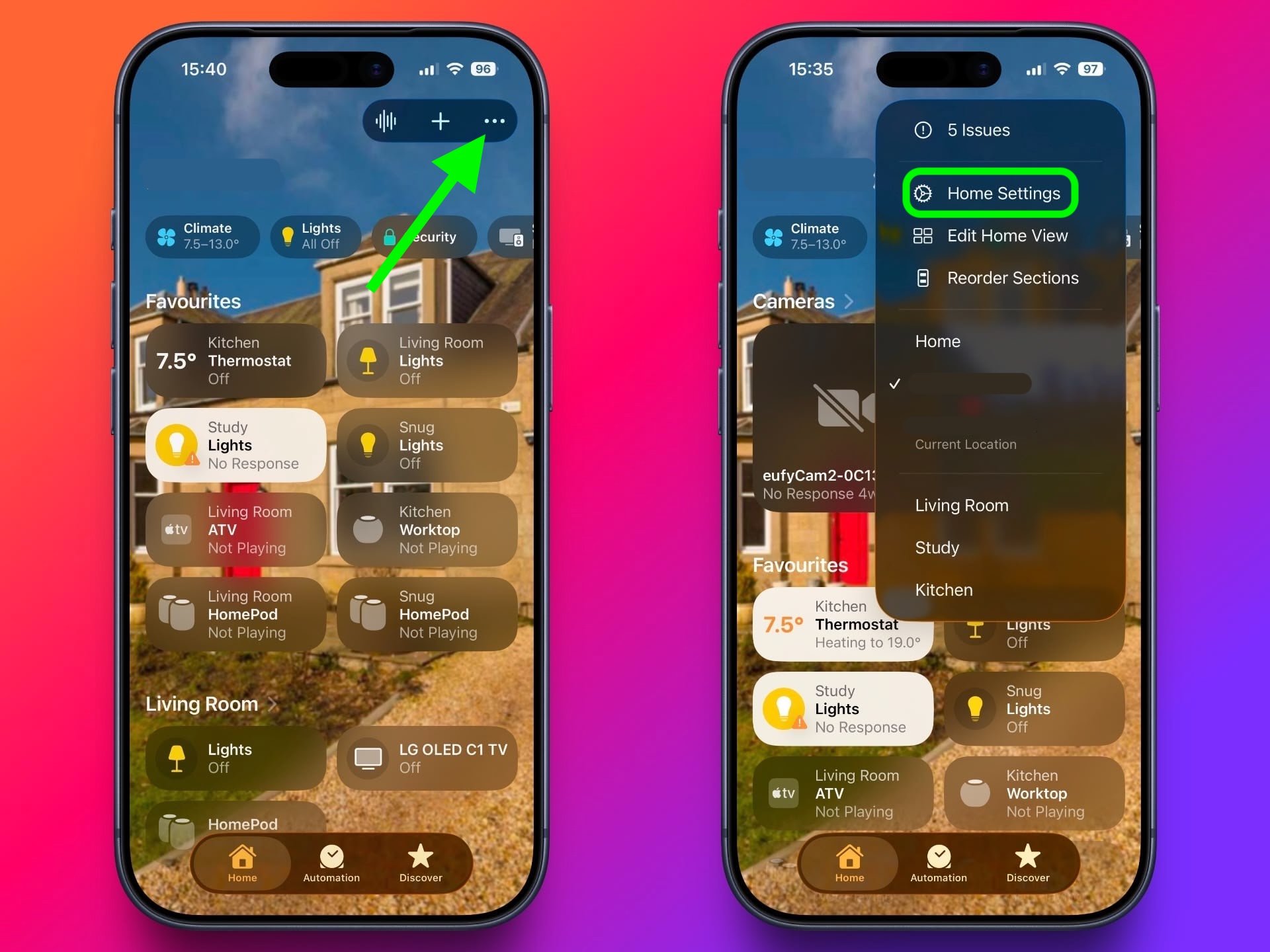
  1. In the Home app, tap the ellipsis button (three dots) in the top-right corner of the screen.
  2. Tap Home Settings.
    homepod-smoke-alarm1.jpg

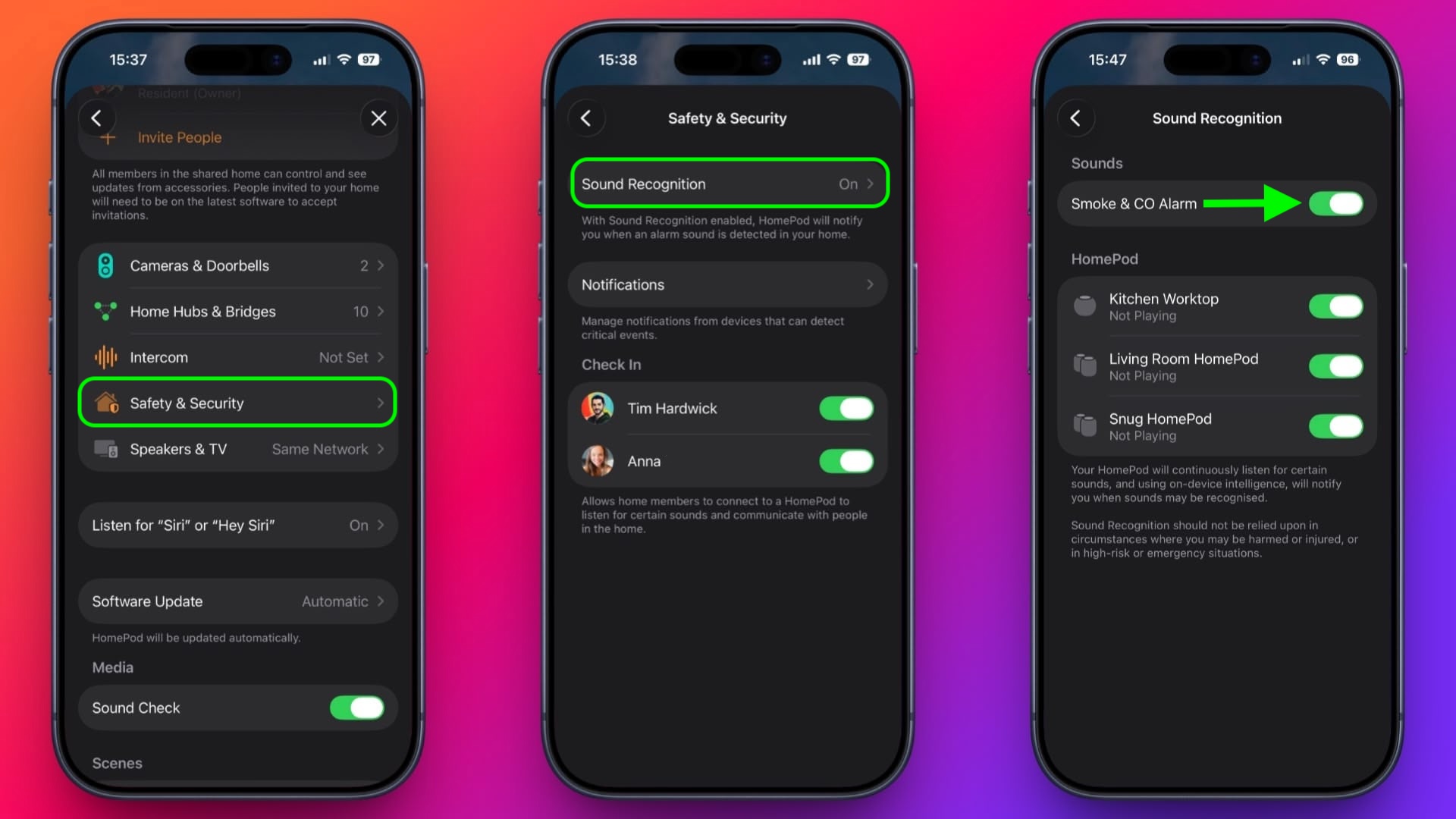
    Tap Safety & Security ➝ Sound Recognition.
  3. Under "Sounds," make sure the Smoke & CO Alarm toggle is in the green ON position.
    Toggle on the switches next to the HomePod devices that you want to enable Sound Recognition for.
    homepod-smoke-alarm2.jpg
That's all there is to it. Note that you can also access the Sound Recognition menu via the Home app's menu cards for individual HomePods.

Sound Recognition was first introduced on the iPhone in 2020 and can detect a wide variety of sounds on that device, including a doorbell, running water, a baby crying, a car horn, a door knock, a cat meowing or dog barking, and more.

Article Link: Make HomePod Alert You to Smoke Alarms
 
  • Wow
Reactions: Z-4195
I’ve had this enabled for ages and tried to test it a few times to no avail. Anyone here have any luck with it?

Yes, my family was out of town for a weekend about a month ago and we had this alert come in. I was able to check our HomeKit camera to verify the alarm was going off, so we called the fire department. They came to our house and inspected things. They were able to verify it was a false alarm because of some dust in an old alarm that I've now replaced. I was glad it ended up being a false alarm, but it made me thankful for the feature in the event of a real emergency.
 
Well maybe I’d try that if the Network error went away. They both (2) let me play music through them but can’t even access temperature.

Tried factory resetting and repairing. Deleted home and all devices. Created new home and re added them. Apple TV has no problem and it’s connected to the exact same network.
 
  • Like
Reactions: Huck
I have 8 of the First Alert 1044370 hard-wired alarms in my house and every time they have gone off, or I have tested them, no alert from my HomePod Mini or my HomePod 2.

Additionally, according to First Alert, "Current First Alert smoke/CO combination alarms conform to both UL 217 and UL 2034 Standards."
Apple does not appear to identify a particular standard that they use though, so I guess we're just hoping their sound identification models work.

Since all my alarms are interconnected, and they do not go off at the exact same time (there's a slight delay between them that makes more of an echo, or a "round" like we used to sing in elementary school) and they also talk in between the beeps, perhaps that's an issue.
 
I was at work and got all the notifications that smoke was detected. I was out of town but called fire to go check it out. False alarm. Still don’t know why it activated. But the fire department got some training by forcing my front door.
Jk I gave them the access code for the garage. But they did spend some time walking around talking about how they would size it up if it had been on fire.
 
I test this all the time, not working. I have 2 original HomePods in basement setup as pair, one mini in every room of the house, and the main room has ver2 HomePods as a pair. Sound, intercom, all other features work great. It just doesn't hear the Nest smoke detectors.

I also have a few of the 15" screen Alexa's. They picked up my weekly Nest Smoke/Carbon alarm tests for what I seem to remember about 6 months. I'd get a pop up at work. I also got broken glass alerts when anything fell with the kids playing around the house. But now even Alexa has stopped any of that the last 18 months.
 
I have an original HomePod. It struggles to even respond to my simple questions. If I ask it to do this it might literally kill itself.
 
  • Haha
Reactions: Umacga
Yes, my family was out of town for a weekend about a month ago and we had this alert come in. I was able to check our HomeKit camera to verify the alarm was going off, so we called the fire department. They came to our house and inspected things. They were able to verify it was a false alarm because of some dust in an old alarm that I've now replaced. I was glad it ended up being a false alarm, but it made me thankful for the feature in the event of a real emergency.

Yes, My smoke/CO2 alarms trigger this feature on HomePod.
Interesting. Might have to give mine another shot or reset it. I have an alarm probably 7 feet above it that has gone off a few times and never tripped this setting
 
I’ve never received a notification for my smoke alarms with my HomePod mini. Had this feature enabled since it was first released.
 
  • Like
Reactions: TFrank2
I had this turned on on my three home pod minis before I sold them. I had multiple false alarms including one where I called the fire department as I was out of the house. I did also though check the temperature on the home app for the home pods and it was normal temp so I wasn’t convinced there was a fire. I felt like my experience with the home pods was buggy at best. They would randomly play music for no reason and then the the false alarms that happened is why I eventually sold them. They sounded great but just seemed really buggy.
 
Worked for me. Wife and I were at work, kids at school. We all got an alert. My wife beat me to the house and we had a full blown fire in the kitchen that she was able to put out with a fire extinguisher. Probably saved us THOUSANDS in repairs and insurance deductibles. Well worth the several hundred we had invested in the HomePods.
 
  • Like
Reactions: brett_x
It works, but it is unreliable. Much much safer to get a dedicated Smart Smoke Alarm.
I was more interested just from another layer of redundancy standpoint. We have the Nest alarms and alarms via our security system already, so I’m fairly covered…
 
I’ve had this enabled for ages and tried to test it a few times to no avail. Anyone here have any luck with it?
Yes, it detected the alarm going off on my UPS a few months ago.

How long are you running the alarm for? In my testing, the alarm needs to be going for at least 30 seconds before my HomePod mini alerts me.
 
Mine is set to enabled and I don't recall ever doing it, so it must have defaulted that way when I set it up. Or, I just don't remember setting it up.
 
I can confirm it does work. I was at work one day and I got an alert that it was detecting a smoke alarm and I was able to listen in to confirm it was going off. Thankfully, there was no smoke and the alarm malfunctioned but I was able to get someone there ASAP to get my dog out if there was in fact a fire.
 
When you see this type of article, it's that MacRumors has nothing to post because this feature has been there for a huge while !
 
I want something to tell me which of my half-dozen alarms went off so I know where the danger/false alarm is…
 
  • Like
Reactions: KD7IWP
Register on MacRumors! This sidebar will go away, and you'll see fewer ads.