Can someone tell me where a microphone is located on M1 MacBook Air ? People can’t hear me well in a zoom meeting even though I already adjusted input level higher in setting. Anyone experiencing same thing?
Thanks! This is helpful. Picture indicates microphone on the left side but the description says “Microphones: Talk with friends or record audio with multiple built-in microphones. “
I wonder these multiple microphones are all on the left side??
Thanks! This is helpful. Picture indicates microphone on the left side but the description says “Microphones: Talk with friends or record audio with multiple built-in microphones. “
I wonder these multiple microphones are all on the left side??
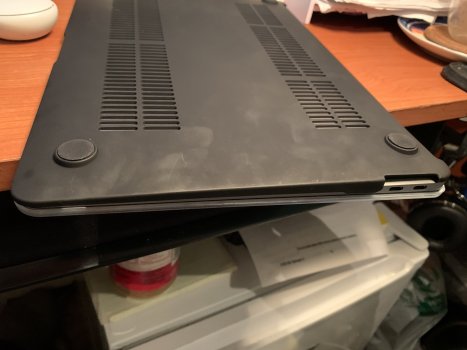
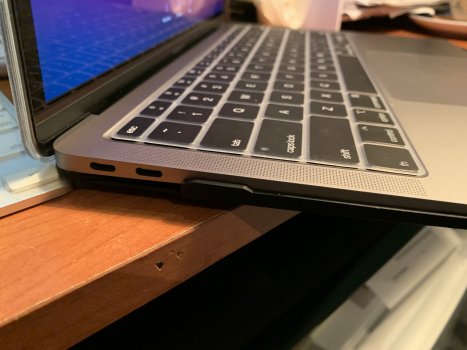
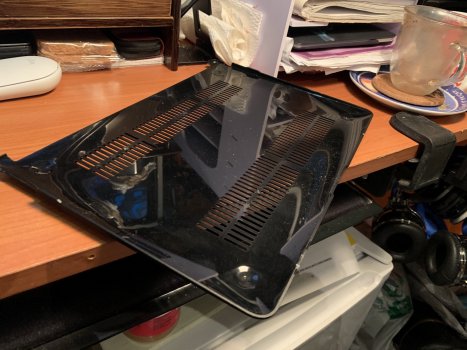
I just had the same problem. I took the bottom part of the case I put on it and suddenly my mic is work again. The only thing I can think of is the flaps on the side that come up and over to lock in place must have covered the mic or mics.
That sounds interesting to take a look at but not sure where you are talking about. Is it possible for you to upload a picture showing it?? I do have covers? Cases? On it
Got it!! Thank you so much. I wish I didn’t have to but I’ll try this out! I really appreciate it because I never would’ve come up with this experiment on my own.