

In Beta 5, Apple disabled the flow to automatically update weak and compromised passwords using Apple Intelligence and Safari. You can get it back by re-enabling the feature flag.
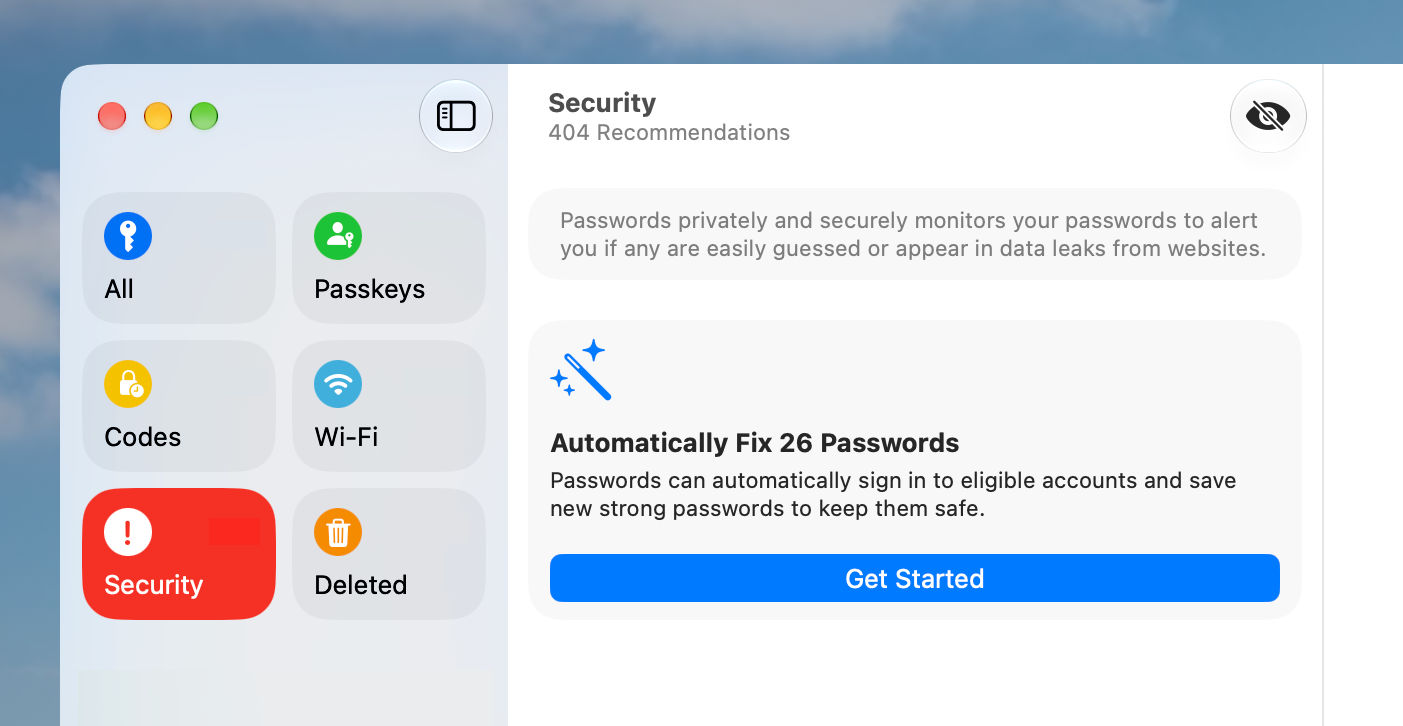
To enable:
and restart your Mac. One feature flag (apc) enables the option to automatically change a single password when you select a recommendation, and the second one (apc_bulk) enables the bulk change feature.
To disable:
To enable:
Bash:
sudo mkdir -p /Library/Preferences/FeatureFlags/Domain

sudo defaults write \
  /Library/Preferences/FeatureFlags/Domain/Safari.plist \
  apc -dict Enabled -bool true

sudo defaults write \
  /Library/Preferences/FeatureFlags/Domain/Safari.plist \
  apc_bulk -dict Enabled -bool true
and restart your Mac. One feature flag (apc) enables the option to automatically change a single password when you select a recommendation, and the second one (apc_bulk) enables the bulk change feature.
To disable:
Bash:
sudo defaults delete \
  /Library/Preferences/FeatureFlags/Domain/Safari.plist apc

sudo defaults delete \
  /Library/Preferences/FeatureFlags/Domain/Safari.plist apc_bulk
