Become a MacRumors Supporter for $50/year with no ads, ability to filter front page stories, and private forums.

Houls

macrumors member
Original poster
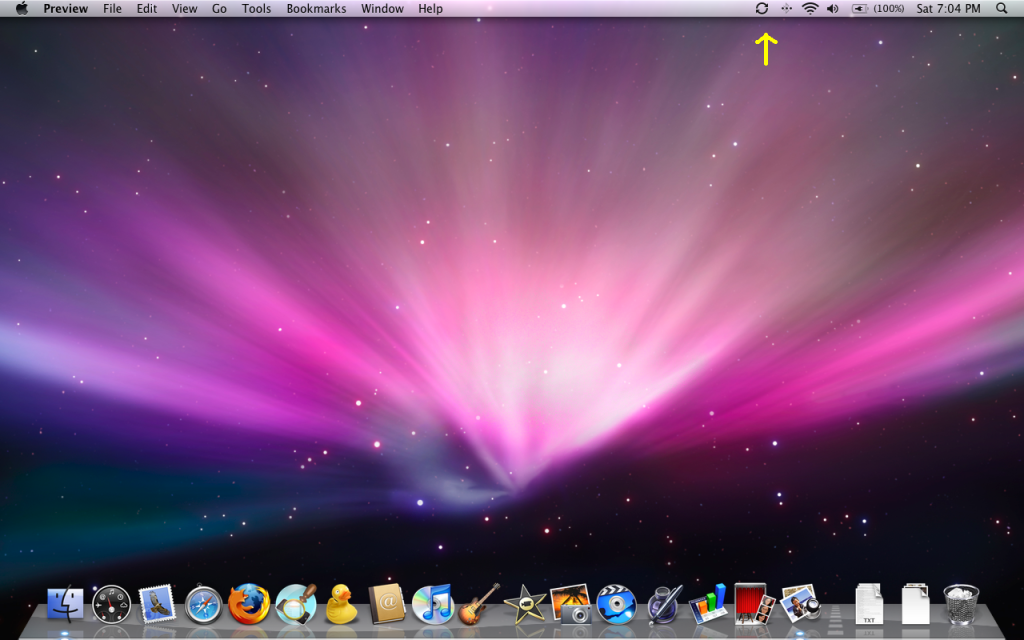
Does anyone know how I can get rid of the Mobile Me sync icon that recently made an appearance on my menu bar and now refuses to leave? I don't even use Mobile Me so I have no idea how the icon got there and I can't find any way to disable it. Thanks.

menubar.png
 
Even easier, hold down the command button on the keyboard and drag it off the menu bar. You can do that with any other one that is annoying you.
 
Sweet

The click and drag is a cool little trick I didn't know about. Thanks for both suggestions!!
 
I know this is an old thread but I just had this problem also....thankfully I googled it and found a thread about....

I wonder how it gets there. I don't have a MM account and there is no way to uncheck anything in system prefs about the sync tab...just has a login in button area and sign up/learn more.
 
If in iCal, Address book, or mail you have allowed sync with your gmail/yahoo account it uses the same sync agent thing that puts the menu bar icon up there....
 
Register on MacRumors! This sidebar will go away, and you'll see fewer ads.