

This is something I wanted to make since 2022, but now that my primary desktop is a 2012 Mac Pro running Mojave, I am proud to present...
What is Mojavericks?
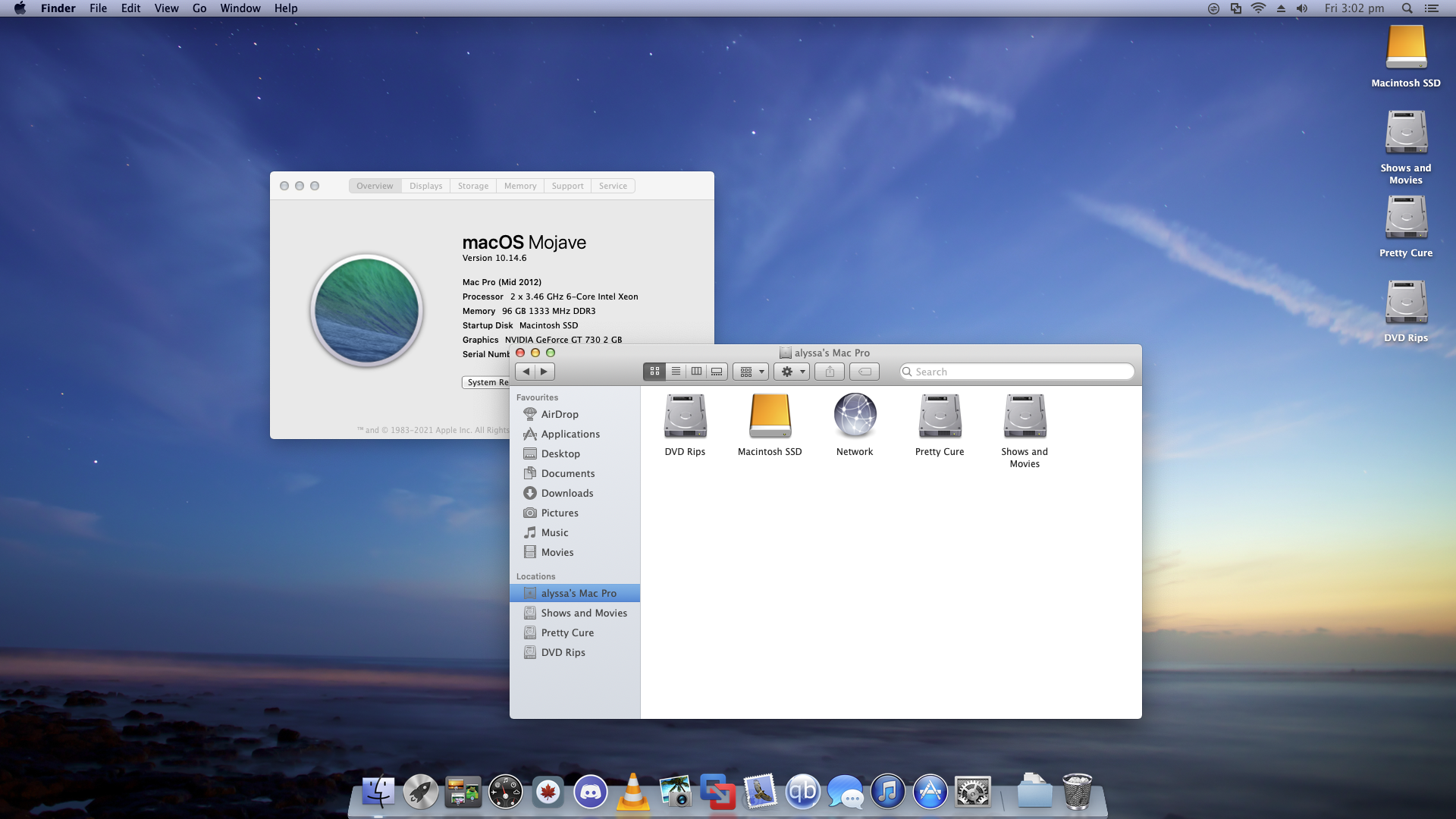
Mojavericks is a transformation pack that aims to make macOS 10.14 Mojave look and feel like OS X 10.9 Mavericks.
System Requirements
Any Mac that is capable of running macOS 10.14 Mojave. It doesn’t matter if its officially supported or via something like the Mojave Patcher, if it runs Mojave, it will work!
This pack has been tested on:
2010/2012 Mac Pro
Late-2018 MacBook Pro
Late-2009 MacBook (Mojave Patcher)
Late-2011 MacBook Pro (Mojave Patcher)
Final Result:
Known Issues
- Dark Mode and Increase Contrast do NOT work with the theme, it will revert to the Mojave look.
- Some programs will not work with this theme, such as Photos (Use [iPhoto 9.6.1](https://archive.org/details/i-photo-9.6.1) as a replacement.)
- Some programs (iPhoto 9.6.1, Office 2011) have transparency issues, however they still work.
- Whilst the themes work on High Sierra and Catalina, the blue aqua button will be greyscale with white text.
- On Mojave and Mojave only, Spotlight Search has no texture, however this is purely a visual bug.
Prerequisites
System Integrity Protection needs to be disabled. To do this, go into Recovery Mode and open the terminal.
Type “csrutil disable” (no quotations)
Download
https://archive.org/details/mojavericksformacos
(I am still uploading the main zip file as I type this out, but it should be ready soon!)
Credits
Marine/Alyssa - Created the transformation pack
Apple - Created OS X Mavericks and macOS Mojave
Apple Club(?) - XRevert
MoonPadUser - OS X Mavericks theme for Mojave, as well as supplying the icons.
Freemacsoft - LiteIcon
w0lfschild - cDock
Luming Yin - macOSLucidaGrande
…and You! For installing my transformation pack! Or even just showing interest!
What is Mojavericks?
Mojavericks is a transformation pack that aims to make macOS 10.14 Mojave look and feel like OS X 10.9 Mavericks.
System Requirements
Any Mac that is capable of running macOS 10.14 Mojave. It doesn’t matter if its officially supported or via something like the Mojave Patcher, if it runs Mojave, it will work!
This pack has been tested on:
2010/2012 Mac Pro
Late-2018 MacBook Pro
Late-2009 MacBook (Mojave Patcher)
Late-2011 MacBook Pro (Mojave Patcher)
Final Result:
Known Issues
- Dark Mode and Increase Contrast do NOT work with the theme, it will revert to the Mojave look.
- Some programs will not work with this theme, such as Photos (Use [iPhoto 9.6.1](https://archive.org/details/i-photo-9.6.1) as a replacement.)
- Some programs (iPhoto 9.6.1, Office 2011) have transparency issues, however they still work.
- Whilst the themes work on High Sierra and Catalina, the blue aqua button will be greyscale with white text.
- On Mojave and Mojave only, Spotlight Search has no texture, however this is purely a visual bug.
Prerequisites
System Integrity Protection needs to be disabled. To do this, go into Recovery Mode and open the terminal.
Type “csrutil disable” (no quotations)
Download
https://archive.org/details/mojavericksformacos
(I am still uploading the main zip file as I type this out, but it should be ready soon!)
Credits
Marine/Alyssa - Created the transformation pack
Apple - Created OS X Mavericks and macOS Mojave
Apple Club(?) - XRevert
MoonPadUser - OS X Mavericks theme for Mojave, as well as supplying the icons.
Freemacsoft - LiteIcon
w0lfschild - cDock
Luming Yin - macOSLucidaGrande
…and You! For installing my transformation pack! Or even just showing interest!


