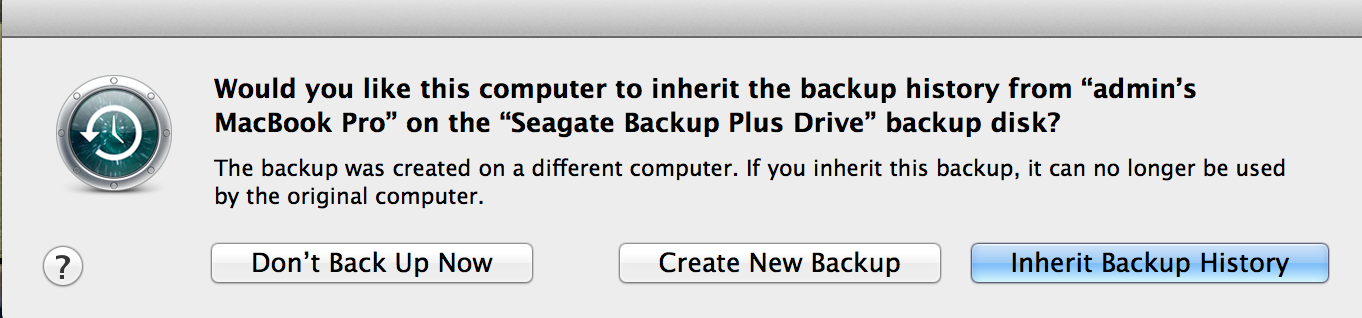
If you weren't backing up the same system (the one you transferred from), then you obviously wouldn't want to inherit the backups. You also wouldn't necessarily want to if you had any problems with the previous backups.
i already transfered the backup from another mac onto my new mac....im currently using my new macbook that has all the info from my old macbook....so in this case should i be creating a new back up or should i be "inherting" the backup?
If you weren't backing up the same system (the one you transferred from), then you obviously wouldn't want to inherit the backups. You also wouldn't necessarily want to if you had any problems with the previous backups.
The opposite. It means it will continue as if you never changed anything. If you don't inherit the backups, the old ones will just sit there and be useless, and your computer will do another complete backup and then start fresh from there.
The opposite. It means it will continue as if you never changed anything. If you don't inherit the backups, the old ones will just sit there and be useless, and your computer will do another complete backup and then start fresh from there.
1. Many people have more than one computer in the house or office with separate accounts that they nevertheless back up to the same external drive(s)/volume(s) - in other words, that particular set of backups does not necessarily match the computer they're connecting at that particular moment.
2. Someone may wish to preserve an old TimeMachine back up as is - archive it for a period of time - rather than continue adding to it from their new computer but nevertheless want to begin their new set of backups on the same physical volume that contains their old backups.
One reason for that last scenario could be that they had trouble with their computer and don't want to mix potentially troublesome files with their new backups within an existing set. The old set may still contain individual files they could have forgotten about during migration - individual files or folders that can be restored one by one from the old set etc. After a period of time has passed they may decide to erase that old set and free up the space - which will be easier because it involves deleting that entirely separate set of old backups. In the mean time a completely new back up is started alongside the old files on the same volume.
3. etc
There must be many other scenarios.
If you want to continue your TimeMachine Backups where you left it with your old computer, the most seamless way to try is clicking "Inherit ... "
As others have noted, neither of the options should automatically and immediately delete existing backups.