HOW TO GET A NEARLY FULL GESTURE BASE HTC ONE, No Root, No Tricks, No cost. Just Android customization and apps, baby:
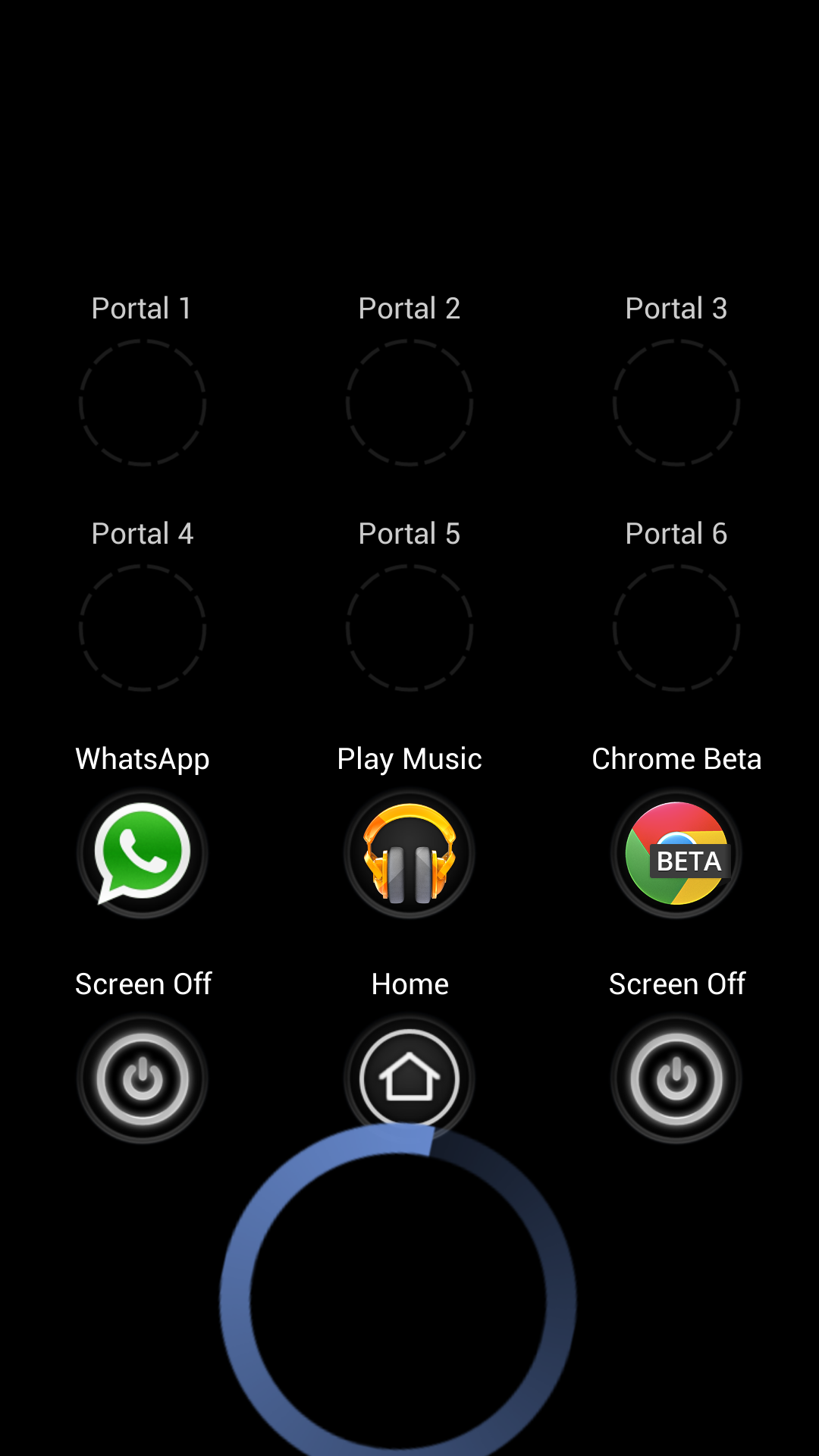
Using Swipe Pad (which now works tons better on the One), I've set up my portals like this. To activate, I gesture up from the HTC logo (very BBZ10 like. Yes!). This can be done from anywhere and any app.
Then the "Home" portal obviously brings you back to the home screen. Then the two portals around it are to put the device to sleep (via an app that's called Screen Off and Lock) so I don't always have to reach up to the power/wake button.
Then the above level of portals are my most frequented apps. I didn't set anything higher but that may yet come. You can add almost anything you want! (Home portal is already a default choice in SwipePad, FYI).
Anyway, links to the apps I use below.
A full gesture base HTC One. The only time I have to really reach up to press the power/wake button is to wake the device. I can tolerate that.
🙂
SwipePad:
https://play.google.com/store/apps/...1vYmkuY29uZHVjdGlvbi5zd2lwZXBhZC5hbmRyb2lkIl0.
Screen Off & Lock:
https://play.google.com/store/apps/details?id=com.katecca.screenofflock
----------
I should add there is one obstacle to Swipe Pad. Guess what it is?
Yes, the dreaded on-screen menu bar.
Now more than ever, HTC needs to get rid of that sucker. It plagues the device so.