Become a MacRumors Supporter for $50/year with no ads, ability to filter front page stories, and private forums.

manyelski

macrumors regular
Original poster
Hi all, so I got the message my SSD was full and I had no space when I tried to download something, which threw me off because I have pretty much nothing in my SSD (256 GB). It says I have a huge amount of documents, which I do not. Is there a way/app to find out what is going on? Thanks!
MacBook Pro with Retina display, macOS Sierra (10.12.5), 2.7 i5, 8 GIGs, 256 SSD, 13'
 
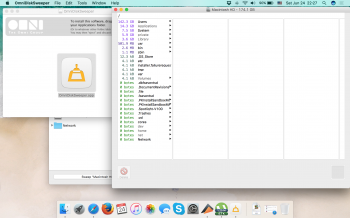
Actually there is something better than OmniDiskSweeper:
https://diskwave.barthe.ph

It's small and free.
Just download it and open it.
You'll see what to do next.

TIP: Go to preferences and set normally-invisible files to be made VISIBLE.
Now you can see everything.
 
hope this helps
 

Attachments

  • Screenshot 2017-06-24 22.27.11.png
    Screenshot 2017-06-24 22.27.11.png
    1.5 MB · Views: 228
Well you have 26gb or so of movies, but that's not unusual if you keep hi-rez movies around (the large file sizes "add up" quickly).
You have 10.5gb of pictures -- again, not unusual, especially if you shoot in large file sizes.
And 8.4gb of music.
There's 7gb of stuff on your desktop (in the desktop folder of your user account).

The only thing that stands out is 26gb of stuff in your user library.
You've got to "go in further" and find out what and where it is.
 
  • Like
Reactions: TonyK
this helps?

There appears to be some 57GB that is not being shown for the Users folder. According to the first picture you posted it shows that the Users folder is taking up 142.6 and in the User folder, with 2 user accounts the total being used is around 84GB. So there is 57GB that does not show up. I wonder if local snapshots is turned on.
 
When you go to the "about" tap and look under "storage" does it show "backups" that is taking up a lot of space?

Are you using Time Machine?
 
@FreemanW as far as I know I should not be using 3rd party software on MAC os?
 

Attachments

  • Screenshot 2017-07-04 20.28.54.png
    Screenshot 2017-07-04 20.28.54.png
    676.9 KB · Views: 181
All you have to do is use GrandPerspective app.
Run a scan from the root directory on your ssd, and it will show you everything thats taking up space, even hidden files. You will instantly see whats wasting the space.
 
  • Like
Reactions: manyelski
@FreemanW as far as I know I should not be using 3rd party software on MAC os?
My iMac is filthy with 3rd party software. Adobe Creative Suite, Parallels, Windows x 3, Microsoft Office for Mac, Canon Imaging and Printer, Brother Printer, iStats Utilities, CyberPower Power Panel, Wacom, etc., . . . . . it's a long list.
 
  • Like
Reactions: manyelski
Register on MacRumors! This sidebar will go away, and you'll see fewer ads.