
Got a tip for us?
Let us know
Become a MacRumors Supporter for $50/year with no ads, ability to filter front page stories, and private forums.
My wife bricked our 2018 Mac Mini by clicking on update
- Thread starter pshufd
- Start date
- Sort by reaction score
You are using an out of date browser. It may not display this or other websites correctly.
You should upgrade or use an alternative browser.
You should upgrade or use an alternative browser.

ruslan120
macrumors 65816
Get a new one.
And then start taking a look at the Mac Mini.
And then start taking a look at the Mac Mini.

marclondon
macrumors 6502
I had trouble with the latest supplementary update - it stalled at the start but installed OK after a reset (hold the power button in to shut down, then start-up).
Further, if the monitor is connected by HDMI unplugging the cable from the Mac and back in can bring a monitor to life.
Further, if the monitor is connected by HDMI unplugging the cable from the Mac and back in can bring a monitor to life.
I had trouble with the latest supplementary update - it stalled at the start but installed OK after a reset (hold the power button in to shut down, then start-up).
Further, if the monitor is connected by HDMI unplugging the cable from the Mac and back in can bring a monitor to life.
I forwarded this to my daughter (tech support).
Also: https://9to5mac.com/2019/09/24/mac-pros-running-avid/

chrfr
macrumors G5
This problem wouldn't be related to what your Mac mini is doing.I forwarded this to my daughter (tech support).
Also: https://9to5mac.com/2019/09/24/mac-pros-running-avid/
This problem wouldn't be related to what your Mac mini is doing.
Okay.
I haven't heard back from my daughter on the suggestions here. Appointment at the Apple Store on Friday.

Are you sure it's bricked? Have you tried pulling out the HDMI/DP from the back of the mini and plugging it back in?
I had two people with three Computer Science degrees look at it and I'm pretty sure that they tried all of the usual stuff including the suggestions here. So it goes to the Apple Store on Friday. I'm beginning to have my doubts about the T2 chip. All of our 2015 and earlier hardware runs just fine. I may have to give my wife my 2014 MacBook Pro.
toke lahti
macrumors 68040
The problem might be about Chrome or Safari update.This problem wouldn't be related to what your Mac mini is doing.
chrfr
macrumors G5
If the Chrome updater was at fault here, there'd be something on the screen indicating that the Mac can't boot.The problem might be about Chrome or Safari update.
The problem might be about Chrome or Safari update.
It's possible. I don't know what was updated and my wife has a habit on visiting websites with garbage news stories on them. But the Mini appears to be bricked so, if it wasn't an OS update, then it could be a vulnerability.
[automerge]1569415361[/automerge]
It's possible. I don't know what was updated and my wife has a habit on visiting websites with garbage news stories on them. But the Mini appears to be bricked so, if it wasn't an OS update, then it could be a vulnerability.
She only uses Firefox so it wasn't a Chrome issue. I don't think that Chrome is installed on the system.
I was at The Apple Store to get a couple of batteries replaced and I mentioned the Mac Mini problems. I asked he had seen similar problems before and he said absolutely. We also talked a bit about the T2 chip. It's likely that they will have to wipe the SSD and we don't have a backup but I've pushed my wife to use iCloud so hopefully her stuff is saved in the cloud.

Fishrrman
macrumors Nehalem
pshufd wrote:
"It's likely that they will have to wipe the SSD and we don't have a backup but I've pushed my wife to use iCloud so hopefully her stuff is saved in the cloud."
Get her an external USB3 drive (HDD or SSD)
Get CarbonCopyCloner or SuperDuper (both are FREE to download and try)
Use either to create a bootable cloned backup of the internal drive.
This will save you A LOT OF GRIEF in the future.
Even if she doesn't remember to back up on her own, you can "do it for her".
Even once a month will be better than nothing.
"It's likely that they will have to wipe the SSD and we don't have a backup but I've pushed my wife to use iCloud so hopefully her stuff is saved in the cloud."
Get her an external USB3 drive (HDD or SSD)
Get CarbonCopyCloner or SuperDuper (both are FREE to download and try)
Use either to create a bootable cloned backup of the internal drive.
This will save you A LOT OF GRIEF in the future.
Even if she doesn't remember to back up on her own, you can "do it for her".
Even once a month will be better than nothing.
pshufd wrote:
"It's likely that they will have to wipe the SSD and we don't have a backup but I've pushed my wife to use iCloud so hopefully her stuff is saved in the cloud."
Get her an external USB3 drive (HDD or SSD)
Get CarbonCopyCloner or SuperDuper (both are FREE to download and try)
Use either to create a bootable cloned backup of the internal drive.
This will save you A LOT OF GRIEF in the future.
Even if she doesn't remember to back up on her own, you can "do it for her".
Even once a month will be better than nothing.
I have some spare SSDs that I could set up as Time Machine drives. She has a 128 GB SSD and really doesn't store much on her system. I suppose I could even just use a 256 GB Flash Drive.

NT1440
macrumors P6
Computer science degrees rarely have anything to do with hardware (or I wouldn’t have spent so much time doing *basic* troubleshooting for the college I worked at in the CompSci building), just saying.I had two people with three Computer Science degrees look at it and I'm pretty sure that they tried all of the usual stuff including the suggestions here. So it goes to the Apple Store on Friday. I'm beginning to have my doubts about the T2 chip. All of our 2015 and earlier hardware runs just fine. I may have to give my wife my 2014 MacBook Pro.
As rudimentary as this sounds, have you tried an NVRAM and SMC reset?
Computer science degrees rarely have anything to do with hardware (or I wouldn’t have spent so much time doing *basic* troubleshooting for the college I worked at in the CompSci building), just saying.
As rudimentary as this sounds, have you tried an NVRAM and SMC reset?
Computer Science degrees are math degrees. Yes, I've worked with a few of the pure, theoretical types, but your typical CS students are pretty good dealing with tech problems as well - as they get asked by everyone they know to deal with them. CS majors, in real environments, often need to get hardware and software to work together though.
The reports I received is that the Mac Mini power light was on and that was it. Nothing to the monitor. No chime, etc. A guy at the Apple Store told me that he had a PSU issue with a new 2018 Mini. I described my problem to him and he said to bring it in. The other guy I spoke to there said that they've had cases similar to mine so it may very well be a hardware problem caused by a software upgrade.
I read about the Chrome update problem - Google's fault.

Mr_Brightside_@
macrumors 601
I was just typing this post. Also, does the Mac boot to recovery mode?Computer science degrees rarely have anything to do with hardware (or I wouldn’t have spent so much time doing *basic* troubleshooting for the college I worked at in the CompSci building), just saying.
As rudimentary as this sounds, have you tried an NVRAM and SMC reset?
Reset the SMC of your Mac - Apple Support (CA)
The System Management Controller (SMC) is responsible for managing power on your Mac. Resetting it can help resolve uncommon issues related to power, thermal management, or hardware behavior.
How to start up from macOS Recovery - Apple Support (CA)
macOS Recovery is your computer’s built-in recovery system, with utilities to reinstall macOS, repair or erase your startup disk, restore from a Time Machine backup, and more. Follow the steps for your type of Mac.
NT1440
macrumors P6
It still wouldn’t hurt to try the SMC reset, that’s directly related to the power management of the system anyway.Computer Science degrees are math degrees. Yes, I've worked with a few of the pure, theoretical types, but your typical CS students are pretty good dealing with tech problems as well - as they get asked by everyone they know to deal with them. CS majors, in real environments, often need to get hardware and software to work together though.
The reports I received is that the Mac Mini power light was on and that was it. Nothing to the monitor. No chime, etc. A guy at the Apple Store told me that he had a PSU issue with a new 2018 Mini. I described my problem to him and he said to bring it in. The other guy I spoke to there said that they've had cases similar to mine so it may very well be a hardware problem caused by a software upgrade.
I read about the Chrome update problem - Google's fault.
If it’s a fluke, SMC might resolve it, if it doesn’t it confirms the issue is deeper.
Good luck!

Steve686
macrumors 68040
Sounds like a class action lawsuit??
jesus.
Sounds more like filing for divorce the way you wrote the header.
jesus.
Sounds more like filing for divorce the way you wrote the header.
Fishrrman
macrumors Nehalem
Do you use Chrome (or other google apps) at all?
Have you seen this?

 www.macintouch.com
And this?
 mrmacintosh.com
Have you seen this?
Google (and Chrome) security issues
Brian Krebs covers a new Google privacy problem: Google to Fix Location Data Leak in Google Home, Chromecast Google in the coming weeks is expected to fix a location privacy leak in two of its most popular consumer products. New research shows that Web sites can run a simple script in the...
And this?
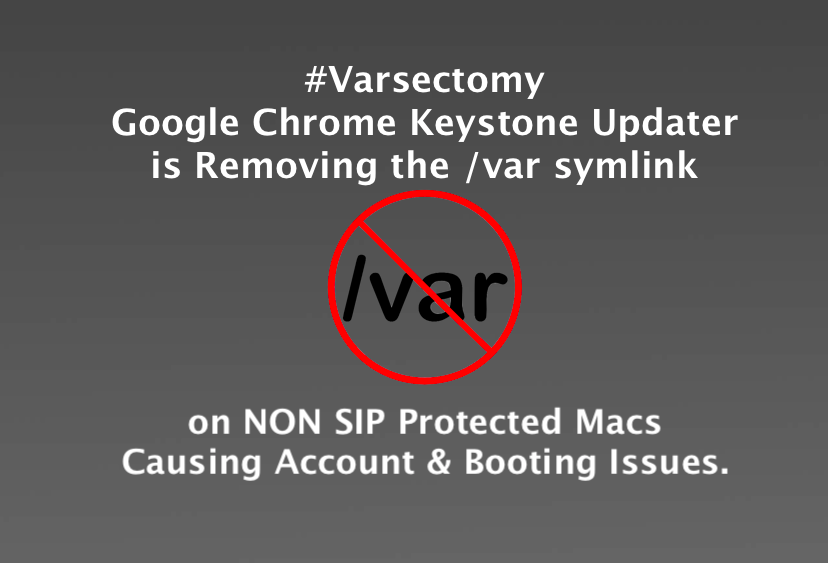
Google Chrome Keystone is Removing /var symlink on non SIP Macs Causing Boot Issues
Reports that some AVID Users Macs would no longer boot. It now may be that a Google Chrome Keystone update modifies /var on NON SIP Protected Macs.
mrmacintosh.com
I brought it to the Apple Store and it booted right up. The Apple employee told me that unplugging it for 15 minutes resets the SMC. I was used to resetting it using keyboard commands but apparently it's done differently on the Mac Pro and Mac Mini. He had no idea as to what caused it but suggested that sometimes there's a timing issue with updates.
I asked the kids what they did and they said that they tried a bunch of things like unplugging and plugging, trying another computer on the monitor, and I think swapping out keyboard and mouse. I've done SMC and PRAM reset on MacBook Pros but never on Mac desktops. So this is a new one on me.
I asked the kids what they did and they said that they tried a bunch of things like unplugging and plugging, trying another computer on the monitor, and I think swapping out keyboard and mouse. I've done SMC and PRAM reset on MacBook Pros but never on Mac desktops. So this is a new one on me.

Macintoshrumors
Suspended
You must be fun at parties, i really dont think there is grounds for legal reporcutions. You Americans will sue for anything and everything.My daughter did some research and it's a problem with newer Macs. All you can do is bring it into the store to have them reset something. Sounds like a good case for a class action lawsuit.
marclondon
macrumors 6502

liquidtwitch
macrumors regular
As rudimentary as this sounds, have you tried an NVRAM and SMC reset?