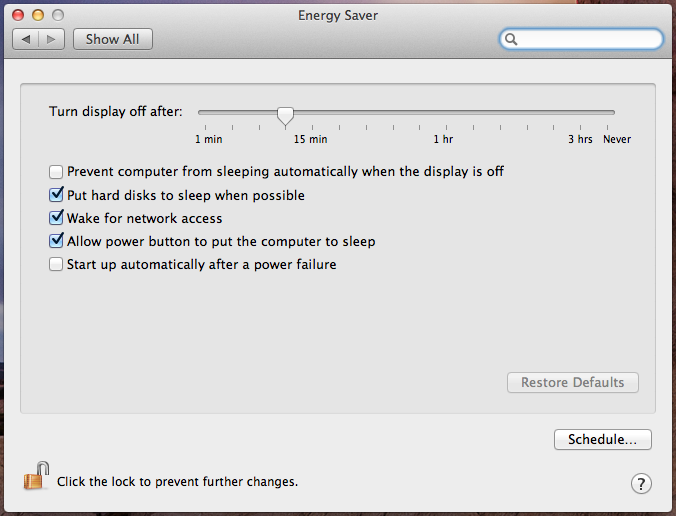
My Energy Saver settings seems to be missing some things? This is the screen that comes up when I click Energy Saver in System Prefs. Where are the sleep settings?
Oh, I wasn't aware that's how the 2013 MBA's were. So if it says "Turn display off after" and it's set for 10 mins, it actually will be sleeping at the same time?
The Haswell chips have native support for low power idle
I think apple combined the display timeout with the haswell low power state management.
It is just so quick at waking up you dont think its actually been sleeping. It is also worth mentioning that while the display timeout allows the cpu to enter a low power state, if a task is running it wont cut it off. It will go into standby after a certain period of inactivity, that might be 3 hours like the laptops.
It is also worth mentioning that while the display timeout allows the cpu to enter a low power state, if a task is running it wont cut it off. It will go into standby after a certain period of inactivity, that might be 3 hours like the laptops.
How do you find out your what your Your-Mac-Model.plist is?
All I see in there is a bunch of numbers.plist in a list and can not
identify which would be fore the New Mac Pro?
How do you find out your what your Your-Mac-Model.plist is?
All I see in there is a bunch of numbers.plist in a list and can not
identify which would be fore the New Mac Pro?