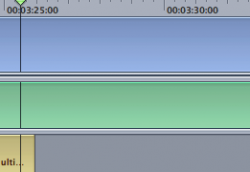
bobber205 macrumors 68020 Original poster May 13, 2007 #1 I was subtitling a clip and I must have pressed some weird combo of buttons, but not my tracks look huge! What did I do?! How do I under this? Attachments Picture 3.png 7.2 KB · Views: 300
I was subtitling a clip and I must have pressed some weird combo of buttons, but not my tracks look huge! What did I do?! How do I under this?
Benjamindaines macrumors 68030 May 13, 2007 #2 Look for this in the bottom left corner to change the track size.
bobber205 macrumors 68020 Original poster May 13, 2007 #3 Very nice! Thanks. BTW is there anyway I can get this video I've now finished and make it an mp4? 😀
Benjamindaines macrumors 68030 May 13, 2007 #4 bobber205 said: Very nice! Thanks. BTW is there anyway I can get this video I've now finished and make it an mp4? 😀 Click to expand... Not from DVD Studio... Why were you using DVD Studio to make a movie? That's what Final Cut's for.
bobber205 said: Very nice! Thanks. BTW is there anyway I can get this video I've now finished and make it an mp4? 😀 Click to expand... Not from DVD Studio... Why were you using DVD Studio to make a movie? That's what Final Cut's for.
bobber205 macrumors 68020 Original poster May 13, 2007 #5 I didn't use it to make the movie. I used it because it's the easiest to do subtitles on. 😉
Benjamindaines macrumors 68030 May 13, 2007 #6 bobber205 said: I didn't use it to make the movie. I used it because it's the easiest to do subtitles on. 😉 Click to expand... Ah well I still would have used Final Cut for that. I don't think there is an export to mp4 in DVD Studio.
bobber205 said: I didn't use it to make the movie. I used it because it's the easiest to do subtitles on. 😉 Click to expand... Ah well I still would have used Final Cut for that. I don't think there is an export to mp4 in DVD Studio.
bobber205 macrumors 68020 Original poster May 13, 2007 #7 Found a way. 😀 I built the dvd and had Handbrake rip it. Turned out nice. 😛 Is there an easy way to subtiles in FCP? DVD Studio made it pretty easy.
Found a way. 😀 I built the dvd and had Handbrake rip it. Turned out nice. 😛 Is there an easy way to subtiles in FCP? DVD Studio made it pretty easy.
Benjamindaines macrumors 68030 May 13, 2007 #8 bobber205 said: Is there an easy way to subtiles in FCP? DVD Studio made it pretty easy. Click to expand... Just use a text track.
bobber205 said: Is there an easy way to subtiles in FCP? DVD Studio made it pretty easy. Click to expand... Just use a text track.