
Become a MacRumors Supporter for $50/year with no ads, ability to filter front page stories, and private forums.

papbot

macrumors 68030
Original poster
On the left side of the url address field the web site settings and features such as “turn off content blockers” is missing. Instead there are 3 horizontal lines showing completely different items. Several are what you see under the share icon such as “Add Bookmark.” Are others experiencing this as well?
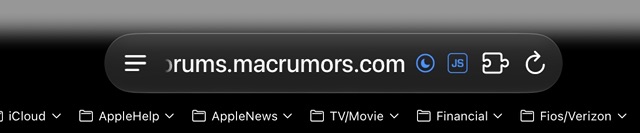
IMG_1533.jpeg

If you tap on those 3 lines you get this menu instead of web site preferences as before.
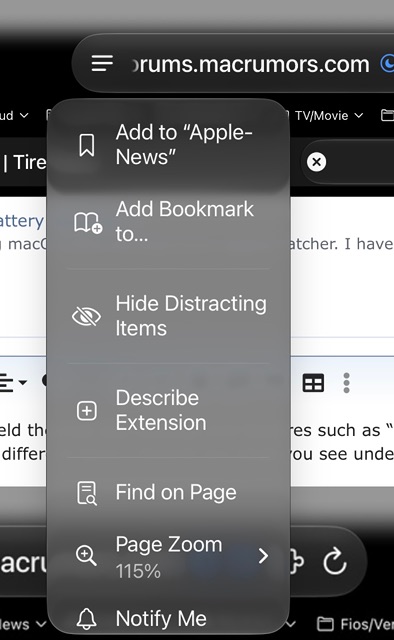
IMG_1534.jpeg
 
Last edited:
You can scroll that menu to see more options, the page settings entry will be below
Ah, thank you. The problem was the website I was on, TireRack.com, would not scroll so I was looking for the “Turn Off Content Blockers” menu item to see if that might be the problem. But it didnt appear where expected. When that different menu appeared I didn’t try scrolling it because the page itself wouldn’t scroll. Also, I found just before your post, that toggling off “Show Favorites Bar” allowed the web page to scroll normally without turning off content blockers. Weird that the favorites bar would affect the web site, but apparently it did. Anyway, thanks for the reply!
 
Register on MacRumors! This sidebar will go away, and you'll see fewer ads.