
Please see screen shot...
Leopard 10.5.7...
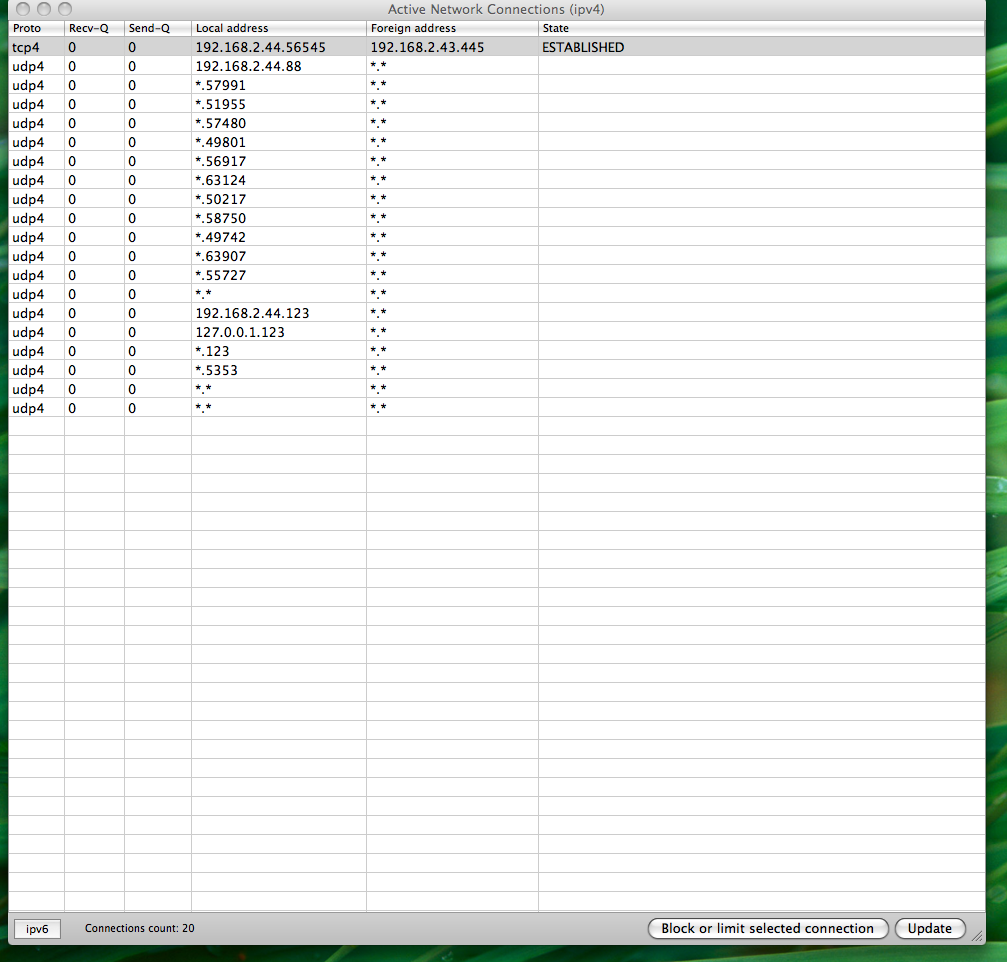
it lists all the network connections from my machine. No firefox or adium or any other software. Just the OS processes. Also I dont have any startup items or sharing services. The first tcp entry is for a windows machine folder mount.
Does this look normal to you guys...my curiosity is about all those *.* foreign addresses...
Also in the local address is see lot of *.port enteries. All those 5 digit ports. I tried googling some, nothing came out.
Any help is much appreciated 🙂
Leopard 10.5.7...
it lists all the network connections from my machine. No firefox or adium or any other software. Just the OS processes. Also I dont have any startup items or sharing services. The first tcp entry is for a windows machine folder mount.
Does this look normal to you guys...my curiosity is about all those *.* foreign addresses...
Also in the local address is see lot of *.port enteries. All those 5 digit ports. I tried googling some, nothing came out.
Any help is much appreciated 🙂

