
Got a tip for us?
Let us know
Become a MacRumors Supporter for $50/year with no ads, ability to filter front page stories, and private forums.
OS X 10.10.3 Beta Adds Support for Google 2-Step Verification on Internet Accounts
- Thread starter MacRumors
- Start date
- Sort by reaction score
You are using an out of date browser. It may not display this or other websites correctly.
You should upgrade or use an alternative browser.
You should upgrade or use an alternative browser.


haravikk
macrumors 65832
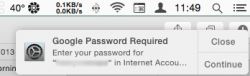
Glad to hear about this; I've had nothing but trouble setting up Google accounts on OS X, even with the app-specific passwords I constantly get accessed for my Google password when trying to setup other internet accounts, even when everything is working fine!
Now if they could convince Google to actually implement IMAP, CalDAV and CardDAV properly, rather than their current twisted pseudo-implementations of each, then maybe I could actually use the Google services, but for the moment I just had to go back to POP e-mail and disable everything else.
Now if they could convince Google to actually implement IMAP, CalDAV and CardDAV properly, rather than their current twisted pseudo-implementations of each, then maybe I could actually use the Google services, but for the moment I just had to go back to POP e-mail and disable everything else.
I could be wrong but I think it needs to be that way to hand control over to Google to do the authentication. That's the same thing you'll see in any application that supports their 2-factor setup.
Yep, that's right.
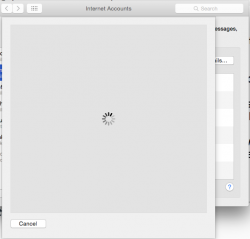
The "webpage-inside-a-sheet" look looks pretty lazy, but it is a beta.
That's the way it works even on Google's own Android. When I set up a new phone I need to go through the webpage popup that looks exactly the same.

Oletros
macrumors 603
Google changing their authentication methods was the reason I quit Gmail as my "Internet account" a while back. I never really understood how it worked, only Mail kept failing to connect randomly.
Gogole didn't changed any authentication method, if you don't use two step verification the method is exactly the same as always

theSeb
macrumors 604
And yet there are millions of people that don't have the wifi issue, myself included.Of course he bought an iMac to go back to the Middle Ages. Honestly think it is not Apples fault. He must be holding it wrong.
Customers are paying top dollar and get an OS/hardware combination that does not work. Wifi and DNS are horrible examples.
Customers should not put up with this and certainly not accept workarounds as an acceptable solution.
There is no excuse for getting wifi and DNS wrong. It's the same company that gets rid of Ethernet ports!!!
Still hoping Apple gets their act together, so I can allow myself to buy a new MBP in Q1 2016 to replace my 2010 17" laptop. But I am afraid that Apple is unable to solve the UI lag: super hardware, inferior software.
Not buying a maxed out MBP to get frustrated by the software.
Feeling better now.
The UI lag that you mention was real when Yosemite was released, even on a Mac Pro. It's been 99% fixed now. I don't get frustrated by Yosemite and I seem able to get my work done.
Of course he bought an iMac to go back to the Middle Ages. Honestly think it is not Apples fault. He must be holding it wrong.
Customers are paying top dollar and get an OS/hardware combination that does not work. Wifi and DNS are horrible examples.
Customers should not put up with this and certainly not accept workarounds as an acceptable solution.
There is no excuse for getting wifi and DNS wrong. It's the same company that gets rid of Ethernet ports!!!
Still hoping Apple gets their act together, so I can allow myself to buy a new MBP in Q1 2016 to replace my 2010 17" laptop. But I am afraid that Apple is unable to solve the UI lag: super hardware, inferior software.
Not buying a maxed out MBP to get frustrated by the software.
Feeling better now.
Uhhhh..... Ok....
I wasn't placing blame on the user. You know as well as me that there are numerous things in your environment that can interfere with wifi. I have seen routers more expensive than Apple's that frustrate IT professionals.
Sometimes the user just has to try different things is all.

rdlink
macrumors 68040
I really hope this doesn't work the way I'm thinking it does. I've been using app specific passwords on various of my Macs for years. There was some bugginess early on, but they have worked pretty much flawlessly for me for several years.
If my thinking is right, this change will require me to put in my Google Authenticator token in my Apple Mail application every thirty days. Not cool. Frankly, I would rather put in an app specific password, so I can "set it and forget it" until such time as I get rid of the computer.
If my thinking is right, this change will require me to put in my Google Authenticator token in my Apple Mail application every thirty days. Not cool. Frankly, I would rather put in an app specific password, so I can "set it and forget it" until such time as I get rid of the computer.

Kerry Sanders
macrumors regular
The addition of support for Google's 2-step verification is going to be great. I have been using it with the Mac, but having to go to the Google site, setup an app, and then enter the code kind of made it feel like a big kludge.
malexandria
Suspended
Remember the Apple Ad that made fun of Windows Vista?
Apple made ads that ridiculed Vista for prompting people to enter their name for security purposes to install software. Totally misleading and sleazy ad. Considering OSX did the exact same thing.
Apple made ads that ridiculed Vista for prompting people to enter their name for security purposes to install software. Totally misleading and sleazy ad. Considering OSX did the exact same thing.

2499723
Cancelled
I can't be bothered with 2-step verification. I'm sure it's more secure, but it's just such a hassle. It's great for people who need it, and I'm happy to see support for it included in the OS, but for me, it kind of defeats the purpose of apps like 1Password. There's something so clunky about occasionally having to grab my phone to verify my identity. What about those times my phone is upstairs or even simply out of reach? *Sigh* I have a lot to complain about. =P

AlecZ
macrumors 65816
Gogole didn't changed any authentication method, if you don't use two step verification the method is exactly the same as always
No, there was a really common issue that sprung up a year or two ago where IMAP authentication to Gmail wasn't working reliably all of a sudden. There are likely hundreds of threads on MR and Apple Discussions about it.
The "webpage-inside-a-sheet" look looks pretty lazy, but it is a beta.
Um, the point of authentication like this is to contact the source directly instead of giving your credentials to a third party. How else do you expect them to do this?

Dargoth
macrumors regular
Um, the point of authentication like this is to contact the source directly instead of giving your credentials to a third party. How else do you expect them to do this?
They could easily provide a native interface that communicates directly with Google. Why would you assume they couldn't?
They could easily provide a native interface that communicates directly with Google. Why would you assume they couldn't?
A native interface would defeat the purpose of security.
If you have a native interface, how do you know nothing is being captured on the backend before being sent to Google. Not saying that Apple would do that but you see the problem.
The point of a webpage is to know that you're dealing directly with a branded Google webpage on Google's own servers.


tevion5
macrumors 68000
There should be a 2 step verification process fro everything.
Sure would save time when picking up chicks.

n-evo
macrumors 68020
Exactly. Not entirely sure why some have a hard time understanding this concept.A native interface would defeat the purpose of security.
If you have a native interface, how do you know nothing is being captured on the backend before being sent to Google. Not saying that Apple would do that but you see the problem.
The point of a webpage is to know that you're dealing directly with a branded Google webpage on Google's own servers.

ksuyen
macrumors 6502a
Of course he bought an iMac to go back to the Middle Ages. Honestly think it is not Apples fault. He must be holding it wrong.
Customers are paying top dollar and get an OS/hardware combination that does not work. Wifi and DNS are horrible examples.
Customers should not put up with this and certainly not accept workarounds as an acceptable solution.
There is no excuse for getting wifi and DNS wrong. It's the same company that gets rid of Ethernet ports!!!
Still hoping Apple gets their act together, so I can allow myself to buy a new MBP in Q1 2016 to replace my 2010 17" laptop. But I am afraid that Apple is unable to solve the UI lag: super hardware, inferior software.
Not buying a maxed out MBP to get frustrated by the software.
Feeling better now.
Er... have you tried ask Apple directly? Not mean to belittle you, but whining about it here won't solve your problem, yes, I said it's 'your' problem, because 99% of us has no issue at all. 😱

John.B
macrumors 601
Er... have you tried ask Apple directly? Not mean to belittle you, but whining about it here won't solve your problem, yes, I said it's 'your' problem, because 99% of us has no issue at all. 😱
Don't assume that because you aren't having problems with WiFi or DNS (more succinctly: discoveryd) in Yosemite, that they don't exist.
Dargoth
macrumors regular
A native interface would defeat the purpose of security.
If you have a native interface, how do you know nothing is being captured on the backend before being sent to Google. Not saying that Apple would do that but you see the problem.
The point of a webpage is to know that you're dealing directly with a branded Google webpage on Google's own servers.
No, really. Secure transactions over the internet are made all the time with native interfaces. It's 100% possible to implement. It's done with e-mail, it's done with Apple Pay, it's done with pretty much all of Apple's services, as well as virtually all apps on the app store. You underestimate what software can do apparently. Being a webpage doesn't make it more secure, hell, I could show you a webpage right now that walks and talks just like the google one, but it sends the password directly to my e-mail account. If anything, a native interface is less likely to be fooled in this manner.
Oletros
macrumors 603
No, really. Secure transactions over the internet are made all the time with native interfaces. It's 100% possible to implement. It's done with e-mail, it's done with Apple Pay, it's done with pretty much all of Apple's services, as well as virtually all apps on the app store. You underestimate what software can do apparently. Being a webpage doesn't make it more secure, hell, I could show you a webpage right now that walks and talks just like the google one, but it sends the password directly to my e-mail account. If anything, a native interface is less likely to be fooled in this manner.
Look hiw oauth2 works, it is not laziness
n-evo
macrumors 68020
What Apple services are accessible through third-parties? A service like Apple Pay is done through a native interface because it's available on Apple devices only.It's 100% possible to implement. It's done with e-mail, it's done with Apple Pay, it's done with pretty much all of Apple's services.
Last edited:
A native interface would defeat the purpose of security.
If you have a native interface, how do you know nothing is being captured on the backend before being sent to Google. Not saying that Apple would do that but you see the problem.
I do see your argument, but it becomes moot by the fact that Apple could grab the credentials in both cases! After all its their web browser implementation, so anything that is entered in any web form could be grabbed by Apple (the OS, to be specific), if they wanted to. Heck, every key stroke you do is under the control of the OS!
So whether they would provide a nicely rendered Cocoa GUI which would interact with the Google Auth service, or rendering the web pages (as provided by Google) directly totally does not make any difference, when it comes to security!
The point of a webpage is to know that you're dealing directly with a branded Google webpage on Google's own servers.
So "Security by Corporate Design" is it then, right? 😉
----------
So whether they would provide a nicely rendered Cocoa GUI which would interact with the Google Auth service, or rendering the web pages (as provided by Google) directly totally does not make any difference, when it comes to security!
There is off course a reason why Apple (or anyone, for that matter) might prefer the "web GUI" approach: first, license reasons. Google might simply dictate that a software renders their web login in order to comply with the "Terms of Use" (which I don't know and can only speculate about).
Then there is off course the "Ah I remember this Google login, I have seen it elsewhere!"-effect on users.
Third and probably most importantly: the HTML forms, the arguments being expected and the URLs to be contacted might change at Google's will! So "hard-coding" this kind of information in a Cocoa GUI (Controller/whatever) might break in the future.
I once did an Instagram Authentification without rendering their Web Login page, and simply POST-ing the user name/password at the corresponding URL (and reacting to each "Forward" request they sent me in turn). Needless to say that after some weeks my approach failed, since the Instagram web login process had changed in the meantime.
So it is 10 times more practical to simply render the HTML page in a browser, and let it react to whatever arguments are being passed around.
----------
Exactly. Not entirely sure why some have a hard time understanding this concept.
If you think the "web GUI approach" is more secure than a "native interface" (aka custom Cocoa GUI), then you surely did not understand the concepts of "security". Little hint: the OS is also responsible to render the web page, so if it wanted to, it can grab whatever credentials it likes (and is not supposed to).
----------
Um, the point of authentication like this is to contact the source directly instead of giving your credentials to a third party. How else do you expect them to do this?
I guess you imagine that the "third party" would be Apple (the OS) and in your world "contacting the source directly" means that you enter data in a web page and "no one else can intercept it".
Well, you are wrong on the later point unfortunately: off course the web page is rendered by the OS (specifically: the corresponding webkit framework), and if that framework wanted to grab whatever the user entered, nothing would prevent it from doing so!
Every bloody keystroke you do is under the control of the OS, so nothing less or more secure when entering the data in a "native GUI form" than when entering it in a "HTML web page as provided by Google".
----------
It's great for people who need it, and I'm happy to see support for it included in the OS, but for me, it kind of defeats the purpose of apps like 1Password.
It doesn't. It is an additional layer of security!
There's something so clunky about occasionally having to grab my phone to verify my identity.
With strong emphasis on occasionally: per device you have to complete 2FA exactly once (unless you change something).
Dargoth
macrumors regular
Look hiw oauth2 works, it is not laziness
You can implement oauth2 in Python. You can implement oauth2 in Objective-C or Swift. You can present a UI using these implementations without a web interface. It is simpler to implement if you use someone else's implementation, hence the webpage from Google. It isn't laziness, it's just convenience, especially where Google is concerned. They're known for making their services a nightmare to code for, so probably doing as many things with google's own implementations of protocols would make things somewhat easier... Still feel like perpetuating your role as an armchair developer?
Register on MacRumors! This sidebar will go away, and you'll see fewer ads.