Become a MacRumors Supporter for $50/year with no ads, ability to filter front page stories, and private forums.

MacRumors

macrumors bot
Original poster


OWC recently kicked off a new sale offering big discounts on a variety of USB-C docks, external drives and enclosures, and Mac accessories. This includes $40 off OWC's new Thunderbolt 5 Hub, available for $149.99, down from $189.99.
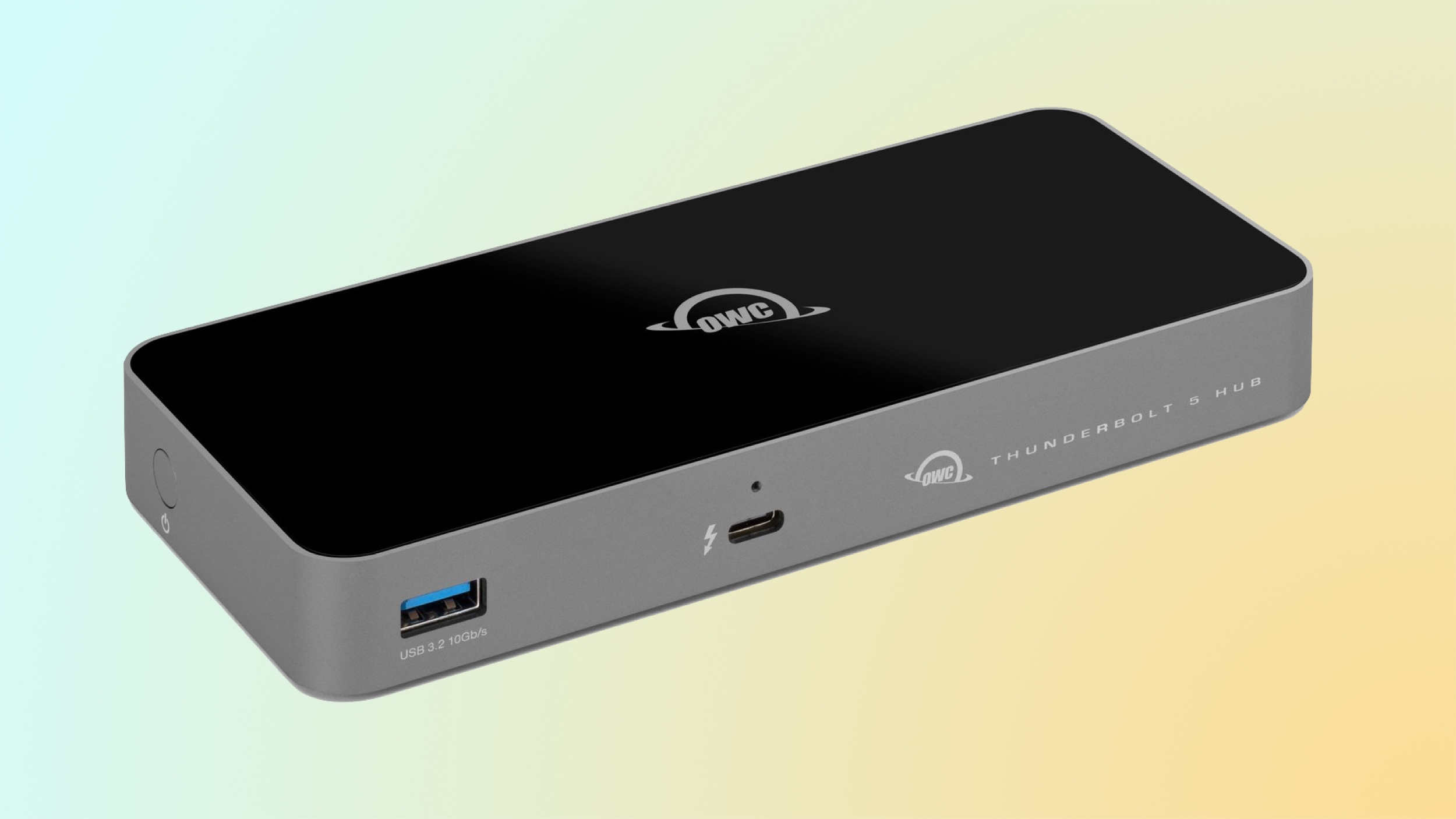
owc-thunderbolt-5-hub.jpeg
Note: MacRumors is an affiliate partner with OWC. When you click a link and make a purchase, we may receive a small payment, which helps us keep the site running.

This new hub adds more Thunderbolt 5 ports to your Mac, PC, or iPad Pro setup, with support for Thunderbolt 5, Thunderbolt 4, Thunderbolt 3, USB4, and USB-C devices. There's also a deal on OWC's 11-Port Thunderbolt 5 Dock, which is available for $299.99, down from $329.99 and has ports for memory cards, USB-A devices, networking cables, headphones, and more.


OWC's sale has a few other discounts this week, including savings on Thunderbolt cables, charging cables, and more. The popular 14-Port Thunderbolt Dock for Mac is available for $179.99, down from $279.99. If you purchase a qualifying new or used Mac at the same time as this dock, you can get an additional $20 off the accessory at checkout.

Docks and Hubs

Cables

Drives and Enclosures


If you're on the hunt for more discounts, be sure to visit our Apple Deals roundup where we recap the best Apple-related bargains of the past week.


Deals Newsletter

Interested in hearing more about the best deals you can find in 2026? Sign up for our Deals Newsletter and we'll keep you updated so you don't miss the biggest deals of the season!


Article Link: OWC Introduces Discounts on Newest Thunderbolt 5 Docks and Hubs
 
  • Haha
Reactions: WilliamG and Z-4195
One of the reasons for a hub like this is to support legacy ports like USB-A. Many of us still have devices that use USB-A.
Most of user has go over to usb-c and don’t lol we’d that old junk and there is many can’t count on my fingers usb-A- hund it seems to hard to this old fellas to understand that many user don’t using a rs232 mouse in 2026 also
 
Most of user has go over to usb-c and don’t lol we’d that old junk and there is many can’t count on my fingers usb-A- hund it seems to hard to this old fellas to understand that many user don’t using a rs232 mouse in 2026 also
The difference being there are no new RS232 mice being made today, but there are plenty of new USB-A mice being made today, using your mouse example.
 
The difference being there are no new RS232 mice being made today, but there are plenty of new USB-A mice being made today, using your mouse example.
Not to mention, a crapton of other peripherals. USB-A isn't going away, the port/plug is cheaper for basic peripherals, more physically robust, and there is a reason why all PC desktops still come with 10+ USB-A ports.

And even though you may not like it, people still want to use stuff they bought years ago on modern Macs that have don't have those ports, so dongles and docks continue to include them, because Apple won't.
 
I would be hesitant after my bad experience with my OWC TB5 m.2 ssd enclosure. That thing crashed my mac HARD if my MBP ever goes to sleep while it's plugged in.

Lightning fast when it works, tho.
 
Most of user has go over to usb-c and don’t lol we’d that old junk and there is many can’t count on my fingers usb-A- hund it seems to hard to this old fellas to understand that many user don’t using a rs232 mouse in 2026 also

No, YOU have gone over to USB-C. The rest of the world in reality still has plenty of devices with USB-A connectors and needs them.
 
I got the OWC 11-port Thunderbolt 4 dock when I got my M1 MBP, and it's been generally good, but my external HDDs tend to disconnect every few days and need to be power cycled to reconnect (and they're OWC HDDs).

As I'm in the process of migrating to Thunderbolt 5, I went with a Sonnet Echo 13, with 2TB internal NVMe SSD. I don't have the Thunderbolt 5 laptop yet, but it's been rock solid with my existing setup.
 
  • Like
Reactions: drrich2
While OWC is making something compatible with Thunderbolt 5 on Apple's Macintosh computers, Apple itself doesn't make any non-computer devices compatible with even Thunderbolt 2 or Thunderbolt 2-equivalent speeds. In fact, the latest iPhone 17 still uses the same USB 2.0 that was on the iPhone 1 released in 2007. If you're interested in reading a thread that goes in depth on that topic, click the link below:
 
Last edited:
All of my external drives are OWC. I have been using OWC branded equipment for years without issue. One of the brands I completely trust TBH.
 
Anyone recommend a good dock with four USB-C Thunderbolt ports that can be used with four 4K USB-C displays? Or do I just need to get two docks that each have at least two ports? I have an M3 Max MBP that has Thunderbolt 4 and I recently bought two portable displays for working while traveling but I’d like to put them to use vertically for my programming IDE Nova, as well as Slack.

I’d also be willing to accept three displays on one port. I have an older Anker Thunderbolt 3 dock which has recently stopped connecting to my second display and the main display flickers off and on a few times per hour, so I think it might be cooked. It always got really hot, despite the all aluminum design with some cooling ridges, and the cool temperature in my studio.
 
Apple itself doesn't make any non-computer devices compatible with even Thunderbolt 2 or Thunderbolt 2-equivalent speeds.
iPad Pro has Thunderbolt/USB4
I guess the Studio Display is a "non-computer device".

In fact, the latest iPhone 17 still uses the same USB 2.0 that was on the iPhone 1 released in 2007.
Maybe because USB 2.0 is good enough for the job & allows for cheaper, thinner cables with fewer wires?

The vast majority of iPhone users are only ever going to use the cable for charging and once-in-a-blue-moon pairing with a Mac. Or, maybe, audio/headphones/carplay, for which USB 2 is still plenty (CD quality audio = ~1.5 Mbps, USB 2.0 = 480 Mbps). When it comes to file/photo/video sync, wireless is always going to be the preferred route c.f. tethering your handheld device with a cable.

The "pro" models aimed at more serious photo/video use have USB 3 anyway (and the iPad Pro has TB). Not seeing many SD card readers or DSLR cameras offering Thunderbolt speeds, anyway (NB: "Thunderbolt 3 compatible" doesn't mean "Thunderbolt 3 speed" - it's often just USB 3.1).

If you're interested in reading a thread that goes in depth on that topic, click the link below:
I wouldn't generally look for insight in a thread with an ad-hom right there in the title... but I'm seeing an lot of "No USB 3 = Sack Tim Cook" and very little "I actually need USB 3 on my iPhone because...".

Now, there is something in the argument that, since even the basic iPhone is so expensive c.f. Android, it should include everything but the kitchen sink, even if people don't use it.
 
  • Like
Reactions: Ifti and drrich2
Please remove that 10yeard old usb a port

Just put a cheap, low profile USB-A to USB-C adapter in it and enjoy an extra USB-C/USB 3 port. A USB-A port is ideal for connecting a keyboard/mouse dongle - and USB-A is better for that because most of the electronics fit in the 'shaft' so they can be very low-profile.

In most cases you were never going to get an extra Thunderbolt port - or even a fully-functional USB-C 3.2 port with gen 2, video and full power delivery - in that spot, because the internal bandwidth/power wasn't there.

There's still a lot of USB-A out there, although I do think they should stop putting USB 2.0 ports on new products.
USB 2.0 is still part of the USB-C spec and its good enough for a lot of applications (and doesn't interfere with Bluetooth/WiFi the way USB 3 can). Its also implemented on a separate bus to USB 3 so your USB 2 devices on a hub don't share bandwidth with USB 3 devices.

I've got a 16-channel 48k (or 12 x 96k) audio interface running happily over USB2.0 (and most of the latency still comes from the computer's buffer size) - so you certainly don't need USB 3 for mice, keyboards, printers etc.
 
  • Like
Reactions: drrich2
Register on MacRumors! This sidebar will go away, and you'll see fewer ads.