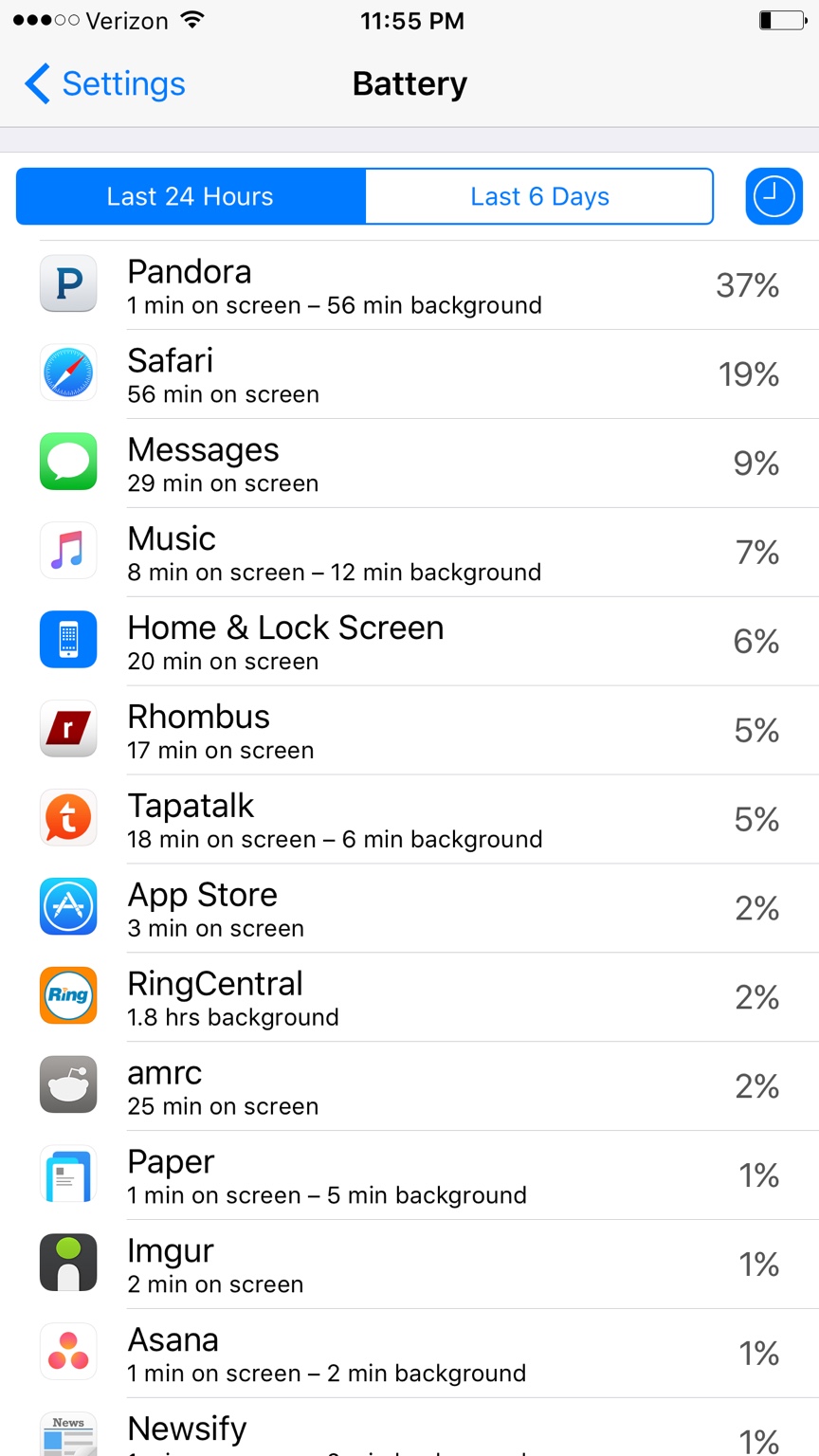
I'll admit that I don't know the iOS algorithm of how it weighs those battery statistics nor in prior versions, not now in iOS9, where it shows background usage as well. But let me think a bit.
I'd suspect that it puts more weight to a process which is continuously running for a period of time in the background, not in short bursts. For instance the Ringcentral app contributes to much larger time in background over 24h, although it only got 2% score. Another point would be how recent was the process measured, since the whole data set displayed is "in last 24h". Now if Pandora would use same amount of background time over 24h, the % might be lower, but the time would be the same. But you said you used Pandora for 1 hour, then checked the battery stats, which attributes for it being a more recent process, therefore getting a higher % score.
Then there are also other factors contributing to the score as in which and how much resources are used by the process, like cpu frequency, audio, wireless/mobile data, etc.
Did you notice how much of actual battery % was used in the time Pandora was playing ? That would be a more decent indicator of possible weird drain. I notice you don't have the battery % enabled for the indicator top right, set it to play for an hour and check how much % it drops.